Networking

OSI Layers Explained in Simple Terms

Source:https://miro.medium.com

In the world of networking, understanding how data travels from one device to another can seem complicated, but the OSI model provides a structured framework that simplifies this process. OSI layers explained allows IT professionals, students, and enthusiasts to conceptualize how communication occurs across networks in seven distinct stages. Each layer has a specific role, ensuring that data is transmitted accurately, efficiently, and securely. By breaking down the network communication process into manageable parts, the OSI model helps troubleshoot issues, design network systems, and enhance overall performance.

Overview of the Seven OSI Layers

The OSI (Open Systems Interconnection) model is divided into seven layers, each responsible for a particular aspect of network communication. These layers work together to ensure that data sent from one device reaches its intended destination reliably. Understanding each layer’s function is key to comprehending how networks operate.

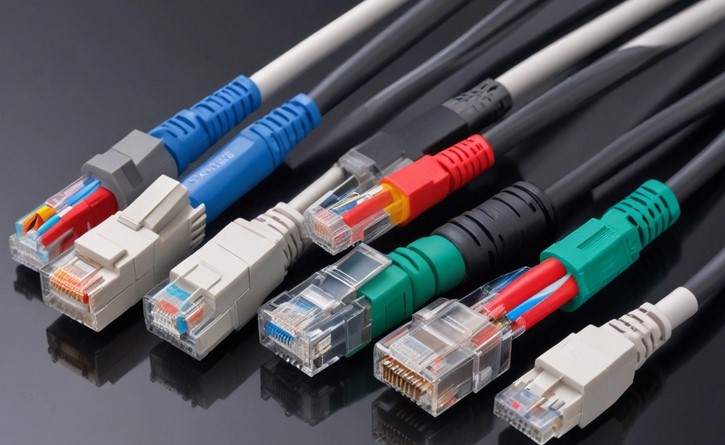
  1. Physical Layer: This is the foundation of network communication. The physical layer deals with the transmission of raw data bits over physical media such as cables, fiber optics, or wireless signals. It defines hardware specifications, voltage levels, connector types, and data rates. Essentially, this layer ensures that binary data can be transmitted and received physically between devices.
  2. Data Link Layer: The data link layer packages raw bits into frames and manages error detection and correction. It is responsible for establishing a reliable link between two directly connected devices. This layer also handles Media Access Control (MAC) addresses, which uniquely identify devices on a network segment, ensuring that data reaches the correct hardware destination.
  3. Network Layer: The network layer determines the best path for data to travel from the source to the destination across multiple networks. It uses logical addressing, such as IP addresses, and routing protocols to direct packets efficiently. This layer is critical for internetworking, allowing devices on different networks to communicate seamlessly.
  4. Transport Layer: Responsible for end-to-end communication, the transport layer ensures that data is delivered accurately and in the correct order. Protocols like TCP (Transmission Control Protocol) and UDP (User Datagram Protocol) operate at this layer. TCP provides reliable delivery with error-checking, while UDP offers faster transmission without guaranteed delivery, useful for streaming or gaming.
  5. Session Layer: The session layer manages communication sessions between devices, such as establishing, maintaining, and terminating connections. It coordinates dialogue control and synchronization, ensuring that devices can exchange data without interference or loss.
  6. Presentation Layer: This layer translates data into a format that the application layer can understand. It handles data encryption, compression, and formatting, ensuring compatibility between different systems. For example, it can convert between ASCII and EBCDIC character codes or apply encryption protocols for secure communication.
  7. Application Layer: The topmost layer interacts directly with end-users and applications. It provides network services such as email, file transfer, web browsing, and remote access. This layer ensures that network functions are accessible and usable by software applications and users.

Importance of Understanding OSI Layers

Grasping how the OSI layers work is vital for troubleshooting network issues effectively. When a problem occurs, knowing which layer is responsible allows IT professionals to isolate the issue quickly. For instance, if a cable is damaged, the problem lies in the physical layer, whereas incorrect IP addressing affects the network layer.

Understanding OSI layers also helps in designing and implementing network solutions. Network protocols, firewalls, and switches often operate at specific layers, and configuring them appropriately requires a clear understanding of the OSI model. Additionally, this knowledge is essential for optimizing performance, improving security, and ensuring compatibility across devices and systems.

Network security is another area where OSI layers are crucial. Different layers can be targeted by specific threats. Physical attacks, such as tampering with cables, affect the physical layer, while malware and phishing target the application layer. By analyzing security concerns in the context of OSI layers, organizations can implement multi-layered defenses to protect data and resources effectively.

Practical Applications and Real-World Examples

In real-world networking, OSI layers guide both hardware and software solutions. Switches operate primarily at the data link layer, managing traffic within a local network, while routers operate at the network layer, directing packets between different networks. Firewalls may function at multiple layers, inspecting packets at the network, transport, or application level depending on their configuration.

For troubleshooting, network engineers often follow the OSI model step by step. If a website cannot be reached, they might check physical connectivity first, verify data link operations, confirm IP addressing, test transport layer protocols, and finally examine application-specific issues. This structured approach saves time and ensures precise problem resolution.

IoT devices also benefit from understanding OSI layers. Smart home systems, wearable devices, and connected appliances rely on proper layering to communicate effectively. By ensuring that each layer functions correctly, manufacturers can provide seamless integration and secure data transmission across their devices.

In conclusion, osi layers explained provide a clear roadmap for understanding how networks operate and how data travels from one device to another. By breaking down communication into seven functional layers, the OSI model simplifies troubleshooting, network design, and security implementation. Mastery of these layers equips professionals and enthusiasts alike to optimize performance, ensure compatibility, and maintain secure, reliable networks in an increasingly connected digital world.

Networking

VPN Encryption Methods Explained Simply

Source:https://www.astrill.com

In an era where online privacy and cybersecurity threats are increasingly prominent, Virtual Private Networks (VPNs) have become essential tools for individuals and businesses alike. VPNs create secure tunnels between devices and the internet, protecting sensitive information from hackers, data trackers, and surveillance. At the heart of this security are VPN encryption methods, which determine how data is encoded and transmitted securely across networks. Understanding these methods helps users make informed choices about their digital security and ensures sensitive information remains protected during online activities.

How VPN Encryption Works

Encryption is the process of converting readable data, known as plaintext, into an unreadable format called ciphertext. This transformation ensures that only authorized parties with the correct decryption key can access the original information. VPNs apply encryption to all data passing through the network tunnel, securing communication between a user’s device and the VPN server.

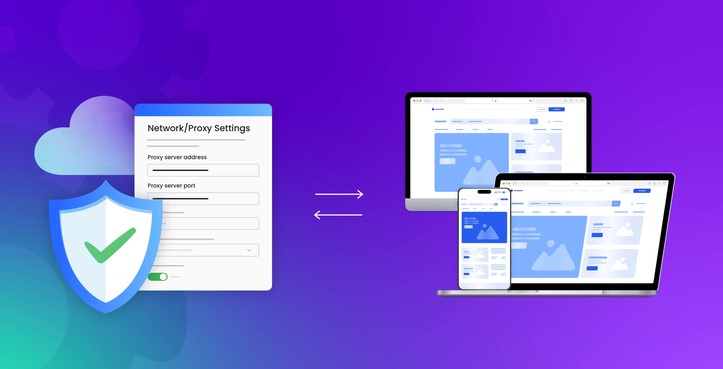
There are two main components in VPN encryption: encryption protocols and encryption algorithms. Encryption protocols define the rules for establishing secure connections, including authentication, key exchange, and data encapsulation. Examples include OpenVPN, IKEv2/IPSec, and WireGuard. Each protocol offers different trade-offs in terms of speed, security, and device compatibility.

Encryption algorithms determine how the data is transformed into ciphertext. Popular symmetric algorithms, such as AES (Advanced Encryption Standard), use the same key for encryption and decryption and are widely favored for their balance of security and speed. Asymmetric algorithms, like RSA, use a pair of keys—public and private—for secure key exchange and authentication. VPNs often combine these algorithms to ensure both fast and secure communication.

Common VPN Encryption Protocols and Their Strengths

Different VPN providers use a variety of encryption protocols, each with unique strengths suited for specific use cases.

  • OpenVPN: One of the most widely used protocols, OpenVPN is open-source, highly configurable, and supports strong encryption standards like AES-256. It is known for stability and reliability across various networks, making it a favorite for both personal and enterprise users.
  • IKEv2/IPSec: This protocol is optimized for mobile devices because it handles network changes efficiently. Users who switch between Wi-Fi and mobile data benefit from seamless reconnections. IKEv2/IPSec also uses robust encryption methods, providing strong security without compromising performance.
  • WireGuard: A newer protocol, WireGuard focuses on simplicity, high performance, and modern cryptography. It uses fewer lines of code than traditional protocols, which reduces vulnerabilities and improves connection speed. Its adoption is increasing rapidly due to its combination of security and efficiency.

In addition to protocol choice, VPN providers may implement layered encryption strategies. This can include multiple encryption layers, secure key rotation, or obfuscation techniques that hide VPN traffic from detection by firewalls or network monitoring systems. These measures enhance privacy and ensure that encrypted data remains protected under various circumstances.

Practical Considerations for Using VPN Encryption

While VPN encryption provides significant security benefits, users should be aware of factors that influence its effectiveness. The strength of encryption is directly related to key length and algorithm complexity. Stronger encryption, such as AES-256, offers higher protection but may require more processing power, which can slightly impact connection speeds. For most users, modern VPNs optimize performance while maintaining high-level security.

Device compatibility is another consideration. Some encryption protocols are better supported across different operating systems and devices. Users should ensure their chosen VPN provider offers protocols compatible with their phones, tablets, and computers to maintain consistent protection.

Privacy policies and server location also affect VPN security. Even with strong encryption, logs or metadata collected by providers can potentially compromise anonymity. Selecting a provider with a strict no-logs policy and strategically located servers enhances both security and privacy.

Finally, combining VPN encryption with other cybersecurity practices, such as strong passwords, two-factor authentication, and secure software updates, maximizes protection. VPNs are a critical layer of security but function best when integrated into a comprehensive approach to digital safety.

In conclusion, understanding vpn encryption methods is crucial for anyone seeking to safeguard their online activities. By choosing the right protocols, algorithms, and VPN providers, users can ensure data remains private, secure, and resilient against modern cyber threats. Effective VPN encryption not only protects sensitive information but also reinforces trust and confidence in digital communications, making it a cornerstone of personal and professional cybersecurity strategies.

Networking

VPN for Mac: Top Picks in 2026

Source:https://www.vpn-tools.com

As digital privacy expectations continue to rise, Mac users are paying closer attention to how their online activity is protected. In 2026, the conversation around a vpn for mac is no longer just about hiding an IP address; it is about performance, transparency, and seamless integration with Apple’s evolving ecosystem. With macOS becoming more powerful and interconnected across devices, choosing the right solution requires understanding what truly matters for modern Mac users.

What Mac Users Need from a Modern VPN in 2026

The Mac platform has matured into a productivity and creativity powerhouse, especially with Apple silicon chips now firmly established. A modern privacy tool must therefore be optimized for this environment. Performance efficiency is critical: Mac users expect fast connections that do not drain battery life or slow down resource-intensive tasks like video editing, software development, or cloud collaboration.

Security standards have also advanced. In 2026, strong encryption is a baseline expectation rather than a premium feature. Users are increasingly looking for support for modern protocols that balance speed and security, as well as features like system-level kill switches, DNS leak prevention, and protection on untrusted Wi-Fi networks. Transparency around logging policies is another decisive factor, as privacy-conscious users want assurance that their data is not stored or monetized.

Equally important is user experience. macOS users value clean design and intuitive controls. A cluttered interface or complex setup process can be a deal-breaker, regardless of technical strength. Integration with macOS features such as system settings, menu bar controls, and automation tools enhances daily usability and aligns with Apple’s design philosophy.

Top Picks for macOS in 2026

The leading solutions for Mac users in 2026 share a few common traits: native Apple silicon support, consistent speed across global servers, and a strong reputation for privacy. While each option has its own strengths, the top picks tend to focus on delivering reliability without compromising simplicity.

Some providers stand out for their privacy-first approach, operating under strict no-logging policies and independent audits. These options appeal to professionals, journalists, and remote workers who prioritize confidentiality above all else. Others differentiate themselves through expansive server networks, making them suitable for users who frequently travel or need stable connections across multiple regions.

Another noticeable trend among top picks is the emphasis on customization. Advanced users can fine-tune protocol choices, split tunneling rules, and application-level permissions, while casual users can rely on smart defaults that work well out of the box. This balance ensures that a wide range of Mac users—from beginners to power users—can find a solution that fits their needs.

How These Picks Were Evaluated

The selection of top solutions is based on a combination of technical performance and user-centric criteria. Speed tests on macOS systems, including Apple silicon models, provide insight into real-world performance. Security features are evaluated not only by their presence but by how effectively they are implemented within macOS.

Privacy policies and company transparency also play a key role. Providers that clearly explain their data practices and undergo third-party audits rank higher in trustworthiness. Finally, long-term reliability, customer support quality, and update frequency are considered, as these factors determine whether a service remains dependable over time.

Practical Setup and Best Practices on macOS

Setting up a privacy solution on a Mac in 2026 is generally straightforward, but best practices can significantly improve the experience. Users should start by downloading the official macOS application rather than relying on generic configuration profiles. Native apps are better optimized for system updates and security changes introduced by Apple.

Once installed, it is advisable to enable essential safeguards such as automatic connection on untrusted networks and a system-wide kill switch. These features ensure continuous protection, even if a connection drops unexpectedly. Users who rely on specific apps for local network access can benefit from split tunneling, allowing trusted applications to bypass the encrypted connection when necessary.

Regularly updating the application is another important habit. macOS updates can introduce changes that affect networking behavior, and timely updates from the provider help maintain compatibility and security. Reviewing connection logs and performance metrics occasionally can also help users fine-tune settings for optimal results.

In conclusion, choosing the right vpn for mac in 2026 is about aligning privacy, performance, and usability with the realities of the modern Apple ecosystem. By focusing on well-optimized solutions that respect user data and integrate seamlessly with macOS, Mac users can enjoy a secure and efficient online experience that meets both present and future demands.

Networking

Best Home Access Points: Enhancing Wi-Fi Coverage and Performance

Source : https://www.netspotapp.com

The home access point is an essential component of any home network. It is the gateway to the internet and provides the connection between your devices and the internet. With the right home access point, you can enjoy a reliable and fast connection, as well as enhanced Wi-Fi coverage and performance. This guide will provide an overview of the best home access points available, as well as tips on how to choose the right one for your home. We will also discuss the features and benefits of each type of access point, so you can make an informed decision when it comes to setting up your home network.

How to Choose the Best Home Access Point for Your Wi-Fi Network

When it comes to setting up a reliable Wi-Fi network in your home, the right home access point is essential. An access point is a device that connects to your router and broadcasts a wireless signal, allowing you to access the internet from any device in your home. Choosing the best home access point for your network can be a daunting task, but with the right information, you can make an informed decision.

First, consider the size of your home. If you have a large home, you will need an access point with a strong signal that can reach all areas of your home. If you have a smaller home, you may be able to get away with a less powerful access point.

Next, consider the type of access point you need. There are two main types of access points: single-band and dual-band. Single-band access points are cheaper and can only broadcast on one frequency, while dual-band access points are more expensive but can broadcast on two frequencies. If you have multiple devices in your home that require a strong signal, a dual-band access point may be the better option.

Finally, consider the features you need. Some access points come with additional features such as parental controls, guest networks, and advanced security settings. If you need these features, make sure to look for an access point that offers them.

By considering the size of your home, the type of access point you need, and the features you require, you can make an informed decision when choosing the best home access point for your Wi-Fi network. With the right access point, you can enjoy a reliable and secure connection in your home.

The Benefits of Installing a Home Access Point for Improved Wi-Fi Performance and Coverage

Having a reliable and strong Wi-Fi connection is essential for many households. With the increasing number of devices that require a Wi-Fi connection, such as smartphones, tablets, and smart home devices, it is important to ensure that your home network is up to the task. Installing a home access point can be a great way to improve your Wi-Fi performance and coverage.

A home access point is a device that acts as a bridge between your router and other devices in your home. It is designed to extend the range of your Wi-Fi network, allowing you to access the internet from further away. This is especially useful if you have a large home or if you have multiple devices that need to be connected to the internet.

Installing a home access point can also help to improve the performance of your Wi-Fi network. By connecting multiple access points to your router, you can create a mesh network. This type of network is more reliable and can provide better coverage than a single router. Additionally, a mesh network can help to reduce the amount of interference from other wireless networks in your area.

Finally, installing a home access point can help to improve the security of your network. By connecting multiple access points to your router, you can create a secure network that is more difficult for hackers to access. This can help to protect your personal information and keep your devices safe from malicious attacks.

Overall, installing a home access point can be a great way to improve your Wi-Fi performance and coverage. It can help to extend the range of your network, improve the performance of your network, and increase the security of your network. If you are looking for a way to improve your home Wi-Fi, then installing a home access point is a great option.

Conclusion

In conclusion, Best Home Access Points are an excellent way to enhance Wi-Fi coverage and performance in any home. They are easy to install and configure, and they provide a reliable and secure connection. With the right access point, you can enjoy faster speeds, better coverage, and improved performance. Best Home Access Points are an ideal solution for anyone looking to upgrade their home Wi-Fi network.

Networking

Boosting Your Signal: Exploring Wi-Fi with Antenna Technology

Source : https://media.istockphoto.com

Boosting your signal is an important part of staying connected in today’s world. With the rise of wireless technology, it is essential to have a strong and reliable signal. This is where antenna technology comes in. Antenna technology can help you boost your signal and get the most out of your Wi-Fi connection. In this article, we will explore the different types of antenna technology available and how they can help you get the most out of your Wi-Fi connection. We will also discuss the benefits of using antenna technology and how it can help you stay connected.

How to Boost Your Wi-Fi Signal with Antenna Technology: A Guide to Understanding and Exploring the Benefits

The use of antenna technology to boost Wi-Fi signals is becoming increasingly popular as more and more people rely on wireless networks for their everyday activities. This guide will provide an overview of the benefits of antenna technology and how it can be used to improve the performance of your Wi-Fi network.

Antenna technology is a form of radio frequency (RF) technology that is used to transmit and receive signals. Antennas are used to send and receive signals from a variety of sources, including Wi-Fi networks. By using an antenna, you can increase the range and strength of your Wi-Fi signal, allowing you to access the internet from further away and with fewer interruptions.

When selecting an antenna for your Wi-Fi network, it is important to consider the type of antenna that is best suited for your needs. There are two main types of antennas: directional and omnidirectional. Directional antennas are designed to focus the signal in one direction, while omnidirectional antennas are designed to broadcast the signal in all directions. Depending on the layout of your home or office, one type of antenna may be more suitable than the other.

Once you have selected the appropriate antenna for your needs, you will need to install it. This process can vary depending on the type of antenna you have chosen, but typically involves mounting the antenna on a wall or other surface and connecting it to your router. It is important to ensure that the antenna is securely mounted and that the connection is secure.

Once the antenna is installed, you can begin to enjoy the benefits of improved Wi-Fi performance. With a stronger signal, you will be able to access the internet from further away and with fewer interruptions. Additionally, you may experience faster download and upload speeds, as well as improved streaming quality.

By understanding the benefits of antenna technology and how it can be used to improve your Wi-Fi network, you can ensure that you are getting the most out of your wireless connection. With the right antenna, you can enjoy improved performance and a more reliable connection.

Exploring the Latest Wi-Fi Antenna Technology: What You Need to Know to Get the Most Out of Your Network

The world of Wi-Fi technology is constantly evolving, and the latest antenna technology is no exception. As a network administrator, it is important to stay up to date on the latest advancements in order to get the most out of your network. This article will provide an overview of the latest Wi-Fi antenna technology and what you need to know to make the most of your network.

The first thing to understand is the different types of antennas available. There are two main types of antennas: directional and omnidirectional. Directional antennas are designed to focus the signal in a specific direction, while omnidirectional antennas are designed to broadcast the signal in all directions. Depending on your network setup, one type of antenna may be more suitable than the other.

The next thing to consider is the frequency of the antenna. Wi-Fi antennas are available in both 2.4GHz and 5GHz frequencies. The 2.4GHz frequency is more common and is suitable for most applications, while the 5GHz frequency is better for applications that require higher speeds.

Finally, it is important to understand the different types of antennas available. There are several types of antennas, including patch, panel, and Yagi antennas. Each type of antenna has its own advantages and disadvantages, so it is important to understand which type is best suited for your network.

By understanding the latest Wi-Fi antenna technology, you can ensure that your network is running at its best. With the right antenna, you can maximize the speed and range of your network, as well as ensure that your network is secure. With the right knowledge, you can get the most out of your network and ensure that it is running at its best.

Conclusion

Boosting your signal with antenna technology is a great way to improve your Wi-Fi connection. With the right antenna, you can increase your signal strength, extend your range, and even access networks that are out of range. With the right setup, you can enjoy a reliable and fast connection, no matter where you are. With the right antenna, you can make sure that you always have a strong and reliable connection.