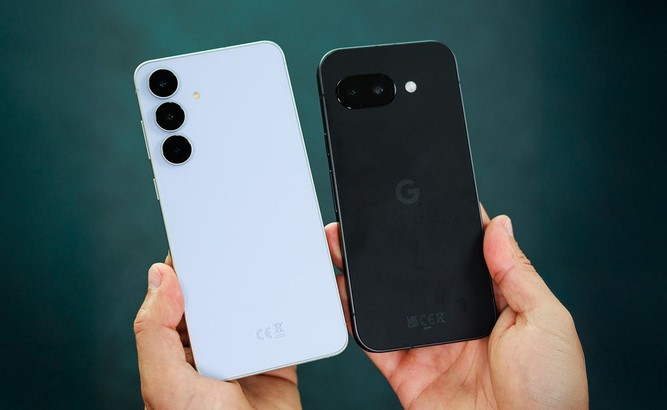
Mobile Technology

8K Smartphones: Ultra High-Definition in Your Pocket

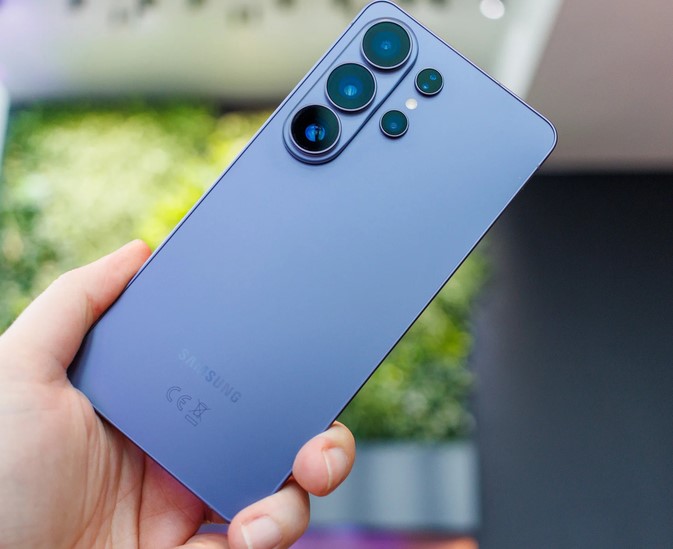
Source:https://www.notebookcheck.biz

Imagine filming your child’s first steps, a breathtaking volcanic sunset, or a crucial medical lab demonstration on your phone, only to realize years later that the footage looks pixelated on modern displays. Now consider this: a single minute of 8K video footage captures a staggering 33 million pixels per frame, devouring roughly 600 megabytes of your phone’s storage in sixty seconds flat.

When I began analyzing mobile camera sensors and image processing pipelines over a decade ago, getting a stable 1080p stream without thermal throttling was considered a victory. Today, we are carrying pocket-sized cinema houses.

Having rigorously tested mobile video architectures through their evolution into 2026, I have watched 8K smartphones transition from flashy marketing gimmicks into legitimate tools for forward-thinking creators. But the real question remains: do you actually need this hyper-dense resolution today, or are you just trading your precious storage space for numbers on a retail box?

Pixels Demystified: What 8K Actually Means for Your Mobile Screen

To understand why this technology is a massive engineering leap, let’s break down the sheer volume of data your device is processing.

đź’ˇ The Mosaic Analogi

Think of a digital video file as a massive mosaic tile wall. A standard Full HD (1080p) video uses about 2 million tiles. A 4K video steps that up to roughly 8 million tiles. An 8K video uses a whopping 33 million tiles packed into the exact same physical frame size.

When you hit the record button on modern 8K smartphones, the device isn’t just capturing an image; it is processing a continuous stream of 33-megapixel photographs at 24, 30, or even 60 frames per second. This requires massive computational heavy lifting, pushing mobile Image Signal Processors (ISPs) and modern system-on-chip architectures to their absolute limits.

The Hidden Power Performance: Why 8K Matters Even on a 4K Display

One of the most common misconceptions intermediate creators have is that recording in 8K is useless unless you own an expensive 8K television to play it back. In my years deploying high-definition imaging ecosystems, the true value of ultra-high-definition capture happens during the post-production stage, long before anyone watches the final video.

1. The Magic of Lossless Re-framing

When you record a video in 8K, you have so much extra visual data that you can crop into the image by 200% during editing to get a close-up shot, without losing a single ounce of 4K clarity. It is like having a multi-camera setup running simultaneously from a single smartphone lens.

2. High-Resolution Frame Grabs

Have you ever tried to take a screenshot of a moving video, only to end up with a blurry, unusable mess? With 8K video capture, every single second of footage is made up of individual 33-megapixel still photos. You can extract a crisp, print-quality photo directly from your video timeline.

3. Advanced Downsampling Benefits

When you shrink a massive 8K video file down into a 4K output file, the software combines multiple pixels into one. This technical process reduces digital sensor noise, balances grain, and delivers a sharper, more color-accurate 4K video than a camera shooting natively in 4K could ever produce.

The Architectural Backbone: Keeping 8K Smartphones Cool

Running at these high resolutions generates an immense amount of physical heat. To prevent your device from shutting down mid-record, modern premium smartphones rely on specialized technical infrastructure:

  • High-Efficiency Video Coding (HEVC / H.265 & AV1): Advanced compression codecs that shrink files down so they don’t completely choke your write speeds.

  • Vapor Chamber Cooling: Industrial-grade internal cooling systems built inside the phone to pull heat away from the processor instantly.

  • High-Speed UFS 4.0 Storage: Ultra-fast flash memory capable of writing hundreds of megabytes of incoming sensor data per second without bottlenecking.

Pro Tips and Hidden Pitfalls to Avoid

đź’ˇ Pro Tip: Lighting is Everything

Because an 8K sensor has to pack 33 million pixels into a relatively small mobile camera sensor, individual pixels are physically tiny. This means they struggle to absorb light. Only shoot in 8K during bright daylight or well-lit studio environments. If you try to shoot 8K video in a dark room, your footage will suffer from extreme digital noise and look significantly worse than a standard low-light 4K mode.

⚠️ Check Your Storage Architecture

Before you switch your default video settings to 8K, check your internal storage capacity. A phone with 128GB of storage will fill up completely with less than three hours of total 8K footage—and that is assuming you don’t have any apps, photos, or music on it. If you plan to utilize ultra-high-definition video frequently, make 512GB or 1TB of internal storage your baseline requirement.

Quick Reference: 4K vs. 8K Mobile Workflows

Technical Attribute Standard 4K Recording Ultra-HD 8K Recording
Frame Resolution $3840 \times 2160$ pixels $7680 \times 4320$ pixels
Total Pixel Count ~8.3 Megapixels ~33.2 Megapixels
Storage Consumption ~200-300 MB per minute ~600-800 MB per minute
Optimal Environment Low light, fast action, everyday use Bright studios, landscapes, heavy editing
Editing Flexbility Limited cropping room Up to 400% zoom capability for 1080p

The Bottom Line

The era of 8K smartphones isn’t just a race for vanity numbers on a retail box; it represents a major evolutionary step in mobile content creation. While the massive file sizes and lighting limitations mean it isn’t practical for capturing casual, everyday clips, it provides intermediate creators and tech enthusiasts with an unprecedented level of creative freedom when shooting cinematic projects.

Are you currently utilizing ultra-high-definition capture in your personal content workflow, or are you keeping your camera settings locked at 4K to preserve space? Let me know your thoughts and hardware setups in the comments section below, and let’s discuss how to optimize your mobile production setup!

Mobile Technology

Mobile Photo Editing Apps for Creators on the Go

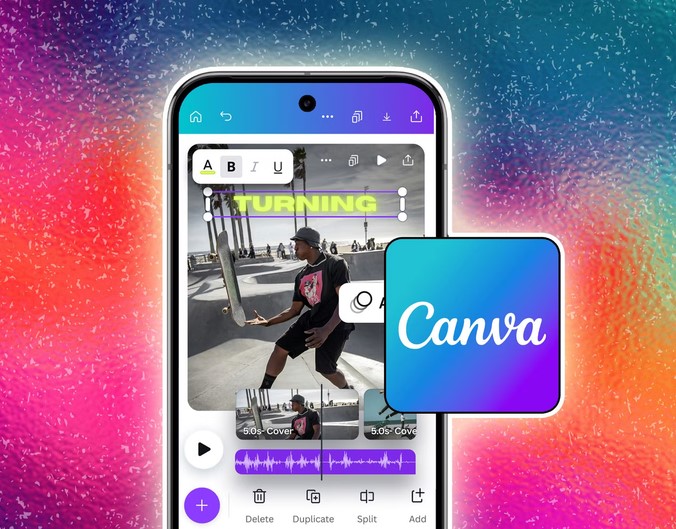
Source:https://static0.anpoimages.com

You are sitting in a bustling airport terminal, waiting for your connecting flight after capturing an incredible tech convention showcase. You need to publish a compelling visual update across your brand’s channels immediately, but your heavy laptop is buried at the bottom of your carry-on luggage. The clock is ticking, your audience expects premium quality, and all you have is the smartphone in your hand.

Over a decade ago, when I began managing technical deployments and digital imagery workflows, editing a high-resolution image on a phone was a recipe for an immediate app crash. Today, the landscape is entirely different.

The latest generation of smartphones contains processing hardware that rivals older desktop stations. Having analyzed digital media tools for more than ten years, I can confidently tell you that choosing the right mobile photo editing apps is no longer just about slapping on a quick filter—it is about maintaining a professional, non-destructive workflow wherever your inspiration strikes.

The Desktop in Your Pocket: Demystifying Mobile Post-Processing

For beginners and intermediate creators, stepping into mobile editing can feel overwhelming. Let’s demystify how these applications actually process your creative assets using a simple analogy.

đź’ˇ The Kitchen Analogy

Think of a raw, unedited image file as raw ingredients straight from the market. A basic image viewer just shows you the ingredients. A high-quality mobile photo editing app is a fully equipped kitchen. Non-destructive editing means you can season, cook, and experiment with your ingredients without ever throwing away the original base—you can always revert your steps completely.

To truly elevate your imagery, you need an app that handles complex computational tasks like tone mapping, chromatic aberration correction, and precise color grading without degrading the pixels. Thanks to the integration of dedicated mobile neural processors, tasks that used to take hours can now be handled via automated selection layers in seconds.

Best Mobile Photo Editing Apps for Modern Creators

Not all applications serve the same creative purpose. Based on field testing and deployment efficiency, here are the absolute industry leaders for creators on the move.

1. Adobe Lightroom Mobile (Best Overall Powerhouse)

  • Target Audience: Intermediate creators looking for complete color control and cross-device synchronization.

  • Key Strengths: It provides absolute precision over histogram data, advanced curves adjustments, and robust RAW file processing.

The real magic of Lightroom lies in its cloud synchronization ecosystem. I often capture a high-resolution photo on a dedicated camera, transfer the RAW file straight to my phone via wireless transfer, and begin editing instantly. The exact local adjustments, selective masking layers, and geometric corrections sync seamlessly back to my main workstation.

2. Snapseed (The Ultimate Free Workhorse)

  • Target Audience: Beginners to intermediates who want professional-grade tools without a subscription price tag.

  • Key Strengths: Developed by Google, this app offers incredible gesture-based control over intricate tools like selective saturation, healing brushes, and perspective manipulation.

Snapseed’s interface is deceptive; it looks minimalist, but underneath lies a powerhouse. The Control Point technology lets you place a marker on a specific object—like a product display or a face—and alter its exposure or contrast without changing the surrounding environment.

3. VSCO (Best for Aesthetic Color Grading)

  • Target Audience: Creators focusing on curated social media styling and classic film simulation.

  • Key Strengths: Exceptional emulation of classic film stocks (like Kodak and Fujifilm) paired with an intuitive, minimalist user interface.

If your content relies heavily on a cohesive brand mood or vintage tones, VSCO’s processing engine provides incredibly subtle highlight recovery and shadow tinting that avoids the harsh, artificial look of cheaper applications.

Core Specifications: Understanding Mobile File Formats

When you are editing on the go, the format you shoot in determines exactly how far you can push your image edits.

  • JPEG / HEIC: Compressed files. The phone’s internal processor cooks the image data beforehand, discarding hidden shadows and highlights to save space. Great for speed, poor for heavy adjustments.

  • RAW / DNG: Uncompressed data. This format preserves every single bit of information captured by your camera sensor. When using professional mobile photo editing apps, editing a RAW file allows you to recover blown-out skies or lift dark shadows without introducing massive digital noise or artifacts.

Pro Tips and Hidden Pitfalls to Avoid

đź’ˇ Pro Tip: Check Your Display Calibration

Many mobile devices use aggressive auto-brightness and environmental color adjustments (like Apple’s True Tone or Android’s adaptive comfort modes). Always disable these temporarily when editing photos. If your screen is shifting its colors to look warmer because of room lighting, you will inadvertently mix your colors wrong, causing the final image to look overly cool or blue on your audience’s displays.

⚠️ Beware of Cumulative Compression

Exporting an image from one app, importing it into a second app for text overlays, and then passing it through a third app for a final border degrades quality rapidly. Every export cycle re-compresses the file. To keep your images clean and sharp, pick an all-in-one tool or complete your structural edits entirely before moving the file to another system.

Selection Matrix: Which Mobile App Fits Your Workflow?

Creative Need Recommended App Key Technical Advantage Price Model
Complete RAW Control Adobe Lightroom Advanced masking, cloud sync, cross-platform Freemium / Subscription
Quick Object Removal Snapseed High-precision healing brush, zero cost 100% Free
Film Aesthetic & Tones VSCO High-end film simulation, curated presets Freemium / Subscription
Quick Collages & Graphics Photoshop Express Quick layout assembly, text overlays Free / Adobe Login

The Bottom Line

Transforming your mobile workflow isn’t about using every single feature available; it is about knowing how to balance efficiency with maximum visual impact. The best tool is always the one you have with you when the moment occurs. By mastering a reliable mobile photo editing app, you remove the technical bottleneck between capturing a brilliant moment and sharing it with the world in pristine quality.

What specific challenges do you run into when trying to make your smartphone photos look professional? Let me know in the comments below, and we can map out the ideal mobile workspace configuration for your content style!

Mobile Technology

Mobile Productivity Apps: Boosting Efficiency on the Go

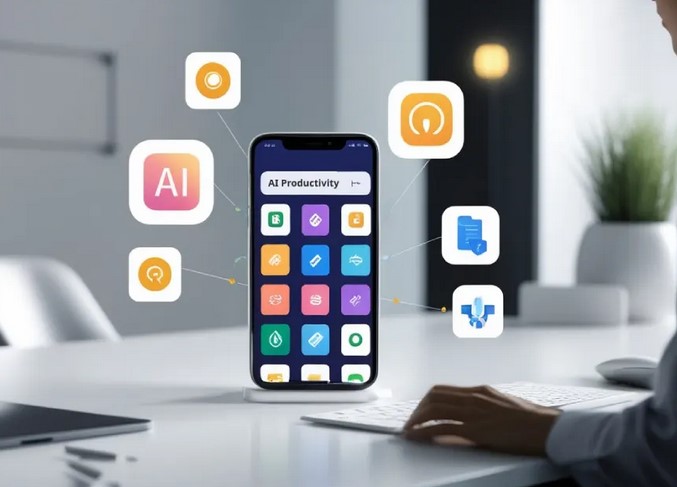
Source:https://ainewsclub.com

Five years ago, I found myself sitting in a cramped airport terminal in Singapore, staring at a “Server Down” notification while my laptop battery sat mockingly at 2%. In that moment of sheer panic, I realized that my entire professional life was tethered to a desk. I had the tools, but I didn’t have the mobility.

Since that day, I’ve spent over a decade at the intersection of healthcare and technology, watching how mobile productivity apps evolved from simple digital notepads into high-powered command centers. We’ve moved past the era of “checking emails on the phone” to an era where you can manage a multimillion-dollar project or a clinical trial from the palm of your hand while waiting for your latte.

If you’ve ever felt like your smartphone is just a distraction machine, this guide is for you. We’re going to flip the script and turn that pocket-sized rectangle into your most powerful employee.


The Cognitive Load: Why We Need Mobile Systems

In my years of consulting for HealthTech startups, I’ve noticed a recurring pattern: Information Overload. Our brains aren’t built to store every task, deadline, and creative spark. Think of your brain’s short-term memory like a computer’s RAM. If you open 50 tabs, the system lags.

Mobile productivity apps act as an external hard drive for your consciousness. They allow you to “offload” the mental weight of remembering, freeing up your “RAM” for actual deep work and creative problem-solving.


1. The Architecture of a Mobile Workspace

To master efficiency on the go, you need more than just a folder full of random apps. You need an ecosystem. In the tech world, we call this a “Stack.”

The Foundation: Task Management

Before you can be productive, you need a place to capture thoughts. I personally swear by the GTD (Getting Things Done) methodology.

  • Todoist: My go-to for its natural language processing. You can type “Review medical report every Friday at 4 PM,” and it automatically sets the recurring task.

  • TickTick: Excellent for those who love a built-in Pomodoro timer to stay focused during short bursts of travel time.

The Second Brain: Note-Taking and Documentation

In HealthTech, documentation is everything. If it isn’t written down, it didn’t happen.

  • Notion: It’s like LEGO for productivity. You can build databases, wikis, and project trackers. On mobile, it’s become significantly faster, making it great for reviewing briefs between meetings.

  • Obsidian: For the power users who want a “knowledge graph” that shows how their ideas connect. It’s perfect for researchers who need to see the “spiderweb” of their data.


2. Optimizing Mobile Productivity Apps for Deep Work

One of the biggest hurdles my clients face is the “Notification Trap.” How can you be productive on a device that is designed to distract you?

The Digital Minimalist Strategy

I recommend treating your home screen like a high-end surgical tray: only the essential tools should be visible.

  • Focus Modes: Use iOS or Android’s built-in focus settings to hide social media apps during work hours.

  • Widget Power: Use widgets for your calendar and high-priority tasks. This allows you to see your schedule at a glance without even opening an app.

Cloud Integration: The Silent Hero

The “magic” of mobile productivity apps lies in the backend. Utilizing APIs and cloud syncing (like Google Workspace or Microsoft 365) ensures that if you start a document on your phone during a commute, it’s waiting for you on your desktop when you arrive. This seamless transition is what differentiates a “pro” from a “beginner.”


3. High-Performance Communication Tools

Slack and Microsoft Teams are the industry standards, but they can be productivity killers if managed poorly. In my experience, the “Always-On” culture leads to burnout faster than any workload.

The Pro Tip: Set “Quiet Hours” within these apps. In the tech sector, we call this Asynchronous Communication. You don’t need to reply to a Slack message the second it pops up. By batching your communication on mobile, you regain control over your time.


4. Specialized HealthTech and Technical Tools

For those in more technical niches, mobility isn’t just about emails; it’s about access.

  • Termius: If you’re a developer or IT manager, this allows you to manage servers via SSH from your phone. I’ve fixed critical server errors while standing in line at a grocery store using this.

  • Doximity: For my healthcare colleagues, this is a vital tool for HIPAA-secure communication and digital faxing on the go.


The Technical Deep-Dive: Why Modern Apps are Faster

You might have noticed that apps today feel “snappier” than they did five years ago. This is due to a shift in how they are built. Most modern mobile productivity apps now use Progressive Web App (PWA) technologies or frameworks like React Native and Flutter.

These technologies allow for “offline-first” functionality. This means you can continue working in a subway tunnel with zero signal, and the moment you hit 5G, your data syncs via a process called Conflict-free Replicated Data Types (CRDTs). This ensures that your mobile edits don’t overwrite your desktop edits.


Expert Advice: The “Hidden Warning”

While I advocate for mobile efficiency, there is a trap: The Illusion of Productivity.

The Warning: Don’t confuse activity with achievement. Checking off 20 tiny tasks on your phone feels good because of the dopamine hit, but if you haven’t moved the needle on your “Big Rock” projects, you aren’t actually being productive.

Use your mobile device for Capture, Coordination, and Communication, but save the “Heavy Lifting” for a dedicated environment whenever possible.


Summary: Your Pocket-Sized Headquarters

Mastering mobile productivity apps is no longer a luxury; it’s a survival skill in the modern economy. By building a deliberate “Stack,” silencing the noise, and understanding the technical backbone of your tools, you can reclaim hours of your day.

The technology is already in your pocket. The question is: are you using it to build your empire, or is it just using you for your attention?


What’s your biggest struggle?

Are you overwhelmed by notifications, or are you looking for the perfect app to manage a specific workflow? Drop a comment below or share this article with your most “disorganized” colleague—let’s start a conversation on how we can work smarter, not harder.

Mobile Technology

Mobile Data Saving Apps for Budget-Friendly Usage

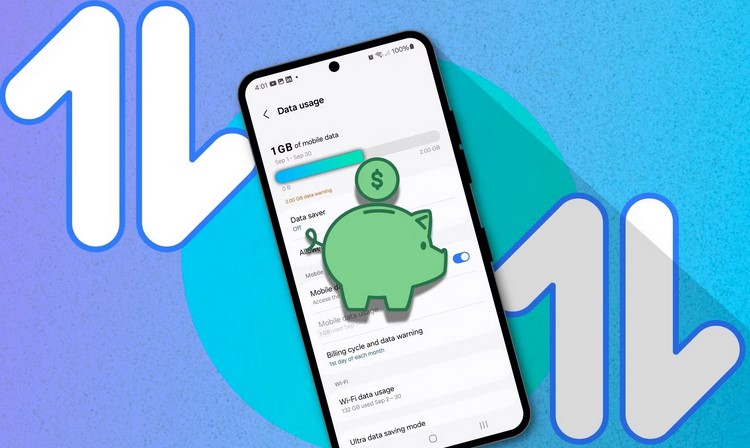
Source:https://static0.makeuseofimages.com

In an era where smartphones are central to our daily lives, managing mobile data efficiently has become more important than ever. Whether it’s for staying connected on social media, streaming videos, or navigating the web, mobile data consumption can quickly add up, especially for those on limited data plans. This is where mobile data saving apps come into play. These apps help users monitor, reduce, and optimize their mobile data usage, ensuring they stay within their budget while still enjoying their favorite online activities. In this article, we will explore the best mobile data saving apps, their benefits, and how they can help you manage your data usage more effectively.

1. Understanding Mobile Data Saving Apps

Mobile data saving apps are tools designed to help users control and reduce the amount of mobile data they use while accessing the internet on their smartphones. These apps offer a variety of features that allow users to track their data usage, limit certain types of data consumption, and optimize their device settings for more efficient internet usage.

Most of these apps rely on data compression technology, which reduces the amount of data required to load websites, images, and videos, thus helping users save mobile data. Some apps also provide usage reports, data alerts, and other tools that help users monitor their consumption patterns and identify data-hungry apps or activities. For users on limited data plans or those looking to save money on mobile bills, these apps can be a game-changer.

2. Key Features of Mobile Data Saving Apps

a) Data Compression

One of the primary functions of mobile data saving apps is data compression. These apps use algorithms to reduce the size of data files before they are transmitted to your phone, which in turn reduces data usage. For example, mobile browsers like Google Chrome and Opera offer built-in data compression modes that reduce the size of web pages, images, and videos, ensuring faster loading times and lower data consumption.

Similarly, mobile data saving apps can compress images and videos in real-time as they are being downloaded, allowing users to access content without consuming as much data. This is particularly useful for heavy data-consuming activities like video streaming, social media browsing, and online shopping, where high-quality images and videos are essential but can also quickly eat up your data allowance.

b) Data Usage Monitoring

Another key feature of many mobile data saving apps is the ability to monitor your data usage in real-time. These apps provide detailed reports showing how much data you’ve used over a specific period and offer insights into which apps or activities are consuming the most data. This helps you identify data-hungry apps and make informed decisions about how to manage your usage.

Some apps even allow users to set data usage limits or alerts. For example, if you are approaching your monthly data limit, the app can send you a notification to warn you. These features can help users avoid overage charges, stay within their data plan limits, and maintain better control over their mobile data usage.

c) Restricting Background Data

Many apps run in the background, constantly consuming data even when you’re not actively using them. These background activities, such as syncing emails, downloading updates, and running automatic backups, can quickly drain your data allowance. Mobile data saving apps often allow users to restrict or disable background data for specific apps, ensuring that they only use data when you open and actively engage with them.

This feature can be particularly useful for apps like social media platforms, cloud storage services, and messaging apps, which tend to use a lot of data even when running in the background. By disabling background data, you can conserve valuable mobile data without sacrificing functionality.

d) Wi-Fi Assist and Smart Data Switching

Some mobile data saving apps also include a Wi-Fi assist feature, which ensures that your phone automatically switches to a Wi-Fi network whenever one is available. This helps users save mobile data by prioritizing Wi-Fi over cellular data whenever possible.

Additionally, certain apps offer “smart data switching,” which intelligently chooses between Wi-Fi and mobile data based on network conditions, ensuring you’re always connected to the fastest and most cost-effective option. These features help users avoid unnecessary mobile data consumption while still providing a seamless internet experience.

3. Popular Mobile Data Saving Apps

There are many mobile data saving apps available on the market, each offering unique features and functionality. Below are some of the most popular and effective mobile data saving apps that users can consider:

a) DataEye

DataEye is an easy-to-use mobile data management app that allows users to control and optimize their mobile data usage. It provides real-time data tracking, allowing users to monitor data consumption by app and category. The app also features a data-saving mode, which automatically compresses data for faster browsing and streaming. DataEye also allows users to restrict mobile data usage by specific apps, helping users conserve their data allowance.

b) Opera Mini

Opera Mini is a popular mobile browser that comes with a built-in data-saving feature. It compresses web pages and images before loading them, reducing data usage by up to 90%. In addition to browsing, Opera Mini also offers an “Off-road” mode that enables users to access websites in low-connectivity areas by compressing content for faster loading speeds. Opera Mini is an excellent choice for users who want to browse the web without worrying about excessive data consumption.

c) My Data Manager

My Data Manager is a comprehensive mobile data tracker that allows users to monitor and manage their data usage effectively. The app provides detailed reports on data usage by individual apps and categories, and users can set custom data usage limits or alerts. It also offers a feature to track data usage across multiple devices and provides usage forecasts to help users stay within their data plans. My Data Manager is ideal for users who want a detailed and accurate breakdown of their data usage habits.

d) Google Datally

Google’s Datally app is a simple yet effective tool for saving mobile data. It helps users track their data usage in real-time and provides recommendations for optimizing usage. Datally features a “Data Saver” mode that compresses data and blocks background data consumption, ensuring that only essential data is used. The app also includes a “Find Wi-Fi” feature, which helps users locate nearby Wi-Fi networks, further reducing the need to rely on mobile data.

Mobile data saving apps are essential tools for anyone looking to manage their data usage efficiently and save money on their mobile bills. By offering features like data compression, real-time monitoring, background data restrictions, and smart switching between Wi-Fi and cellular networks, these apps help users maximize their data allowance without sacrificing functionality. Whether you’re a heavy internet user or simply want to stay within your budget, mobile data saving apps provide an easy and effective solution for controlling data consumption. With the wide range of apps available today, you can find one that best suits your needs, ensuring a more budget-friendly and efficient mobile experience.

Mobile Technology

Fastest Charging Smartphones in 2026 Ranked

Source:https://www.notebookcheck.net

As we head into 2026, smartphone technology continues to evolve at a rapid pace. One of the most sought-after features by consumers is faster charging capabilities, as people demand more efficiency in their daily tech usage. With high-performance processors, powerful cameras, and high-resolution displays taking center stage, one critical aspect that has gained increasing importance is the charging speed. Fastest charging smartphones are no longer a luxury but a necessity, particularly for users who need to keep their devices powered throughout the day with minimal downtime. In this article, we will explore and rank the fastest charging smartphones of 2026, focusing on their innovative charging technologies, battery capacities, and the overall user experience.

The Importance of Fast Charging in 2026

Fast charging technology has come a long way since its inception. Initially, users were content with slow, traditional charging speeds, but as smartphones have become integral to every aspect of modern life, the need for faster power-up times has grown exponentially. Whether it’s for gaming, productivity, or content consumption, smartphone users now demand quick and efficient charging, enabling them to get back to using their phones as quickly as possible.

Charging speeds are measured in watts (W), and in recent years, many brands have pushed the envelope, achieving charging speeds well above 100W. In 2026, some of the fastest charging smartphones offer near-instant power-ups that can fully charge a phone in less than an hour—sometimes even in as little as 15 minutes. This technological leap has been driven by advancements in battery technology, cooling solutions, and power delivery standards.

Here are some of the fastest charging smartphones that have stood out in 2026.

Top Fastest Charging Smartphones in 2026

1. OnePlus 15 Pro

OnePlus has long been known for its fast charging innovations, and the OnePlus 15 Pro takes things to the next level with its staggering 200W SuperVOOC charging. This device charges from 0 to 100% in just 18 minutes, setting a new benchmark for fast-charging smartphones in 2026.

The phone is powered by a 5,000mAh battery, ensuring that despite the rapid charge time, the device retains a respectable battery life. The OnePlus 15 Pro also supports wireless charging at 65W, which is remarkable for users who prefer a cable-free experience.

The device’s design incorporates advanced thermal management systems to keep temperatures under control during the charging process, ensuring safety and efficiency. It’s clear that OnePlus has doubled down on its commitment to delivering lightning-fast charging speeds without compromising user safety.

2. Xiaomi Mi 14 Ultra

Xiaomi continues to impress with its cutting-edge charging technology, and the Xiaomi Mi 14 Ultra is a standout in 2026. Featuring 180W HyperCharge technology, this phone can be fully charged in just 20 minutes, making it one of the fastest charging smartphones on the market.

In addition to its ultra-fast charging capabilities, the Mi 14 Ultra boasts a massive 5,200mAh battery, which ensures that it can go the distance even after a quick power-up. Xiaomi has also introduced a heat dissipation technology that uses graphene-based materials to keep the device cool while charging, allowing for faster charging without overheating.

Beyond its lightning-fast charging, the Mi 14 Ultra also delivers impressive performance in other areas. With its top-tier Snapdragon 8 Gen 3 chipset, powerful cameras, and stunning display, the device is a well-rounded package for power users.

3. Realme GT 2 Pro+

Realme’s GT 2 Pro+ offers one of the fastest charging speeds in the world, thanks to its 150W UltraDart charging technology. Capable of charging the device from 0 to 100% in just 25 minutes, the GT 2 Pro+ provides a quick solution for users always on the go.

Realme has also equipped the GT 2 Pro+ with a robust 5,000mAh battery, ensuring that the phone can last throughout the day despite its rapid charging speeds. The device features a sleek, premium design and is powered by the latest Snapdragon 8 Gen 3 processor, which delivers top-notch performance.

Realme’s UltraDart charging is complemented by AI-driven algorithms that optimize the charging process based on the user’s habits, further enhancing battery longevity and device safety.

4. Oppo Find X6 Pro

Oppo’s Find X6 Pro is another flagship device in 2026 that’s setting new standards for charging speed. Equipped with 120W SuperVOOC fast charging, the phone can go from 0 to 100% in just 30 minutes. With a 5,000mAh battery, the Find X6 Pro offers an excellent balance between charging speed and battery life.

Oppo has focused on providing a reliable and efficient fast-charging experience, even under heavy usage conditions. The phone also supports 50W wireless charging, making it one of the few devices to offer ultra-fast wireless charging speeds in addition to its wired capabilities.

Additionally, the Find X6 Pro is packed with an exceptional camera system and a stunning OLED display, making it an all-around performer for users who demand the best in both charging and overall performance.

5. Samsung Galaxy S23 Ultra

Samsung, a brand known for its premium smartphones, has also embraced faster charging in 2026. The Galaxy S23 Ultra comes equipped with 100W SuperFast Charging, allowing it to fully charge in approximately 40 minutes. While it’s not as fast as some of the other phones on this list, Samsung’s renowned reliability and feature set make this device one of the best options for users seeking speed combined with other premium features.

The S23 Ultra offers a 5,000mAh battery and supports 15W wireless charging, providing a solid all-around package for those who want a mix of fast charging and long-lasting battery life.

Samsung’s focus on innovation is evident not only in the charging department but also in its display technology, performance, and camera capabilities, which remain some of the best on the market.

Factors to Consider When Choosing the Fastest Charging Smartphone

While rapid charging speeds are incredibly appealing, there are several other factors to consider when choosing the right smartphone for your needs:

1. Battery Capacity

Fast charging speeds are essential, but battery life is equally important. A phone with a smaller battery capacity may charge faster, but it may also run out of power more quickly. Make sure to find a balance between charging speed and battery size that suits your usage habits.

2. Thermal Management

Charging at extremely high speeds generates heat, which can lead to long-term battery degradation if not managed properly. Look for phones that have advanced cooling systems or intelligent charging algorithms that ensure the device remains cool during rapid charging.

3. Charging Speed vs. Charging Health

Charging your device at maximum speed over time could affect the health of your battery. Some phones have features that prevent excessive heat and reduce charging speeds to optimize long-term battery health.

4. Power Delivery Standards

Check whether the phone supports the latest power delivery standards, such as USB Power Delivery (PD) or proprietary technologies like SuperVOOC or HyperCharge, as these can provide more efficient and safe charging.

The demand for fastest charging smartphones in 2026 is greater than ever, with consumers seeking devices that not only offer powerful performance but also charge rapidly to keep up with their busy lifestyles. Whether it’s the OnePlus 15 Pro with its groundbreaking 200W charging or the Xiaomi Mi 14 Ultra offering 180W HyperCharge, these smartphones demonstrate the incredible potential of fast-charging technologies. However, it’s essential to consider factors such as battery health, thermal management, and overall device performance when making your decision.

As smartphone manufacturers continue to push the boundaries of what’s possible, we can expect even faster and more efficient charging solutions in the coming years. The fastest charging smartphones of 2026 are already redefining convenience, and it’s exciting to see where this technology will take us in the future.