Cloud Computing

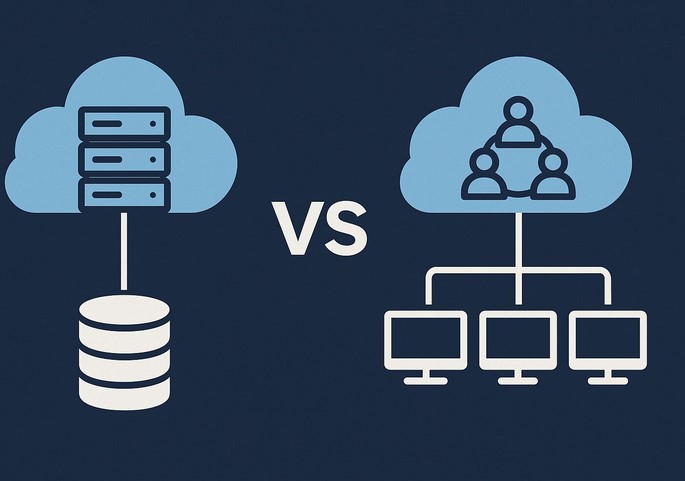
Private vs Public Cloud: Which Model Fits Your Business?

Source:https://dzrge5zzbsh6q.cloudfront.net

A few years ago, I sat across from a CEO who was sweating—not because the air conditioning was out, but because his company had just received a massive compliance fine. They were storing sensitive patient biometric data on a standard, low-cost server that wasn’t properly isolated. He looked at me and asked, “I thought moving to the ‘Cloud’ meant I didn’t have to worry about this anymore?”

It was a classic misconception. In my decade-plus of building tech stacks, I’ve seen countless leaders treat the cloud like a magic box where you dump data and forget it. But the truth is, not all clouds are created equal. Choosing between private vs public cloud is arguably the most consequential infrastructure decision you will make in 2026. Get it right, and you scale effortlessly; get it wrong, and you end up with a security nightmare or a bill that could sink a mid-sized startup.


The Apartment vs. The Mansion: A Simple Cloud Analogy

If you’re new to the world of infrastructure, the technical terms can feel like a labyrinth. Let’s simplify it with an analogy I often use in the boardroom:

  • Public Cloud is like an Upscale Apartment Complex. You have your own unit (your data and apps), but you share the building’s plumbing, electricity, and lobby (the physical servers and network) with other tenants. It’s convenient, affordable, and the landlord (the provider) handles all the maintenance.

  • Private Cloud is like a Custom-Built Mansion. You own the land, the walls, and the pipes. No one else lives there. You have total control over security and design, but you’re responsible for the upkeep—and it definitely isn’t cheap.

In the tech world, this shared vs. dedicated environment is known as Multi-tenancy vs. Single-tenancy.


Deep-Diving into the Public Cloud: Speed and Agility

When we talk about the Public Cloud, we’re talking about the “Big Three”: AWS, Microsoft Azure, and Google Cloud. In 2026, these platforms have become so sophisticated that they can deploy global infrastructure in seconds.

Why Businesses Love Public Cloud

  • Elasticity: This is the “killer app” of the public model. If your app goes viral tomorrow, you can scale from 100 users to 1 million without buying a single piece of hardware.

  • Pay-as-you-go: You only pay for the Compute Power and Cloud Storage you actually use.

  • Innovation at Scale: You get instant access to cutting-edge tools like Machine Learning (ML) and Serverless Computing that would be impossible to build on your own.

The Trade-off

The biggest risk here isn’t necessarily security—public cloud providers spend billions on it—it’s Variable Costs. I’ve seen companies face “Bill Shock” because they left an unoptimized database running over the weekend, racking up thousands in unnecessary fees.


The Power of the Private Cloud: Control and Compliance

In my HealthTech experience, the Private Cloud is often the go-to for hospitals or fintech firms. When you are dealing with HIPAA or GDPR regulations, knowing exactly where your data “lives” physically is a massive advantage.

Why the Private Cloud Wins in 2026

  • Ironclad Privacy: Because the hardware isn’t shared (Single-tenant), the risk of “noisy neighbor” syndrome—where another company’s high traffic slows down your site—is zero.

  • Legacy Integration: Many older medical systems simply won’t run on the public cloud. A private setup allows you to bridge the gap between 20-year-old software and modern web apps.

  • Predictable Performance: You have a dedicated Bandwidth and Low Latency environment tailored specifically to your workloads.

The Trade-off

The Total Cost of Ownership (TCO) is high. You need a dedicated IT team to manage the Virtualization layer and the physical hardware. It’s a capital-heavy investment (CapEx) rather than an operational one (OpEx).


Technical Foundations: The Jargon You Need to Know

To navigate the private vs public cloud debate like a pro, you need to understand these LSI (Latent Semantic Indexing) terms:

  1. Hypervisor: The software that creates and runs virtual machines (VMs). It’s the “brain” that allows one physical server to act like fifty digital ones.

  2. Shared Responsibility Model: In the public cloud, the provider secures the cloud, but you are responsible for securing your data within the cloud. Many breaches happen because users forget this distinction.

  3. Data Sovereignty: The legal requirement that data must be stored within the borders of a specific country. Private clouds make this much easier to manage.

  4. Orchestration: The automated management of complex cloud tasks, often handled by tools like Kubernetes.


The Middle Ground: Hybrid and Multi-Cloud Strategies

Most people think it’s a binary choice: one or the other. But my most successful projects usually involve a Hybrid Cloud model.

Imagine a HealthTech app that stores sensitive patient records in a Private Cloud (for maximum security) but uses the Public Cloud to run its heavy AI-driven analytics. This gives you the “security of the mansion” with the “scalability of the apartment.”

Tips Pro: If you are a startup, start with Public Cloud to find your “Product-Market Fit” without heavy upfront costs. Only consider moving to Private or Hybrid when your compliance requirements or data egress fees (the cost of moving data out of the cloud) start to hurt your margins.


The “Egress Fee” Trap

One thing the big providers don’t advertise in their glossy brochures is the Egress Fee. It’s often free to put data into the public cloud, but it can be incredibly expensive to take it out.

I have seen companies essentially become “hostages” to a public cloud provider because the cost to migrate their 500 Terabytes of data to a different provider was more than their annual profit. Always have an Exit Strategy or a multi-cloud backup plan.


Comparison Table: At a Glance

Feature Public Cloud Private Cloud
Setup Speed Minutes Weeks/Months
Scalability Near-Infinite Limited by Hardware
Security Shared / Managed Dedicated / Controlled
Cost Model Monthly (OpEx) High Upfront (CapEx)
Best For Startups, Dev Labs, E-commerce Healthcare, Government, Large Banks

Summary: Which One Fits Your Business?

Choosing between private vs public cloud isn’t about finding the “best” technology; it’s about finding the best fit for your specific risk tolerance and budget.

  • Choose Public Cloud if you value speed, innovation, and have unpredictable traffic.

  • Choose Private Cloud if you handle highly regulated data and need absolute control over your hardware environment.

  • Choose Hybrid if you want the best of both worlds and have the technical staff to manage the complexity.

As we move deeper into 2026, the cloud is no longer just a “place” to store files—it is the engine of your business. Treat it with the respect it deserves.


Is your business currently struggling with high cloud bills or compliance anxiety? Are you considering a move from public to private (or vice versa)? Let’s discuss your specific use case in the comments below!

Cloud Computing

SaaS Examples: Top Applications Powering Businesses in 2026

Source:https://www.biz4group.com

I remember the “server room” days of the early 2010s—the hum of expensive hardware, the smell of ozone, and the sheer panic when a localized power outage meant the entire company lost its data for 48 hours. Back then, “software” was something you bought in a box and installed with a prayer.

Fast forward to 2026, and that server room is now a trendy breakroom with a beanbag chair. In my decade-plus of navigating the HealthTech and Enterprise space, I’ve watched the “Cloud” evolve from a buzzword into the very oxygen businesses breathe. Today, we don’t buy software; we subscribe to it. This is the world of Software as a Service, and if you aren’t leveraging the right SaaS examples, you’re essentially trying to win a Formula 1 race on a bicycle.


What Exactly is SaaS? (The “Utility” Analogy)

If you’re a beginner, don’t let the technical jargon intimidate you. Think of SaaS like your water utility.

In the old days (On-premise software), if you wanted water, you had to dig your own well, install a pump, and maintain the pipes yourself. If the pump broke, you were thirsty until you fixed it.

With SaaS, you simply turn on the tap. The “water company” (the SaaS provider) handles the infrastructure, the filtration, and the maintenance. You just pay a monthly fee for what you use. In tech terms, this means you access powerful apps via your web browser or a mobile app, while the provider handles the automatic updates, security patches, and data hosting.


The Titans of 2026: Essential SaaS Examples by Category

The landscape has shifted. We are no longer just looking at simple spreadsheets in the cloud; we are looking at AI-driven ecosystems. Here are the top SaaS examples currently dominating the business world.

1. Collaborative Work Management: The New Digital HQ

Gone are the days of endless “Reply All” email chains. In 2026, work happens in persistent, transparent spaces.

  • Slack: Still the undisputed king of real-time communication. It has evolved into an AI-first platform that can summarize 200 unread messages in three bullet points.

  • Monday.com: A highly visual project management tool that allows teams to automate “if-this-then-that” workflows without writing a single line of code.

  • Asana: Specifically powerful for high-level strategic mapping, helping teams connect daily tasks to company-wide goals.

2. Customer Relationship Management (CRM): The Heart of Sales

If you don’t know who your customer is or when you last spoke to them, you don’t have a business—you have a hobby.

  • Salesforce: The behemoth. In 2026, its “Einstein” AI predicts which of your leads is most likely to buy before you even pick up the phone.

  • HubSpot: The favorite for medium-sized businesses. It blends marketing, sales, and service into one seamless “flywheel.”

3. Vertical SaaS: Specialized Solutions for Niche Industries

This is where my personal experience in HealthTech shines. Vertical SaaS refers to software built for one specific industry rather than a general audience.

  • Veeva Systems: A massive success story in life sciences and pharma. It handles everything from clinical trial data to regulatory compliance.

  • Procore: The go-to for the construction industry, managing blueprints and site safety from a tablet.


Under the Hood: Technical Terms You Need to Know

To move from a beginner to an intermediate understanding, you need to speak the language of the cloud. Here are the LSI (Latent Semantic Indexing) terms that define the SaaS industry today:

  • Multi-tenancy: A technical architecture where multiple customers (tenants) share the same physical infrastructure and version of the software, while their data remains strictly isolated and private.

  • API (Application Programming Interface): The “handshake” that allows two SaaS apps to talk to each other. For example, your CRM “talking” to your email marketing tool.

  • Scalability: The ability to go from 1 user to 10,000 users overnight without having to buy new hardware.

  • SLA (Service Level Agreement): The contract that guarantees how much “uptime” the provider promises (usually 99.9% or higher).


The HealthTech Perspective: Why Data Privacy is the Real Product

In my 10 years in technology, I’ve seen companies choose the wrong SaaS provider and pay for it in lawsuits. When looking at SaaS examples, especially in sensitive fields like healthcare or finance, the software isn’t just a tool—it’s a legal liability.

In 2026, the best SaaS providers prioritize End-to-End Encryption and Zero-Trust Architecture. If you are looking at a SaaS tool for your business, don’t just look at the “cool features.” Look at their SOC 2 Type II compliance and how they handle data residency (where your data physically lives).


Expert Advice: Tips for Choosing Your SaaS Stack

Selecting from the thousands of SaaS examples available can lead to “Subscription Fatigue.” I’ve seen startups spending $5,000 a month on tools they only use 10% of the time.

Tips Pro: The “Interoperability” Test. Before signing up for a new SaaS tool, ask: “Does it have a native integration with the tools I already use?” If you have to manually move data from Tool A to Tool B, you aren’t being productive; you’re being a human bridge.

The “Data Hostage” Situation. Always check the export settings. Some predatory SaaS providers make it very easy to put data in, but nearly impossible to extract it in a usable format if you decide to cancel. Always ensure you own your data.


The ROI of SaaS: Why Businesses are Moving Away from Ownership

Why are we seeing such a massive surge in these SaaS examples? It comes down to the bottom line.

  1. Lower Initial Costs (CapEx vs. OpEx): You don’t need $50,000 for a server; you need $50 for a monthly seat.

  2. Remote-Ready: SaaS is inherently mobile. Your team in Jakarta and your team in New York see the exact same data at the exact same millisecond.

  3. Security: A company like Microsoft or Google spends more on security in one hour than most small businesses spend in a decade. You are piggybacking on their elite security teams.


Summary: Reinventing the Way We Work

The SaaS examples we’ve discussed—from the project management of Monday.com to the industry-specific power of Veeva—represent a fundamental shift in human productivity. We are moving away from “managing tools” and toward “executing vision.”

As we navigate 2026, the most successful businesses won’t be the ones with the biggest offices, but the ones with the most agile, integrated, and secure SaaS stacks. The cloud isn’t just where your data lives; it’s where your business grows.


Which of these SaaS categories is currently the biggest “bottleneck” in your business workflow? Are you struggling with communication or customer data? Let’s talk about it in the comments below—I’m here to help you navigate the noise!

Cloud Computing

Disaster Recovery Cloud: Safeguarding Data in Crises

Imagine it’s 2:00 AM on a Tuesday. Your phone erupts with a series of frantic pings. You’re a lead developer or a small business owner, and your primary data center just went offline due to a massive power surge or, worse, a ransomware attack. In the old days, this meant a cold sweat, a long drive to a physical server room, and days—if not weeks—of downtime.

During my decade in HealthTech, I’ve seen hospitals lose access to patient records for hours because their local backup failed during a flood. That’s when the reality hits: data isn’t just “info”; in many sectors, data is a lifeline.

This is where the disaster recovery cloud (DRaaS) steps in. It’s no longer just a luxury for the Fortune 500; it’s the digital insurance policy that keeps your lights on when the world goes dark.


The Digital Spare Tire: What is Disaster Recovery Cloud?

In my early years in the tech trenches, we used to back up data to physical tapes and literally drive them to a secure bunker. It was slow, clunky, and prone to human error. If a crisis hit, restoring that data was like trying to assemble a 5,000-piece puzzle in the dark.

Disaster recovery cloud is essentially a “digital twin” of your entire IT infrastructure living in a secure, remote data center.

An Analogy You Can Relate To

Think of your primary business data as your car. Traditional backup is like having a photo of your car; it’s nice to have, but you can’t drive a photo. A cloud-based disaster recovery system is like having a spare car parked at a friend’s house in a different city. If your main car breaks down, you just grab the keys to the spare and keep driving without missing a beat.


2. RTO and RPO: The Pulse of Your Recovery Strategy

In the HealthTech world, we talk about “vitals.” In the world of disaster recovery cloud, your vitals are measured by two technical acronyms: RTO and RPO. Understanding these is the difference between a minor hiccup and a business-ending catastrophe.

  • RTO (Recovery Time Objective): This is the “How long can we afford to be down?” clock. If your server crashes, do you need it back in 5 minutes or 5 hours?

  • RPO (Recovery Point Objective): This is the “How much data can we afford to lose?” metric. Are you okay losing the last 24 hours of work, or do you need second-by-second synchronization?

When I consult for growing startups, I always tell them: Your budget dictates your RTO. The closer you want to get to “zero downtime,” the more sophisticated your cloud architecture needs to be.


3. Why the Cloud Beats Traditional Local Backups

I’ve walked into server rooms that were literally underwater. If your “disaster recovery” plan is a hard drive sitting on the shelf next to the server, you don’t have a plan—you have a ticking time bomb.

Geographic Redundancy

One of the greatest strengths of the disaster recovery cloud is Geographic Redundancy. By storing your data in a different region (or even a different continent), you ensure that a localized disaster—like an earthquake or a regional blackout—doesn’t take out both your primary and backup systems.

Scalability and Pay-as-you-Go

In a traditional setup, you had to buy expensive hardware that sat idle 99% of the time, just waiting for a disaster. With the cloud, you only pay for the storage you use. During a crisis, you “spin up” the virtual servers, paying for the high-performance computing only when you actually need it.


4. The Technical Engine: How DRaaS Actually Works

For those moving into the intermediate level of tech management, it’s important to understand the “under the hood” mechanics of a disaster recovery cloud solution.

  1. Replication: Your data is continuously copied from your primary site to the cloud provider. This can be Asynchronous (slight delay) or Synchronous (real-time).

  2. Failover: When the primary system fails, the “Failover” process automatically (or manually) redirects all traffic to the cloud-based replica.

  3. Failback: Once your original site is repaired, the “Failback” process syncs any new data gathered during the crisis back to your home base.

💡 Pro Tip: The “Automated Orchestration”

Look for providers that offer Automated Orchestration. This allows you to pre-program the order in which servers turn on. For example, your database must be up before your application server, or the whole system will crash again.


5. Security in the Midst of Chaos: LSI and Encryption

A common fear I hear is: “If my data is in the cloud, is it safe from hackers?”

In a crisis, security often takes a backseat to speed, which is a massive mistake. A robust disaster recovery cloud strategy incorporates:

  • End-to-End Encryption: Your data should be encrypted while “at rest” in the cloud and “in transit” while moving across the internet.

  • Immutability: This is a buzzword you need to know. Immutable backups are “read-only.” Even if a hacker gains access to your network and tries to delete your backups, they can’t. They are locked in a digital vault.


6. Common Pitfalls: What the Salespeople Won’t Tell You

After a decade in this industry, I’ve seen a lot of “perfect” plans fail. Here is a hidden warning for you:

The Bandwidth Bottleneck. You might have 10 Terabytes of data in the cloud, but if your office has a slow internet connection, “failing back” that data once the crisis is over could take weeks. Always test your egress speeds—the speed at which data leaves the cloud to return to you.


Step-by-Step: Building Your Disaster Recovery Plan

If you’re ready to move beyond just thinking about it, here is how to start:

  1. Inventory Your Data: Not all data is equal. Identify your “Mission-Critical” apps versus your “Nice-to-Have” archives.

  2. Choose a Provider: Look at industry leaders like AWS (Amazon Web Services) CloudEndure, Microsoft Azure Site Recovery, or specialized DRaaS providers like Zerto.

  3. Test, Then Test Again: A disaster recovery plan that hasn’t been tested is just a wish. I recommend doing a “fire drill” at least twice a year.

  4. Document the Human Element: Who has the “keys” to the cloud? If your lead IT person is on vacation during the disaster, can someone else trigger the failover?


The Future of Resilience

We are entering an era of AI-driven Disaster Recovery. We are now seeing systems that can predict hardware failure before it happens and automatically migrate data to the disaster recovery cloud without any human intervention.

In HealthTech, this isn’t just about saving money; it’s about ensuring that a surgeon has the data they need, exactly when they need it, regardless of what’s happening in the basement server room.

Are You Protected?

Don’t wait for the pings at 2:00 AM to realize your data is vulnerable. The cloud has made enterprise-grade resilience accessible to everyone.

Does your current business plan account for a total site failure? If you aren’t sure, now is the time to audit your backup strategy. Let me know in the comments: What is the one “mission-critical” piece of data you absolutely couldn’t live without for more than an hour?

Cloud Computing

Cloud Backup Solutions: Best Practices for Data Protection

Source:https://www.cloudally.com

In today’s digital age, data has become one of the most valuable assets for businesses and individuals alike. From critical business records to personal photos and documents, safeguarding this information is essential. Cloud backup solutions have emerged as a reliable, scalable, and cost-effective way to protect data from loss due to hardware failure, cyberattacks, natural disasters, or accidental deletion. These solutions enable users to store data off-site, ensuring that even in the worst-case scenarios, their information remains secure and accessible. This article will explore the best practices for leveraging cloud backup solutions, helping businesses and individuals ensure that their data is safe and protected.

1. Understanding Cloud Backup Solutions

Cloud backup solutions refer to the process of backing up data to a remote server, often managed by a third-party cloud service provider. Unlike traditional local backups, where data is stored on physical devices such as hard drives or tapes, cloud backup solutions store data on servers maintained in secure data centers. These services are typically accessed over the internet, allowing users to upload and retrieve their data from virtually anywhere, at any time.

Cloud backup solutions offer several key benefits that make them attractive for data protection:

  1. Scalability: Cloud backup services are flexible and can scale with your data storage needs. As your business grows or your personal data increases, you can adjust the amount of storage you require without the need for expensive hardware upgrades.
  2. Remote Accessibility: Since cloud backup solutions are internet-based, users can access their data from any location, using any device that has internet connectivity.
  3. Data Redundancy: Most cloud backup services offer redundancy, meaning your data is stored in multiple locations. This minimizes the risk of data loss, even in the event of a server failure or natural disaster.
  4. Cost-Effectiveness: With cloud solutions, there is no need to invest in costly physical infrastructure like servers or hard drives. You pay for the storage you need, often on a subscription basis, which can be more affordable than traditional backup methods.

However, with the advantages come challenges, such as data security concerns and internet dependency. For organizations and individuals considering cloud backup, it’s crucial to follow best practices to maximize the protection of their data.

2. Best Practices for Cloud Backup Solutions

a) Encrypt Data Before Uploading

One of the key concerns when using cloud backup solutions is the security of the data being uploaded. While most reputable cloud providers implement strong encryption measures, it is still wise to encrypt your data before it leaves your local environment. This ensures that even if there is a breach or unauthorized access to the cloud storage, your data will be unreadable to malicious actors.

There are several encryption methods available, including AES (Advanced Encryption Standard) encryption, which is widely used for its security and speed. It is essential to use a strong encryption key and store it securely, as losing this key could make it impossible to recover your encrypted data.

b) Implement a 3-2-1 Backup Strategy

The 3-2-1 backup strategy is a widely recommended best practice for data protection, including cloud backups. The idea behind this strategy is simple:

  • 3 copies of your data: Keep at least three copies of your important data — the original file and two backups.
  • 2 different media types: Store your backups on two different types of media. For example, you can store one backup on your local hard drive and another in the cloud.
  • 1 offsite copy: Ensure that at least one backup copy is stored offsite, ideally in the cloud, to protect against local disasters such as fires, floods, or theft.

Following the 3-2-1 rule ensures that even if one backup fails, you still have additional copies stored in multiple locations, minimizing the risk of complete data loss.

c) Automate Backup Processes

Manually backing up data can be time-consuming and error-prone, which is why automating the backup process is an essential best practice. Many cloud backup solutions offer automated backup schedules, allowing users to set daily, weekly, or monthly backups without the need for manual intervention.

By automating the backup process, you ensure that your data is regularly and consistently backed up, reducing the chances of missing critical backups. Additionally, automated backups can be configured to run during off-peak hours, minimizing disruption to daily operations and user activity.

d) Test Your Backups Regularly

It’s crucial to regularly test your backups to ensure that they are functioning as expected. In many cases, users assume that their backups are working fine, only to discover during a data recovery situation that the backup was corrupted, incomplete, or inaccessible.

Schedule periodic tests to verify that the backup process is completing successfully and that the data can be restored without any issues. This helps identify potential problems before they become critical. Testing also gives you the confidence that, in case of an emergency, you will be able to retrieve your data quickly and efficiently.

e) Monitor Storage Usage and Costs

While cloud backup solutions offer scalability, it’s important to monitor your storage usage and associated costs. As your data grows, your storage requirements will also increase, and so will the cost of the service. Some cloud backup solutions have tiered pricing structures, so understanding your storage needs and regularly evaluating your plan can help prevent unexpected charges.

Many cloud providers offer reports and dashboards to track usage trends. Keep an eye on the amount of storage you’re using, and consider removing obsolete data or archiving older files to lower your storage costs. In some cases, you may be able to downgrade to a less expensive plan if you no longer need as much storage.

3. Addressing Common Challenges in Cloud Backup

While cloud backup solutions offer many benefits, there are some challenges that users need to address to maximize the effectiveness of their backup strategy.

a) Data Privacy Concerns

Data privacy is one of the biggest concerns with cloud backups. Users may worry about unauthorized access to sensitive data, especially when storing it in the cloud. To address this concern, choose a cloud provider that offers strong data security protocols, such as end-to-end encryption, two-factor authentication, and compliance with data protection regulations like GDPR or HIPAA.

b) Internet Speed and Reliability

Cloud backup solutions rely heavily on internet connectivity. Slow or unreliable internet connections can significantly affect backup performance, causing delays or incomplete backups. To mitigate this issue, ensure that you have a reliable and fast internet connection, especially if you’re backing up large volumes of data.

Additionally, consider using incremental backups, which only back up the data that has changed since the last backup, rather than uploading the entire dataset. This reduces the amount of data transferred and helps speed up the process.

Cloud backup solutions offer an effective way to safeguard your data against loss, theft, or corruption. By following best practices such as encrypting data before uploading, implementing the 3-2-1 backup strategy, automating backup processes, testing backups regularly, and monitoring storage usage, you can ensure that your data remains protected and accessible when needed. While challenges such as data privacy concerns and internet speed issues may arise, choosing a reputable provider and addressing these challenges proactively will help you make the most of cloud backup solutions. As technology continues to evolve, cloud backup will remain an integral part of any comprehensive data protection strategy, providing businesses and individuals with peace of mind knowing that their data is secure.

Cloud Computing

PaaS Platforms Empowering Developers and Businesses

Source:https://www.techmonitor.ai

In the ever-evolving landscape of technology, the demand for faster development cycles, improved scalability, and cost-efficiency has led to the emergence of PaaS platforms (Platform as a Service). These platforms are changing the way developers and businesses approach application development, offering powerful tools and resources that simplify the creation, deployment, and management of software applications. PaaS platforms provide a cloud-based environment that supports the entire software development lifecycle, from coding to deployment, without requiring developers to manage the underlying hardware or infrastructure. In this article, we’ll explore how PaaS platforms are empowering both developers and businesses by streamlining processes, enhancing collaboration, and accelerating innovation.

What Are PaaS Platforms?

Platform as a Service (PaaS) is a cloud computing model that provides developers with a comprehensive suite of tools and services to build, test, deploy, and maintain applications without worrying about managing the underlying infrastructure. PaaS platforms are built on top of cloud infrastructure services (IaaS), providing a layer that abstracts the complexities of servers, storage, networking, and other infrastructure elements.

For businesses, PaaS platforms offer a compelling solution by reducing the overhead of managing infrastructure, enabling teams to focus on what they do best: developing and deploying innovative applications. Developers can leverage PaaS platforms to quickly access development frameworks, databases, analytics, and other integrated services, all while maintaining full control over the application code.

Some of the most popular examples of PaaS platforms include Heroku, Google App Engine, Microsoft Azure, and IBM Cloud Foundry, all of which provide an array of tools that developers can use to create scalable and secure applications with ease.

Key Benefits of PaaS Platforms for Developers

PaaS platforms have become a cornerstone for modern software development due to the numerous advantages they offer to developers. From simplifying the development workflow to offering seamless scalability, here are the key benefits that make PaaS platforms indispensable for developers:

1. Accelerated Development and Deployment

One of the most significant benefits of using PaaS platforms is the speed at which developers can build and deploy applications. With built-in development environments, frameworks, and libraries, developers can skip the time-consuming process of setting up infrastructure and focus on writing code. These platforms often include a range of pre-built templates, ready-to-use code snippets, and API integrations that enable developers to jump-start projects and speed up the time-to-market.

For instance, PaaS platforms like Heroku allow developers to deploy applications with a simple git push command, reducing the need for manual configuration and deployment processes. This streamlined process enables businesses to bring products to market faster and respond to customer needs more efficiently.

2. Scalability and Flexibility

Scalability is another critical benefit of PaaS platforms. As applications grow, it’s important to ensure they can handle increased traffic and load. With PaaS, scaling applications is as simple as a few clicks or automated scripts, without worrying about adding additional physical servers or manually adjusting resources.

For example, platforms like Google App Engine automatically scale applications based on demand, allowing developers to maintain optimal performance even during traffic spikes. This feature is especially useful for startups and small businesses that might not have the resources to manage a large-scale infrastructure.

Furthermore, PaaS platforms allow developers to choose the specific programming languages, frameworks, and tools that best suit their projects. Whether you’re building a web application, mobile app, or microservice architecture, PaaS platforms provide the flexibility to work with the technologies you know best.

3. Cost-Efficiency and Resource Optimization

PaaS platforms help developers and businesses reduce operational costs by eliminating the need to manage and maintain physical servers and other infrastructure components. With PaaS, you only pay for the resources you use, such as storage, compute power, and data transfer, making it a more cost-effective option than maintaining an on-premise infrastructure.

Additionally, the managed services provided by PaaS platforms allow businesses to optimize their resources by offloading tasks like database management, security, and monitoring to the platform. This reduces the need for dedicated IT staff, freeing up resources to focus on core business activities.

4. Integrated Development Tools and Services

Most PaaS platforms come with a suite of integrated development tools that help developers manage their workflows more efficiently. These tools can include:

  • Continuous integration/continuous deployment (CI/CD) pipelines
  • Automated testing and debugging tools
  • Cloud databases like MongoDB, PostgreSQL, and MySQL
  • Analytics and monitoring tools to track performance and user behavior

By integrating these services, PaaS platforms allow developers to focus on the application code itself rather than managing the environment. This integration also ensures that every stage of the development lifecycle is connected and optimized, reducing the potential for errors and inefficiencies.

How PaaS Platforms Empower Businesses

While PaaS platforms primarily benefit developers by providing a robust set of tools and resources, businesses also stand to gain significantly from this cloud-based model. For organizations of all sizes, adopting PaaS can lead to faster innovation, greater flexibility, and enhanced collaboration. Here’s how:

1. Faster Time-to-Market

Businesses are constantly looking for ways to get products and services to market faster. With PaaS platforms, the time it takes to build, test, and deploy applications is drastically reduced. By removing the need for businesses to manage infrastructure, PaaS allows development teams to focus entirely on building the features and functionality that customers want, without worrying about server configurations, maintenance, or scalability concerns.

Additionally, the availability of pre-built tools, templates, and integrations helps businesses quickly prototype and test ideas, accelerating the overall product development lifecycle.

2. Lower Capital Expenditure and Operational Costs

For businesses, one of the primary advantages of adopting PaaS platforms is the reduction in capital expenditure (CapEx) and operational expenses (OpEx). Instead of investing in costly physical hardware, data centers, and IT infrastructure, businesses can pay only for the resources they use on a subscription or usage basis. This flexibility reduces the upfront investment required and allows businesses to scale their operations based on demand.

Moreover, the managed nature of PaaS means that businesses no longer need to hire dedicated infrastructure experts or maintain large IT teams. This helps reduce ongoing operational costs and allows businesses to reallocate resources to more critical areas.

3. Focus on Innovation and Core Business Goals

By offloading infrastructure management and routine maintenance tasks to PaaS platforms, businesses can focus on their core competencies. Development teams can spend more time innovating, iterating on products, and delivering new features rather than worrying about scaling, security, and managing servers. This enhanced focus on business goals allows companies to stay competitive in a fast-paced market.

For instance, a startup building an innovative SaaS product might not have the resources to hire an entire infrastructure team. By adopting a PaaS solution like Microsoft Azure or AWS Elastic Beanstalk, the company can scale its operations as needed without the need for a dedicated IT department.

4. Global Reach and Reliability

PaaS platforms are built on global cloud infrastructures that provide businesses with high availability and fault tolerance. These platforms often have multiple data centers spread across different geographic regions, ensuring that applications are always available and that users can access services with minimal latency, regardless of their location. For businesses looking to expand internationally, PaaS platforms offer an efficient way to deploy and manage applications on a global scale.

In conclusion, PaaS platforms are playing a pivotal role in empowering both developers and businesses. For developers, these platforms provide a simplified, cost-effective way to build and deploy applications without the complexity of managing underlying infrastructure. Businesses benefit from faster time-to-market, reduced operational costs, and the ability to focus on innovation rather than IT maintenance. As cloud computing continues to evolve, PaaS platforms will likely become even more integral to the development process, enabling businesses to scale and innovate at unprecedented speeds. With the right platform, companies can unlock new opportunities and drive growth, all while providing developers with the tools they need to create cutting-edge software.