Laptops

Business Ultrabooks: Productivity Meets Portability

Source:https://cdn.mos.cms.futurecdn.net

Picture this: You are sitting at a gate in a bustling international airport, minutes away from boarding a long-haul flight. You pull out your laptop to finalize a crucial financial deck, only to have the battery icon flash red. Worse, as you squeeze into your narrow economy seat, opening the screen pushes the chassis against the tray table so hard you hear a terrifying plastic creak.

I’ve spent more than a decade testing hardware architectures, deploying enterprise fleets, and evaluating mobile workstations. I cannot count how many executives and remote professionals I’ve seen fall into the exact same trap—buying a consumer laptop built for aesthetics, only for it to fall apart under real corporate stress.
Modern work demands a completely different class of hardware.
That is where business ultrabooks come in. These are not merely thin consumer laptops painted in matte black; they are engineered tools where enterprise security, structural durability, and continuous performance converge into a lightweight chassis.

What Defines Modern Business Ultrabooks?

To the untrained eye, a premium consumer ultraportable and an enterprise machine look identical on a retail display. Underneath the aluminum skin, however, the engineering philosophies diverge radically.
+-------------------------------------------------------------+
|               CONSUMER VS. BUSINESS ULTRABOOKS              |
+-------------------------------------------------------------+
| Consumer Ultraportables  --> Sleek, Glossy, Consumer Features|
| Business Ultrabooks      --> Durability, Security & Repair  |
| Combined Ecosystem       --> High Efficiency & Peak Mobility|
+-------------------------------------------------------------+
A true business ultraportable balances three non-negotiable pillars:
  • Enterprise Security Integration: Hardware-level protection that stops firmware tampering before the operating system even boots.
  • Thermal Endurance: Cooling systems designed to sustain continuous multi-threaded workloads without aggressive throttling.
  • Fleet Manageability: Remote diagnostics, out-of-band management, and standardized deployment protocols for IT departments.

Decoding the Tech: The Pillars of Enterprise Portability

Navigating modern spec sheets requires understanding how silicon, chassis engineering, and security hardware intersect.

1. Enterprise-Grade Silicon Architecture

In 2026, business ultrabooks leverage a tri-core processor architecture comprising CPUs, integrated GPUs, and dedicated Neural Processing Units (NPUs).
  • vPro & Ryzen Pro Ecosystems: Platforms like Intel vPro and AMD Ryzen Pro provide hardware-based security extensions. They enable IT admins to patch systems remotely, encrypt memory in real time, and isolate critical corporate credentials from malware.
  • Dedicated NPUs: Modern NPUs offload local AI workloads—such as real-time voice isolation, background blur, and local data encryption—preventing battery drain during back-to-back video conferences.

2. Structural Integrity and Thermal Dissipation

High mobility subjects a chassis to continuous torsional stress. Leading business laptops utilize magnesium-lithium alloys, carbon-fiber reinforced plastics, and CNC-machined aluminum that comply with MIL-STD-810H testing (surviving drops, humidity, sand, and thermal shock).
Additionally, modern liquid-crystal polymer (LCP) fans and vapor chambers allow ultra-thin profiles to vent heat efficiently, keeping the keyboard deck cool during intensive data processing.
Analogy: A consumer laptop is like a sleek luxury sports coupe—fast and stylish on smooth roads, but vulnerable on rough terrain. A business ultrabook is like an armored rally car: built lightweight for agility, but reinforced with a roll cage and heavy-duty suspension to survive harsh daily punishment.

Essential Hardware Features for Modern Professionals

If you are upgrading your daily driver, focus on these critical hardware metrics:
  • Aspect Ratio Matters (16:10 or 3:2): Taller screens display significantly more vertical code lines, spreadsheet rows, and document text than standard 16:9 widescreen displays, dramatically reducing scroll fatigue.
  • Privacy-Focused Webcams: Look for hardware-level privacy shutters (physical kill switches) and infrared (IR) sensors paired with Windows Hello for secure facial recognition.
  • Tactile Keyboards: Long typing sessions require adequate key travel (ideally 1.5mm) and stable scissor-switch mechanisms to reduce wrist strain and mistyping.

Pro Tips & Hidden Pitfalls: An Industry Insider’s Take

Having audited corporate IT deployments and torn down hundreds of chassis over the last ten years, here are the real-world realities sales reps won’t mention.

Pro Tips for Maximizing Value

  • Invest in 32GB Unified/LPDDR Memory: Memory on modern thin laptops is almost universally soldered directly to the motherboard to save space. Since you cannot upgrade RAM down the line, opting for 32GB ensures your laptop handles multi-tab browser environments and virtual machines 4 years from now.
  • Look for User-Replaceable M.2 SSDs: While RAM is usually soldered, higher-end enterprise ultrabooks often retain an accessible M.2 slot for storage. This allows you to upgrade capacity affordably or swap drives quickly if the motherboard ever dies.
  • Prioritize Matte/Anti-Glare Displays: Glossy screens look stunning in dark showroom booths, but reflect harsh overhead office fluorescent lights and sunlight, causing severe eye strain over an eight-hour workday.

Hidden Pitfalls to Avoid

  • The “Ultra-Thin Port Sacrifices” Trap: Extremely thin devices often strip away native HDMI and USB-A ports, forcing you into “dongle hell.” Ensure your machine features at least two Thunderbolt 4 / USB4 ports that support DisplayPort and Power Delivery.
  • Ignoring Battery Degradation Thresholds: Fast charging is convenient, but generates high internal heat that degrades lithium battery chemistry prematurely. Use vendor power management software (like Lenovo Vantage or Dell Optimizer) to cap daily charging at 80% if you work mostly plugged into a dock.
  • Overlooking Warranty & On-Site Support: Consumer warranties require shipping your broken laptop to a depot for weeks. Always opt for 3-Year On-Site NBD (Next Business Day) service for critical work machines.

The Road Ahead: The Future of Enterprise Mobility

Where is the executive laptop evolving over the next few years? The integration of lower-power architectures and flexible displays is redefining workplace productivity.
+---------------------------------------------------------------+
|              THE FUTURE OF BUSINESS ULTRABOOKS                |
+---------------------------------------------------------------+
| On-Device Security NPUs --> Real-Time Zero-Trust Diagnostics |
| Solid-State Micro-Cooling--> Silent, Fanless High-Power Chips |
| Solar & Ambient Charging  --> Ultra-Long Field Battery Life   |
+---------------------------------------------------------------+
With solid-state cooling modules replacing mechanical fans and local AI handling real-time language translation offline, business ultrabooks are becoming completely silent, highly resilient mobile command centers.

Final Thoughts

Selecting the right business ultrabooks isn’t about chasing the highest synthetic benchmark score or buying the flashiest design. It comes down to balancing structural durability, reliable battery life, hardware-level security, and ergonomic comfort. When you invest in a machine built specifically for work, you eliminate friction and ensure your technology keeps pace with your productivity.
Over to You: What is the most critical feature you look for in a work laptop—keyboard feel, battery endurance, or port availability? Are you currently using a corporate-issued machine or managing your own hardware stack? Share your thoughts and questions in the comments below!
Laptops

Thin and Light Laptops for Portability in 2026

Source:https://www.cnet.com

Imagine rushing through a crowded airport security line, pulling out a laptop that feels like a thick cardboard folder, opening it at a coffee shop three hours later without sweating over battery percentages, and powering through heavy 4K rendering or multi-tab multitasking all day. No brick charger in your backpack. No burning sensation on your thighs. No jet-engine fan noise disrupting your meeting.

As someone who has spent over a decade testing hardware prototypes, tearing down motherboards, and writing about tech trends, I remember when “ultraportable” was synonymous with “unusable compromises.” Back then, making a machine thin meant accepting thermal throttling, flimsy flex in the chassis, and battery life that died before your second espresso.
That era is dead.
In 2026, thin and light laptops have reached a true golden age. The convergence of ARM-based efficiency, next-generation x86 architecture, and dedicated neural processing units (NPUs) has completely redefined what portable computing means.

The 2026 Shift: Why Lightweight No Longer Means Low Power

For years, laptop design was locked in a zero-sum game: you could have ultra-portability, or you could have raw performance, but you couldn’t have both.
+-------------------------------------------------------------+
|               THE EVOLUTION OF ULTRAPORTABLES               |
+-------------------------------------------------------------+
| Traditional Ultraportables  --> Heavy Throttling & Fan Noise |
| Modern Ultraportables (2026)--> Fanless Silent Architecture |
| Combined Ecosystem          --> 24+ Hr Battery + Full Power |
+-------------------------------------------------------------+
What changed? The silicon revolution beneath the keyboard.
We’ve seen Apple’s efficiency engine jump to the M5 generation, Qualcomm refine its ARM-based Snapdragon X series, and x86 giants Intel and AMD counter with architectures like Panther Lake and Ryzen AI. The result? Modern thin and light laptops routinely squeeze 20 to 30+ hours of real-world battery life into chassis weighing under 2.5 pounds.

Anatomy of a Modern Ultraportable: What Makes It Work?

To pick the right machine, you don’t need a degree in computer engineering—just an understanding of how these three core building blocks operate under the hood.

1. Advanced Silicon Architectures (ARM vs. Refined x86)

The engine of your laptop dictates how cool and quiet it runs:
  • ARM Architecture (Apple M-Series & Qualcomm Snapdragon X): Executes instructions with extreme energy efficiency. They generate so little heat that laptops like the MacBook Air and ASUS ZenBook A14 run virtually silent without traditional bulky cooling fans.
  • Next-Gen x86 (Intel Panther Lake & AMD Ryzen AI): Ideal for users who rely on legacy Windows software or specialized enterprise apps. Modern x86 processors now feature aggressive tile-based designs, keeping power draw low without sacrifcing software compatibility.

2. Materials Engineering: Ceraluminum, Carbon Fiber, and Magnesium

Laptops aren’t just getting thinner because chips shrink; chassis materials have evolved.
  • Carbon Fiber & Magnesium Alloys: Found in productivity staples like the Lenovo ThinkPad X1 Carbon, these materials maintain structural rigidity while shaving off ounces.
  • High-Tech Ceramics (Ceraluminum): High-end ultraportables now fuse aluminum with ceramic surfaces, making the frame scratch-resistant, ultra-light, and cool to the touch.

3. On-Device AI & NPUs

Modern Copilot+ PCs and ultraportables delegate background tasks—like noise cancellation, camera framing, and local language models—to a specialized Neural Processing Unit (NPU). By offloading these tasks from the primary CPU and GPU, your laptop consumes a fraction of the power during daily video calls and productivity tasks.
Analogy: Think of a traditional laptop like a heavy V8 sports car—fast, but it burns fuel rapidly and requires a massive radiator to keep from overheating. A modern 2026 thin and light laptop is like a high-performance electric vehicle: instant power, near-silent operation, and energy recovery systems that keep you going for hundreds of miles on a single charge.

Key Benefits: Why Upgrade to a 2026 Ultraportable?

Whether you’re a remote worker, a frequent traveler, or a student moving between lectures, ultraportables deliver distinct operational advantages.

All-Day “Charger-Free” Mobility

The biggest quality-of-life upgrade in 2026 is leaving your power brick at home. With modern devices exceeding 24 hours of playback and light productivity, battery anxiety is officially a thing of the past.

Superior Display Tech in Smaller Frames

Shrinking bezels mean a 14-inch screen now fits into the footprint older 13-inch laptops used to occupy. Paired with high-refresh-rate Tandem OLED panels, ultraportables deliver vibrant colors and deep blacks without consuming extra juice.

Instant-On Productivity

Thanks to unified memory architectures and fast PCIe Gen 5 storage, waking your laptop from sleep is as fast as tapping your smartphone screen.

Pro Tips & Hidden Pitfalls: A Hardware Insider’s Guide

After reviewing hundreds of ultraportables over the decade, here are the real-world trade-offs hardware makers don’t put on the retail box.

Pro Tips for Buying Smart

  • Prioritize 16GB RAM as your Absolute Baseline: Many sleek base models still advertise 8GB to keep entry prices low. Don’t fall for it. On-device AI processing and modern browser workloads swallow memory fast. 16GB is mandatory; 32GB is the sweet spot if you plan to keep the laptop for 4+ years.
  • Look at Sustained vs. Peak Performance: Thin laptops can burst to high speeds for 10 seconds, but fanless designs throttle under prolonged heavy workloads (like 3D rendering or long video exports). Match your device to your actual workload.
  • Check the Port Selection: Thin profiles often come at the expense of full-sized HDMI ports and USB-A slots. If you travel often, look for devices with at least two Thunderbolt 4 / USB4 ports so you aren’t forced to live the “dongle life.”

Hidden Pitfalls to Watch Out For

  • ARM App Emulation Gaps: While Qualcomm’s Snapdragon X platform handles 95% of daily apps effortlessly, niche software—like custom legacy enterprise tools, specialized audio plugins, or games with anti-cheat drivers—may hit compatibility hurdles. Verify your critical apps run natively before switching to ARM.
  • Thermal Throttling on Thighs: Ultra-thin metal chassis use their aluminum shells to dissipate heat. Under heavy load, the bottom panel can get uncomfortably warm on your lap even if internal temps are safe.
  • Soldered Everything: Repairability often takes a back seat to thinness. Memory, storage, and Wi-Fi modules are frequently soldered directly to the motherboard. Buy the exact storage and RAM configuration you need today, because upgrading later may be impossible.

The Road Ahead: What’s Next for Ultraportables?

Looking toward the horizon, the boundary between laptops, tablets, and smartphones will continue to melt away. We are already seeing early implementations of foldable OLED displays maturing into rigid, daily-driver form factors, along with solid-state thermal cooling micro-chips replacing fans entirely.
+---------------------------------------------------------------+
|              THE FUTURE OF PORTABLE COMPUTING                 |
+---------------------------------------------------------------+
| Integrated ARM/x86 NPUs  -->  Zero-Latency Local AI Execution |
| Solid-State Cooling      -->  Fanless Ultra-Thin Power        |
| Flexible Display Tech    -->  Dual-Screen & Foldable Frames   |
+---------------------------------------------------------------+
The laptop in your bag will soon be thinner than a standard notepad, yet capable of running localized AI models that used to require a server rack.

Final Thoughts

The era of carrying around heavy bags, hunting for wall outlets at cafes, and listening to screaming cooling fans is officially behind us. Thin and light laptops in 2026 offer an incredible balance of endurance, display quality, and raw processing power. Choosing the right machine comes down to identifying your software needs (ARM vs. x86) and selecting a build quality that fits your lifestyle.
Over to You: Are you currently using an ARM-based laptop or sticking with traditional x86 processors? What is the single most important factor for you when choosing a portable laptop—weight, battery life, or raw speed? Share your thoughts and questions in the comments below!
Laptops

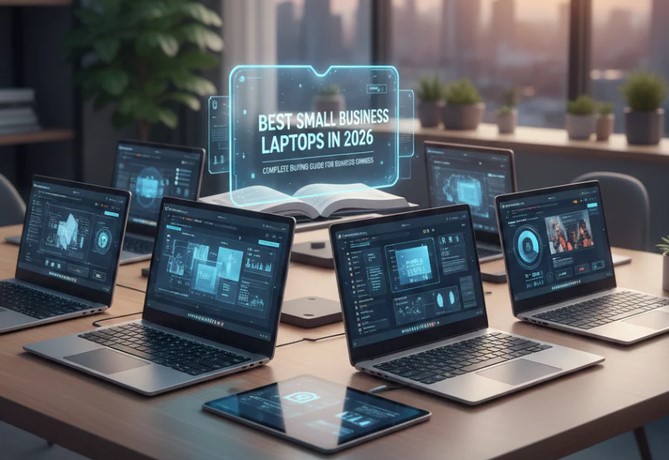
Laptops for Small Businesses in 2026

Source:https://www.toplap.ae

Imagine this scenario: It is 9:00 AM on a Monday, and you are right in the middle of pitching a game-changing proposal to your biggest potential client over a video call. Suddenly, your laptop screen freezes, the fan sounds like a jet engine taking off, and the dreaded loading wheel starts spinning. By the time your system recovers, the client has checked out.

As someone who has spent over a decade deploying healthcare and business technology solutions, I have seen variations of this horror story play out hundreds of times. In 2026, buying a machine is no longer just about picking something that turns on and runs a web browser.

The hardware landscape has fundamentally changed, shifting from basic processors to AI-driven ecosystems. Choosing the right laptops for small businesses is now the difference between seamless scaling and operational frustration. Let’s cut through the marketing noise and look at what actually works for small businesses today.

Why the Rules Changed: The Rise of AI PCs and NPUs

If you haven’t shopped for hardware recently, the spec sheets will look unfamiliar. The biggest architectural shift since the multi-core era is here: Neural Processing Units (NPUs).

Think of the CPU as the store manager who handles everyday operations, and the GPU as the creative designer managing visuals. The NPU is your dedicated automation expert. It handles complex AI calculations—like real-time video background blurring, live transcription, data sorting, and security algorithms—without draining your battery or slowing down your main processor.

In 2026, to be certified as a true “AI PC” or Copilot+ PC, a laptop must feature an NPU capable of delivering at least 40 TOPS (Trillions of Operations Per Second). Buying a laptop without a capable NPU today means investing in a legacy machine that will struggle with business software updates within 24 months.

The Essential Checklist: What Your Specs Actually Mean

Let’s break down the core specifications so you can avoid spending money on specs you don’t need, or worse, buying an underpowered machine.

1. RAM: The 16GB Baseline

Do not buy an 8GB RAM machine for business use anymore, even if the price looks tempting. In 2026, 16GB of DDR5 or LPDDR5 RAM is the absolute bare minimum required to keep your business apps, web tools, and security layers running smoothly alongside modern AI workloads. If your team works heavily with large datasets or financial modeling, upgrade to 24GB or 32GB.

2. Storage: Speed Over Raw Space

Always opt for a Solid State Drive (SSD). A 512GB SSD gives your system ample breathing room for essential OS functions, applications, and local business files. Avoid 256GB models unless your entire workflow is exclusively cloud-based.

3. Silicon Architecture: Intel, AMD, or ARM?

You now have three distinct paths to choose from:

    • Intel Core Ultra & AMD Ryzen AI: The classic heavy-hitters. Excellent for absolute software compatibility, legacy local programs, and raw multi-threaded performance.

    • Snapdragon X Series (ARM-based Windows): The battery kings. These chips run incredibly cool and offer excellent efficiency away from the charger.

    • Apple M-Series (M5/Neo): The gold standard for optimization, build quality, and extreme performance-per-watt efficiency if your business ecosystem runs on macOS.

Top Recommendations for Small Businesses

Based on real-world IT testing and long-term deployment stability, these models offer the best value, durability, and performance for small businesses right now.

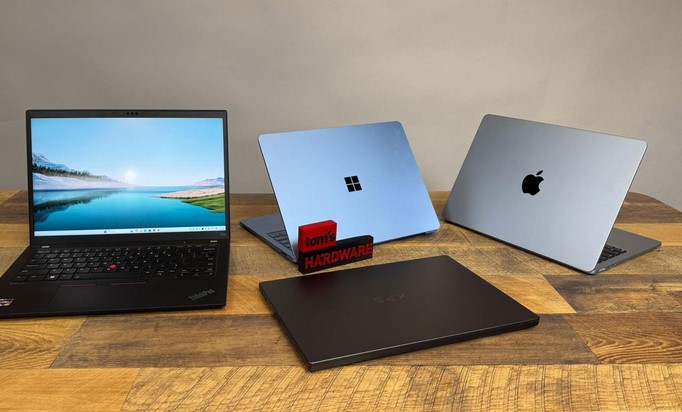
1. Lenovo ThinkPad X1 Carbon Gen 13 Aura Edition

  • Best For: Executives, frequent travelers, and users prioritizing top-tier build quality.

  • Why it stands out: Weighing in at just 2.17 pounds, this carbon-fiber machine combines enterprise-grade security features with the best tactile keyboard on the market. Its integration of modern Intel processing and a highly efficient NPU makes it an absolute workhorse.

2. Apple MacBook Air (M5)

  • Best For: Creative teams, modern startups, and general business productivity.

  • Why it stands out: The M5 generation brings class-leading performance and exceptional battery life that easily clears a 15-hour workday without ever needing a wall outlet. Its fanless design means it remains completely silent even under heavy multitasking.

3. ASUS ExpertBook P5 or Ultra AI PC

  • Best For: Value-oriented operations needing strong corporate security.

  • Why it stands out: ASUS has built an incredible fleet of highly serviceable, lightweight business laptops. The P5 series balances robust multi-layered security protocols with premium internal hardware without breaking your budget.

Pro Tips and Hidden Pitfalls to Avoid

💡 Pro Tip: Prioritize Port Selection

Don’t get blinded by razor-thin designs. If your team constantly presents to clients or uses external hardware, look for laptops that retain at least one USB-A port and an HDMI port. Relying entirely on external USB-C dongles means team members will inevitably lose them right before crucial meetings.

⚠️ Soldered Components

Most modern ultrabooks solder their RAM directly to the motherboard. This means you cannot upgrade the memory later. Saving $100 today by dropping down a RAM tier could force you to replace the entire laptop a year early when your business apps require more computing power. Always buy the RAM capacity you will need two years from now.

Summary Matrix: Finding Your Perfect Fit

Business Need Recommended Spec Key Feature to Look For
General Productivity 16GB RAM / 512GB SSD Long battery life, lightweight chassis
Heavy Data & Finance 32GB RAM / 1TB SSD High CPU core count, numeric keypad
Creative & Design 32GB RAM / 1TB+ SSD High-accuracy OLED display, powerful GPU
Frequent Travel 16GB RAM / 512GB SSD Snapdragon or Apple Silicon, rugged build

The Bottom Line

Buying laptops for small businesses isn’t about chasing the cheapest price tag on the shelf—it’s an investment in your company’s daily velocity. A slow, unreliable machine acts like a continuous micro-tax on your team’s productivity and mental focus. By targeting the 16GB RAM baseline, choosing a platform with a capable 40+ TOPS NPU, and picking a form factor built for your team’s specific environment, you set your business up for a friction-free operational year.

What are the primary challenges your team faces with your current hardware setup? Let’s discuss your current workflow requirements in the comments below so we can pin down the exact configuration you need to scale effectively.

Laptops

Laptops with Large Storage for Professionals and Creators

Source:https://us.v-cdn.net

You’ve just finished a grueling 10-hour shoot for a high-definition medical documentary. You sit down, coffee in hand, ready to offload your footage, only to be met with the most soul-crushing notification in the digital world: “Disk Full. 0 KB remaining.” In my decade working at the intersection of technology and healthcare, I’ve seen this scenario play out more times than I care to admit. I once saw a lead researcher lose hours of real-time data visualization because their system throttled and eventually crashed—all because the local drive didn’t have enough “breathing room” to cache the files.

For the modern professional, laptops with large storage aren’t just about “having a lot of space.” They are about maintaining workflow velocity. If you are a creator or a data-heavy professional, your storage is the foundation of your digital office. If the foundation is too small, the whole building shakes.


The “Digital Closet” Problem: Why 256GB is the New Zero

When I started in the industry, 256GB was considered massive. Today, with 4K video files, high-resolution RAW photos, and complex software suites, that same 256GB is essentially a “digital closet” that fills up before you’ve even unpacked.

An Analogy You’ll Love

Think of your laptop’s storage like a physical workbench.

  • RAM is how much space you have to lay out your tools right now.

  • Storage (SSD) is the number of drawers under the bench.

If you have a tiny workbench with no drawers, you have to keep running to the “garage” (External Hard Drive) every time you need a new tool. Laptops with large storage give you a massive workbench with endless drawers, so everything you need is within arm’s reach.


1. SSD vs. HDD: The Speed of Professionalism

In a professional setting, we no longer talk about Hard Disk Drives (HDDs) unless we are discussing long-term cold storage. If you are looking at laptops with large storage, you are looking for Solid State Drives (SSDs).

The NVMe Advantage

Most high-end laptops today use NVMe (Non-Volatile Memory Express) technology. Unlike the old SATA SSDs, NVMe drives talk directly to the heart of your computer (the CPU) through the PCIe interface.

For a creator, this means the difference between a 4K video timeline that stutters and one that plays back as smooth as silk. I always tell my colleagues: Speed is a form of storage capacity. If you can’t access your 2TB of data quickly, it might as well not be there.


2. Defining “Large Storage” for Your Career Path

Not every professional needs a 4TB monster. In my experience consulting for various tech niches, here is how the storage tiers usually break down:

  • The “Power Admin” (512GB – 1TB): Best for HealthTech managers, researchers, and developers who work mostly with code, spreadsheets, and thousands of PDFs.

  • The “Visual Creator” (1TB – 2TB): The sweet spot for photographers and graphic designers. This allows you to keep current projects local without constantly juggling external drives.

  • The “Video & 3D Pro” (2TB – 8TB): Necessary for 4K/8K video editors and 3D animators. At this level, you aren’t just storing files; you are storing Cache and Scratch Disks that require massive overhead.


3. High-Performance Laptops Leading the Pack

When I look for laptops with large storage for my team, I look at the “Storage Ceiling”—how much can this machine hold if I max it out?

  • MacBook Pro (M3/M4 Series): Apple offers up to 8TB of unified storage. The catch? It’s soldered on. You have to decide how much you need on day one because you can’t upgrade it later.

  • Dell XPS & Precision Mobile Workstations: These are the darlings of the Windows professional world. Many models feature dual M.2 slots, allowing you to reach 4TB or 8TB by adding your own drives later.

  • ASUS ProArt Studiobook: Designed specifically for creators, these often come with RAID configurations that mirror your data for extra safety—something I highly recommend for mission-critical medical data.


4. The Hidden Impact: Storage and System Longevity

One technical insight people often miss is SSD Endurance (TBW – Terabytes Written). SSDs have a lifespan. Every time you save or delete a file, you use a tiny bit of that life.

Laptops with large storage actually last longer. Because the data is spread across more “cells,” the wear and tear is distributed. In the HealthTech world, where we need hardware to last 5+ years, buying a larger drive than you need today is actually a smart “health insurance” policy for your computer.


5. Expert Advice: The “Invisible” Storage Drain

I’ve had many juniors come to me complaining that their 1TB drive is full, even though they “don’t have many files.”

Tips Pro: Check your System Cache and Temp Files. Software like Adobe Premiere or DaVinci Resolve creates “render files” that can easily eat 100GB in a single afternoon. If you don’t have a large enough drive to act as a Scratch Disk, your software will crawl to a halt.

Beware of the “Cloud Sync” trap. Services like OneDrive or Dropbox often default to “Available Offline,” which means they are downloading everything to your local drive. Always use the “Online Only” or “Files on Demand” feature if you are running out of space.


6. How to Choose the Right Storage Setup

If you are currently shopping for laptops with large storage, use this scannable checklist to ensure you don’t get stuck with a digital lemon:

  • Check for Expandability: Does the laptop have an extra M.2 slot? If yes, buy a lower storage model now and save money by adding a 2TB drive yourself later.

  • Look for PCIe Gen 4 or Gen 5: This refers to the “highway” the data travels on. Gen 5 is the newest and fastest, essential for high-end creators.

  • Don’t Forget the Backup: Large internal storage makes you brave. Being brave makes you forget to back up. Always follow the 3-2-1 Rule: 3 copies of your data, 2 different media types, 1 copy off-site (Cloud).


Summary: Invest in the Room to Grow

After a decade in Technology, I’ve learned that you will always find a way to fill the space you have. Choosing laptops with large storage isn’t about being “extra”—it’s about removing the friction between your brain and the screen.

When you don’t have to worry about disk space, you can focus on the “Deep Work” that actually moves your career forward. Whether you are coding the next big health app or editing a cinematic masterpiece, give yourself the room to breathe.


What’s your storage “Breaking Point”?

Are you a minimalist who lives in the cloud, or do you have five external drives rattling around in your backpack? I’d love to hear about your workflow—drop a comment below and let’s discuss the best storage configurations for your specific profession!

Laptops

Laptops with Fingerprint Sensor: For Better Security

Source:https://m.media-amazon.com

Picture this: You’re in a bustling coffee shop, rushing to finish a medical tech proposal before your next flight. You get up for thirty seconds to grab a napkin, and in that window, someone glances at your screen. You’ve typed your password—”Password123!”—a dozen times today, and anyone watching your fingers could mimic the pattern in a heartbeat.

In my ten years navigating the sensitive corridors of HealthTech, I’ve seen data breaches that didn’t happen because of sophisticated hackers in dark rooms, but because of “shoulder surfing” in public spaces. That’s why, when people ask me for hardware recommendations, I don’t start with RAM or CPU. I start with the power button—specifically, laptops with fingerprint sensor technology.

If you are still typing a PIN or a password every time you wake your computer, you aren’t just wasting time; you’re leaving your digital front door unlocked.


The Evolution of the “Biological Key”

When I first started in the tech industry, biometric scanners on laptops were bulky, unreliable strips that required you to swipe your finger perfectly—usually taking three or four tries before letting you in. I remember a specific instance at a health conference where a colleague couldn’t access a critical patient data presentation because his hands were slightly damp, and the old-school sensor simply gave up.

Today, the landscape has changed. Modern laptops with fingerprint sensor tech utilize “match-on-chip” architecture. This means your fingerprint data never actually leaves the sensor’s dedicated hardware, making it exponentially harder for malware to intercept.

An Analogy You Can Understand

Think of a standard password like a physical key. If someone steals it or makes a copy, they have total access to your house. A fingerprint sensor, however, is like having a highly trained security guard who recognizes your face and voice. Even if someone finds your “key,” they can’t get past the guard because they aren’t you.


1. Why You Need Laptops with Fingerprint Sensor Technology

In a world where we manage banking, health records, and private work files on a single device, “convenience” is often the enemy of security. Biometrics bridge that gap.

  • Eliminating Password Fatigue: We are told to use complex, unique passwords for everything. Most people fail at this and reuse the same weak ones. A fingerprint sensor allows you to use a 20-character “impossible” password for your OS, knowing you’ll only ever have to touch a button to enter.

  • Instant Multi-Factor Authentication (MFA): Many modern apps and websites now support Windows Hello or Touch ID. This means your finger becomes the second layer of defense for your most sensitive accounts.

  • Speed in Critical Moments: In HealthTech, seconds save lives. Whether it’s an IT admin responding to a server crash or a doctor accessing a chart, skipping the login screen saves cumulative hours of productivity per year.


2. The Technical Core: Capacitive vs. Optical Sensors

Not all laptops with fingerprint sensor modules are created equal. If you’re looking to buy a new machine, you need to know what’s under the glass.

Capacitive Sensors (The Industry Standard)

Most high-end laptops use capacitive technology. These sensors use tiny electrical currents to map the ridges and valleys of your finger. Because they measure the physical “depth” of your print, they are incredibly hard to fool with a simple high-resolution photo.

Optical Sensors

These are essentially specialized cameras that take a 2D picture of your finger. While cheaper, they are less secure and struggle with dirty or wet fingers. In my professional opinion, if you are handling sensitive data, always opt for a laptop with a capacitive sensor.


3. Top Features to Look for in Modern Biometric Laptops

When scouting for your next upgrade, keep these LSI Keywords and technical specs in mind to ensure you’re getting more than just a gimmick.

  • Windows Hello Integration: For PC users, ensure the laptop is “Windows Hello Compatible.” This ensures a seamless handshake between the hardware and the operating system.

  • TPM 2.0 (Trusted Platform Module): This is the “vault” where your encrypted biometric data is stored. Without a TPM chip, a fingerprint sensor is significantly more vulnerable.

  • Self-Learning Algorithms: The best sensors actually “learn” your finger over time. If you have a small papercut or your skin is dry, the software adjusts the map to keep recognition rates high.


4. Addressing the Privacy Elephant in the Room

One of the most common questions I get is: “Is the government or the manufacturer stealing my fingerprint?”

As someone who has audited data privacy protocols, I can tell you that on reputable laptops with fingerprint sensor models (like those from Dell, HP, Apple, or Lenovo), your actual “image” of the fingerprint is never stored.

Instead, the system creates a mathematical hash—a complex string of numbers—that represents your print. Even if a hacker stole that hash, they couldn’t turn it back into a picture of your finger. It’s a one-way street.


5. Expert Advice: The “Hidden Warning”

While I am a huge advocate for biometrics, there is a reality check you need to hear.

Tips Pro: Always have a “Emergency Backdoor.” Fingerprint sensors can fail if the hardware is damaged or if you have a significant injury to your hand. Never rely solely on biometrics without knowing your master recovery password.

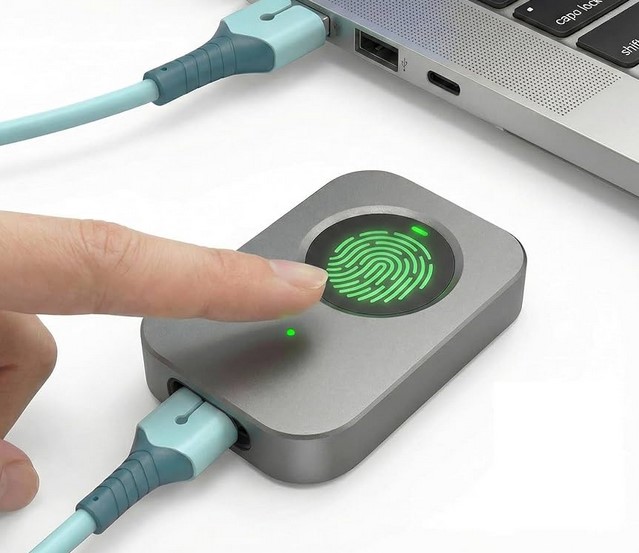
Peringatan Tersembunyi: Beware of cheap, third-party USB fingerprint dongles. Many of them store data insecurely or lack the encryption standards found in built-in sensors from major manufacturers.


6. Boosting Productivity: Beyond Just Logging In

The true power of laptops with fingerprint sensor tech isn’t just the lock screen. It’s the ecosystem.

  • Password Managers: Apps like 1Password or LastPass allow you to autofill complex credentials with a touch.

  • Sudo Access for Developers: If you spend time in the terminal (command line), you can often configure your system to accept a fingerprint scan instead of typing your admin password for every command.

  • Encrypted Folders: Some laptops allow you to “lock” specific folders that will only open with your biometric ID, adding an extra layer of protection for those sensitive medical or financial spreadsheets.


Summary: A Touch of Future-Proofing

In my decade-plus of experience, the most secure systems are the ones that are easiest to use. If security is a chore, people will find ways to bypass it. Laptops with fingerprint sensor technology turn the “chore” of security into a half-second habit.

Whether you are a freelancer working from a cafe or a HealthTech executive managing patient databases, your fingerprint is the most unique, un-guessable password you will ever own. It’s time to start using it.


Is your next laptop going biometric?

If you’ve been on the fence about whether that extra $50 for a fingerprint model is worth it, I hope this guide made the choice clear. What’s your biggest concern when it comes to biometric security—privacy or reliability? Let’s chat in the comments below!