
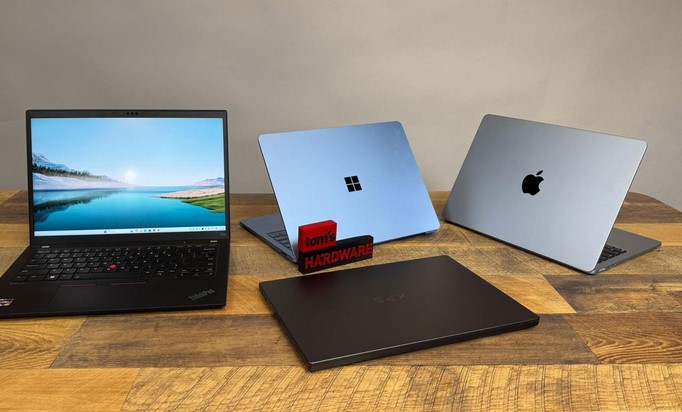
Picture this: You are sitting at a gate in a bustling international airport, minutes away from boarding a long-haul flight. You pull out your laptop to finalize a crucial financial deck, only to have the battery icon flash red. Worse, as you squeeze into your narrow economy seat, opening the screen pushes the chassis against the tray table so hard you hear a terrifying plastic creak.
I’ve spent more than a decade testing hardware architectures, deploying enterprise fleets, and evaluating mobile workstations. I cannot count how many executives and remote professionals I’ve seen fall into the exact same trap—buying a consumer laptop built for aesthetics, only for it to fall apart under real corporate stress.
Modern work demands a completely different class of hardware.
That is where business ultrabooks come in. These are not merely thin consumer laptops painted in matte black; they are engineered tools where enterprise security, structural durability, and continuous performance converge into a lightweight chassis.
What Defines Modern Business Ultrabooks?
To the untrained eye, a premium consumer ultraportable and an enterprise machine look identical on a retail display. Underneath the aluminum skin, however, the engineering philosophies diverge radically.
+-------------------------------------------------------------+
|               CONSUMER VS. BUSINESS ULTRABOOKS              |
+-------------------------------------------------------------+
| Consumer Ultraportables  --> Sleek, Glossy, Consumer Features|
| Business Ultrabooks      --> Durability, Security & Repair  |
| Combined Ecosystem       --> High Efficiency & Peak Mobility|
+-------------------------------------------------------------+
A true business ultraportable balances three non-negotiable pillars:
-
Enterprise Security Integration: Hardware-level protection that stops firmware tampering before the operating system even boots.
-
Thermal Endurance: Cooling systems designed to sustain continuous multi-threaded workloads without aggressive throttling.
-
Fleet Manageability: Remote diagnostics, out-of-band management, and standardized deployment protocols for IT departments.
Decoding the Tech: The Pillars of Enterprise Portability
Navigating modern spec sheets requires understanding how silicon, chassis engineering, and security hardware intersect.
1. Enterprise-Grade Silicon Architecture
In 2026, business ultrabooks leverage a tri-core processor architecture comprising CPUs, integrated GPUs, and dedicated Neural Processing Units (NPUs).
-
vPro & Ryzen Pro Ecosystems: Platforms like Intel vPro and AMD Ryzen Pro provide hardware-based security extensions. They enable IT admins to patch systems remotely, encrypt memory in real time, and isolate critical corporate credentials from malware.
-
Dedicated NPUs: Modern NPUs offload local AI workloads—such as real-time voice isolation, background blur, and local data encryption—preventing battery drain during back-to-back video conferences.
2. Structural Integrity and Thermal Dissipation
High mobility subjects a chassis to continuous torsional stress. Leading business laptops utilize magnesium-lithium alloys, carbon-fiber reinforced plastics, and CNC-machined aluminum that comply with MIL-STD-810H testing (surviving drops, humidity, sand, and thermal shock).
Additionally, modern liquid-crystal polymer (LCP) fans and vapor chambers allow ultra-thin profiles to vent heat efficiently, keeping the keyboard deck cool during intensive data processing.
Analogy: A consumer laptop is like a sleek luxury sports coupe—fast and stylish on smooth roads, but vulnerable on rough terrain. A business ultrabook is like an armored rally car: built lightweight for agility, but reinforced with a roll cage and heavy-duty suspension to survive harsh daily punishment.
Essential Hardware Features for Modern Professionals
If you are upgrading your daily driver, focus on these critical hardware metrics:
-
Aspect Ratio Matters (16:10 or 3:2): Taller screens display significantly more vertical code lines, spreadsheet rows, and document text than standard 16:9 widescreen displays, dramatically reducing scroll fatigue.
-
Privacy-Focused Webcams: Look for hardware-level privacy shutters (physical kill switches) and infrared (IR) sensors paired with Windows Hello for secure facial recognition.
-
Tactile Keyboards: Long typing sessions require adequate key travel (ideally 1.5mm) and stable scissor-switch mechanisms to reduce wrist strain and mistyping.
Pro Tips & Hidden Pitfalls: An Industry Insider’s Take
Having audited corporate IT deployments and torn down hundreds of chassis over the last ten years, here are the real-world realities sales reps won’t mention.
Pro Tips for Maximizing Value
-
Invest in 32GB Unified/LPDDR Memory: Memory on modern thin laptops is almost universally soldered directly to the motherboard to save space. Since you cannot upgrade RAM down the line, opting for 32GB ensures your laptop handles multi-tab browser environments and virtual machines 4 years from now.
-
Look for User-Replaceable M.2 SSDs: While RAM is usually soldered, higher-end enterprise ultrabooks often retain an accessible M.2 slot for storage. This allows you to upgrade capacity affordably or swap drives quickly if the motherboard ever dies.
-
Prioritize Matte/Anti-Glare Displays: Glossy screens look stunning in dark showroom booths, but reflect harsh overhead office fluorescent lights and sunlight, causing severe eye strain over an eight-hour workday.
Hidden Pitfalls to Avoid
-
The “Ultra-Thin Port Sacrifices” Trap: Extremely thin devices often strip away native HDMI and USB-A ports, forcing you into “dongle hell.” Ensure your machine features at least two Thunderbolt 4 / USB4 ports that support DisplayPort and Power Delivery.
-
Ignoring Battery Degradation Thresholds: Fast charging is convenient, but generates high internal heat that degrades lithium battery chemistry prematurely. Use vendor power management software (like Lenovo Vantage or Dell Optimizer) to cap daily charging at 80% if you work mostly plugged into a dock.
-
Overlooking Warranty & On-Site Support: Consumer warranties require shipping your broken laptop to a depot for weeks. Always opt for 3-Year On-Site NBD (Next Business Day) service for critical work machines.
The Road Ahead: The Future of Enterprise Mobility
Where is the executive laptop evolving over the next few years? The integration of lower-power architectures and flexible displays is redefining workplace productivity.
+---------------------------------------------------------------+
|              THE FUTURE OF BUSINESS ULTRABOOKS                |
+---------------------------------------------------------------+
| On-Device Security NPUs --> Real-Time Zero-Trust Diagnostics |
| Solid-State Micro-Cooling--> Silent, Fanless High-Power Chips |
| Solar & Ambient Charging  --> Ultra-Long Field Battery Life   |
+---------------------------------------------------------------+
With solid-state cooling modules replacing mechanical fans and local AI handling real-time language translation offline, business ultrabooks are becoming completely silent, highly resilient mobile command centers.
Final Thoughts
Selecting the right business ultrabooks isn’t about chasing the highest synthetic benchmark score or buying the flashiest design. It comes down to balancing structural durability, reliable battery life, hardware-level security, and ergonomic comfort. When you invest in a machine built specifically for work, you eliminate friction and ensure your technology keeps pace with your productivity.
Over to You: What is the most critical feature you look for in a work laptop—keyboard feel, battery endurance, or port availability? Are you currently using a corporate-issued machine or managing your own hardware stack? Share your thoughts and questions in the comments below!