
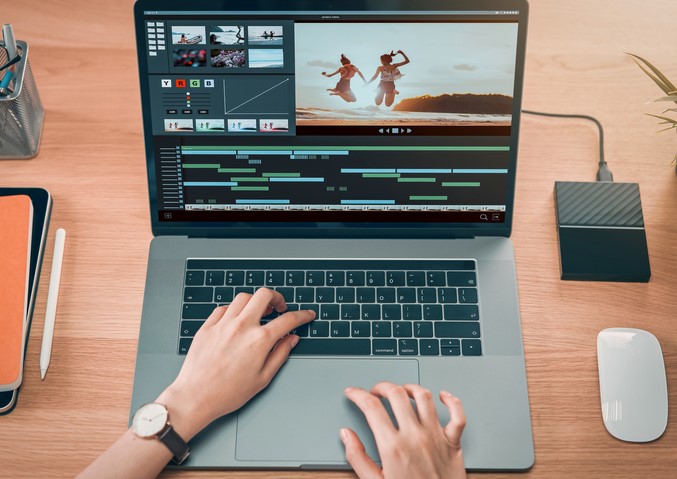
You’ve just finished a grueling 10-hour shoot for a high-definition medical documentary. You sit down, coffee in hand, ready to offload your footage, only to be met with the most soul-crushing notification in the digital world: “Disk Full. 0 KB remaining.” In my decade working at the intersection of technology and healthcare, I’ve seen this scenario play out more times than I care to admit. I once saw a lead researcher lose hours of real-time data visualization because their system throttled and eventually crashed—all because the local drive didn’t have enough “breathing room” to cache the files.
For the modern professional, laptops with large storage aren’t just about “having a lot of space.” They are about maintaining workflow velocity. If you are a creator or a data-heavy professional, your storage is the foundation of your digital office. If the foundation is too small, the whole building shakes.
The “Digital Closet” Problem: Why 256GB is the New Zero
When I started in the industry, 256GB was considered massive. Today, with 4K video files, high-resolution RAW photos, and complex software suites, that same 256GB is essentially a “digital closet” that fills up before you’ve even unpacked.
An Analogy You’ll Love
Think of your laptop’s storage like a physical workbench.
-
RAM is how much space you have to lay out your tools right now.
-
Storage (SSD) is the number of drawers under the bench.
If you have a tiny workbench with no drawers, you have to keep running to the “garage” (External Hard Drive) every time you need a new tool. Laptops with large storage give you a massive workbench with endless drawers, so everything you need is within arm’s reach.
1. SSD vs. HDD: The Speed of Professionalism
In a professional setting, we no longer talk about Hard Disk Drives (HDDs) unless we are discussing long-term cold storage. If you are looking at laptops with large storage, you are looking for Solid State Drives (SSDs).
The NVMe Advantage
Most high-end laptops today use NVMe (Non-Volatile Memory Express) technology. Unlike the old SATA SSDs, NVMe drives talk directly to the heart of your computer (the CPU) through the PCIe interface.
For a creator, this means the difference between a 4K video timeline that stutters and one that plays back as smooth as silk. I always tell my colleagues: Speed is a form of storage capacity. If you can’t access your 2TB of data quickly, it might as well not be there.
2. Defining “Large Storage” for Your Career Path
Not every professional needs a 4TB monster. In my experience consulting for various tech niches, here is how the storage tiers usually break down:
-
The “Power Admin” (512GB – 1TB): Best for HealthTech managers, researchers, and developers who work mostly with code, spreadsheets, and thousands of PDFs.
-
The “Visual Creator” (1TB – 2TB): The sweet spot for photographers and graphic designers. This allows you to keep current projects local without constantly juggling external drives.
-
The “Video & 3D Pro” (2TB – 8TB): Necessary for 4K/8K video editors and 3D animators. At this level, you aren’t just storing files; you are storing Cache and Scratch Disks that require massive overhead.
3. High-Performance Laptops Leading the Pack
When I look for laptops with large storage for my team, I look at the “Storage Ceiling”—how much can this machine hold if I max it out?
-
MacBook Pro (M3/M4 Series): Apple offers up to 8TB of unified storage. The catch? It’s soldered on. You have to decide how much you need on day one because you can’t upgrade it later.
-
Dell XPS & Precision Mobile Workstations: These are the darlings of the Windows professional world. Many models feature dual M.2 slots, allowing you to reach 4TB or 8TB by adding your own drives later.
-
ASUS ProArt Studiobook: Designed specifically for creators, these often come with RAID configurations that mirror your data for extra safety—something I highly recommend for mission-critical medical data.
4. The Hidden Impact: Storage and System Longevity
One technical insight people often miss is SSD Endurance (TBW – Terabytes Written). SSDs have a lifespan. Every time you save or delete a file, you use a tiny bit of that life.
Laptops with large storage actually last longer. Because the data is spread across more “cells,” the wear and tear is distributed. In the HealthTech world, where we need hardware to last 5+ years, buying a larger drive than you need today is actually a smart “health insurance” policy for your computer.
5. Expert Advice: The “Invisible” Storage Drain
I’ve had many juniors come to me complaining that their 1TB drive is full, even though they “don’t have many files.”
Tips Pro: Check your System Cache and Temp Files. Software like Adobe Premiere or DaVinci Resolve creates “render files” that can easily eat 100GB in a single afternoon. If you don’t have a large enough drive to act as a Scratch Disk, your software will crawl to a halt.
Beware of the “Cloud Sync” trap. Services like OneDrive or Dropbox often default to “Available Offline,” which means they are downloading everything to your local drive. Always use the “Online Only” or “Files on Demand” feature if you are running out of space.
6. How to Choose the Right Storage Setup
If you are currently shopping for laptops with large storage, use this scannable checklist to ensure you don’t get stuck with a digital lemon:
-
Check for Expandability: Does the laptop have an extra M.2 slot? If yes, buy a lower storage model now and save money by adding a 2TB drive yourself later.
-
Look for PCIe Gen 4 or Gen 5: This refers to the “highway” the data travels on. Gen 5 is the newest and fastest, essential for high-end creators.
-
Don’t Forget the Backup: Large internal storage makes you brave. Being brave makes you forget to back up. Always follow the 3-2-1 Rule: 3 copies of your data, 2 different media types, 1 copy off-site (Cloud).
Summary: Invest in the Room to Grow
After a decade in Technology, I’ve learned that you will always find a way to fill the space you have. Choosing laptops with large storage isn’t about being “extra”—it’s about removing the friction between your brain and the screen.
When you don’t have to worry about disk space, you can focus on the “Deep Work” that actually moves your career forward. Whether you are coding the next big health app or editing a cinematic masterpiece, give yourself the room to breathe.
What’s your storage “Breaking Point”?
Are you a minimalist who lives in the cloud, or do you have five external drives rattling around in your backpack? I’d love to hear about your workflow—drop a comment below and let’s discuss the best storage configurations for your specific profession!