
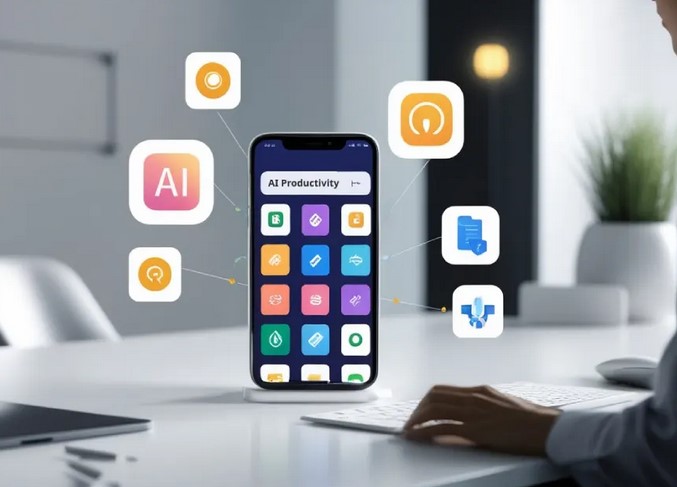
Five years ago, I found myself sitting in a cramped airport terminal in Singapore, staring at a “Server Down” notification while my laptop battery sat mockingly at 2%. In that moment of sheer panic, I realized that my entire professional life was tethered to a desk. I had the tools, but I didn’t have the mobility.
Since that day, I’ve spent over a decade at the intersection of healthcare and technology, watching how mobile productivity apps evolved from simple digital notepads into high-powered command centers. We’ve moved past the era of “checking emails on the phone” to an era where you can manage a multimillion-dollar project or a clinical trial from the palm of your hand while waiting for your latte.
If you’ve ever felt like your smartphone is just a distraction machine, this guide is for you. We’re going to flip the script and turn that pocket-sized rectangle into your most powerful employee.
The Cognitive Load: Why We Need Mobile Systems
In my years of consulting for HealthTech startups, I’ve noticed a recurring pattern: Information Overload. Our brains aren’t built to store every task, deadline, and creative spark. Think of your brain’s short-term memory like a computer’s RAM. If you open 50 tabs, the system lags.
Mobile productivity apps act as an external hard drive for your consciousness. They allow you to “offload” the mental weight of remembering, freeing up your “RAM” for actual deep work and creative problem-solving.
1. The Architecture of a Mobile Workspace
To master efficiency on the go, you need more than just a folder full of random apps. You need an ecosystem. In the tech world, we call this a “Stack.”
The Foundation: Task Management
Before you can be productive, you need a place to capture thoughts. I personally swear by the GTD (Getting Things Done) methodology.
-
Todoist: My go-to for its natural language processing. You can type “Review medical report every Friday at 4 PM,” and it automatically sets the recurring task.
-
TickTick: Excellent for those who love a built-in Pomodoro timer to stay focused during short bursts of travel time.
The Second Brain: Note-Taking and Documentation
In HealthTech, documentation is everything. If it isn’t written down, it didn’t happen.
-
Notion: It’s like LEGO for productivity. You can build databases, wikis, and project trackers. On mobile, it’s become significantly faster, making it great for reviewing briefs between meetings.
-
Obsidian: For the power users who want a “knowledge graph” that shows how their ideas connect. It’s perfect for researchers who need to see the “spiderweb” of their data.
2. Optimizing Mobile Productivity Apps for Deep Work
One of the biggest hurdles my clients face is the “Notification Trap.” How can you be productive on a device that is designed to distract you?
The Digital Minimalist Strategy
I recommend treating your home screen like a high-end surgical tray: only the essential tools should be visible.
-
Focus Modes: Use iOS or Android’s built-in focus settings to hide social media apps during work hours.
-
Widget Power: Use widgets for your calendar and high-priority tasks. This allows you to see your schedule at a glance without even opening an app.
Cloud Integration: The Silent Hero
The “magic” of mobile productivity apps lies in the backend. Utilizing APIs and cloud syncing (like Google Workspace or Microsoft 365) ensures that if you start a document on your phone during a commute, it’s waiting for you on your desktop when you arrive. This seamless transition is what differentiates a “pro” from a “beginner.”
3. High-Performance Communication Tools
Slack and Microsoft Teams are the industry standards, but they can be productivity killers if managed poorly. In my experience, the “Always-On” culture leads to burnout faster than any workload.
The Pro Tip: Set “Quiet Hours” within these apps. In the tech sector, we call this Asynchronous Communication. You don’t need to reply to a Slack message the second it pops up. By batching your communication on mobile, you regain control over your time.
4. Specialized HealthTech and Technical Tools
For those in more technical niches, mobility isn’t just about emails; it’s about access.
-
Termius: If you’re a developer or IT manager, this allows you to manage servers via SSH from your phone. I’ve fixed critical server errors while standing in line at a grocery store using this.
-
Doximity: For my healthcare colleagues, this is a vital tool for HIPAA-secure communication and digital faxing on the go.
The Technical Deep-Dive: Why Modern Apps are Faster
You might have noticed that apps today feel “snappier” than they did five years ago. This is due to a shift in how they are built. Most modern mobile productivity apps now use Progressive Web App (PWA) technologies or frameworks like React Native and Flutter.
These technologies allow for “offline-first” functionality. This means you can continue working in a subway tunnel with zero signal, and the moment you hit 5G, your data syncs via a process called Conflict-free Replicated Data Types (CRDTs). This ensures that your mobile edits don’t overwrite your desktop edits.
Expert Advice: The “Hidden Warning”
While I advocate for mobile efficiency, there is a trap: The Illusion of Productivity.
The Warning: Don’t confuse activity with achievement. Checking off 20 tiny tasks on your phone feels good because of the dopamine hit, but if you haven’t moved the needle on your “Big Rock” projects, you aren’t actually being productive.
Use your mobile device for Capture, Coordination, and Communication, but save the “Heavy Lifting” for a dedicated environment whenever possible.
Summary: Your Pocket-Sized Headquarters
Mastering mobile productivity apps is no longer a luxury; it’s a survival skill in the modern economy. By building a deliberate “Stack,” silencing the noise, and understanding the technical backbone of your tools, you can reclaim hours of your day.
The technology is already in your pocket. The question is: are you using it to build your empire, or is it just using you for your attention?
What’s your biggest struggle?
Are you overwhelmed by notifications, or are you looking for the perfect app to manage a specific workflow? Drop a comment below or share this article with your most “disorganized” colleague—let’s start a conversation on how we can work smarter, not harder.