
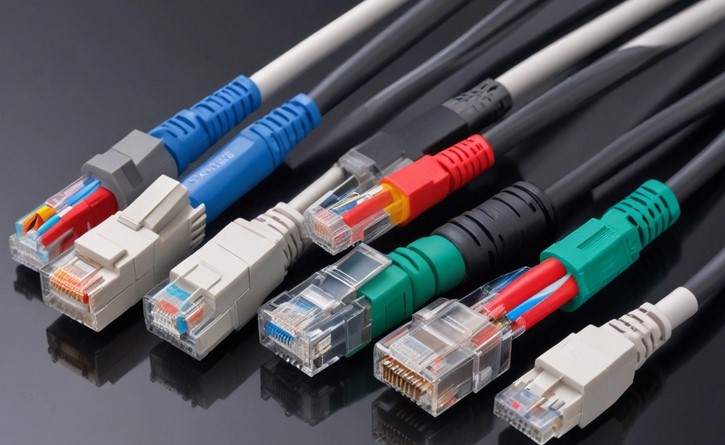
You’ve spent thousands of dollars on the latest high-speed switches and high-end servers, but your data transfer speeds are still crawling like it’s 2005. You check the software, you reboot the routers, but the bottleneck remains invisible. Then, you look behind the server rack and see a tangled “spaghetti” of dusty, beige cords.
In my decade of experience as a tech writer and infrastructure consultant, I’ve seen this exact scenario play out in clinics, startups, and home offices alike. We often obsess over the “brains” of our network (the CPUs and software) while completely neglecting the “nervous system”—the physical cables.
Choosing the wrong network cabling types is like putting a Ferrari engine inside a car with bicycle tires; you have all that power, but you simply can’t translate it to the road. Today, I’m going to simplify the complex world of copper and glass so you can make an informed decision for your infrastructure.
The Plumbing of the Digital World: An Analogy
To understand network cabling types, think of your building’s data network like the plumbing in your house.
-
Bandwidth is the width of the pipe. A wider pipe can move more water (data) at once.
-
Categories (Cat5e, Cat6, etc.) represent the material and pressure rating of that pipe.
-
Interference (EMI) is like external vibrations that could cause the pipes to rattle or leak.
If you try to blast a fire hose worth of data through a drinking-straw-sized cable, something is going to fail. In the best-case scenario, your speeds drop; in the worst, your connection drops entirely.
1. The Copper Kings: Twisted Pair Cabling
Most of us are familiar with the “Ethernet cable.” Technically, these are called Unshielded Twisted Pair (UTP) cables. They consist of four pairs of color-coded copper wires twisted around each other. These twists aren’t for decoration; they are engineered to cancel out electromagnetic interference (EMI) from nearby electronics.
Category 5e (Cat5e): The Aging Veteran
I remember when Cat5e was the gold standard. It supports speeds up to 1 Gbps (Gigabit per second). While it’s still common in older residential setups, in 2026, I consider it the bare minimum. It’s the “budget” option that is increasingly becoming obsolete for modern business needs.
Category 6 (Cat6): The Sweet Spot
If you are wired for a modern office today, you are likely using Cat6. It handles up to 10 Gbps, but there is a catch: it can only maintain that speed for about 55 meters. For most small to medium offices, this is the perfect balance between cost and performance.
Category 6a (Cat6a): The Future-Proof Choice
The “a” stands for Augmented. This cable is thicker and much more rigid. It can carry 10 Gbps over the full 100-meter distance allowed for Ethernet. I’ve seen many HealthTech facilities switch to Cat6a to handle the massive file sizes of high-resolution medical imaging (like 8K MRI scans).
LSI Keywords: RJ45 connectors, crosstalk, signal attenuation, bandwidth frequency, MHz, patch cables.
2. Fiber Optic Cabling: Speeding at the Rate of Light
When copper reaches its limit, we turn to glass. Fiber optic cables transmit data as pulses of light rather than electrical signals. This makes them immune to electromagnetic interference—you could wrap a fiber cable around a microwave or a giant industrial motor, and the signal would remain crystal clear.
-
Single-Mode Fiber (SMF): Used for long distances (think miles, not feet). It has a tiny core that allows light to travel in a straight line. We use this to connect buildings across a campus.
-
Multi-Mode Fiber (MMF): This has a larger core that allows light to “bounce” around. It’s cheaper than single-mode and is the go-to choice for connecting servers within a data center.
In my testing, switching a backbone connection from copper to fiber is often the single most effective way to eliminate “lag” in a high-traffic environment.
3. Coaxial and Specialized Cables
While less common for internal LANs today, Coaxial cables still play a role in bringing the internet into your building via your ISP. They are durable and excellent at carrying signals over long distances, but they lack the flexibility and multi-gigabit efficiency of modern twisted-pair or fiber options.
Scannable Comparison: Which Cable Do You Need?
| Cable Type | Max Speed | Max Distance | Best Use Case |
| Cat5e | 1 Gbps | 100m | Basic home Wi-Fi extensions |
| Cat6 | 1 Gbps (10Gbps @ 55m) | 100m | Modern office workstations |
| Cat6a | 10 Gbps | 100m | Servers & Future-proofing |
| Cat7/8 | 25-40 Gbps | 30m | Data centers / Short high-speed links |
| Fiber Optic | 100+ Gbps | 10km+ | Campus backbones & Zero-interference zones |
Expert Advice: Insights from the Trenches
Through my years of crawling under raised floors and poking my head into ceiling tiles, I’ve learned two lessons the hard way:
Tips Pro: Don’t Forget the Bend Radius
Copper is forgiving; fiber is not. If you bend a fiber optic cable too sharply (imagine a sharp 90-degree turn around a corner), the glass inside can develop micro-fractures. The light escapes, and your signal dies. Always use “sweep” turns rather than sharp bends.
The “CCA” Scam
When buying bulk network cabling types online, you might see “CCA” (Copper Clad Aluminum) at a significantly lower price. Avoid this at all costs. Aluminum is more brittle and has higher electrical resistance than pure copper. I have seen CCA cables fail in Power over Ethernet (PoE) setups, sometimes even overheating and creating a fire hazard. Always look for 100% Solid Bare Copper.
Why Your Choice Matters in 2026
As we integrate more AI-driven tools and real-time data streaming into our workflows, the volume of data moving through your walls is skyrocketing. In a HealthTech setting, where a delayed signal could mean a delay in patient monitoring, the reliability of your cabling is literally a matter of safety.
Choosing the right cable isn’t just about the speed you need today. It’s about not having to tear open your walls and ceilings five years from now because your cables can’t keep up with the next generation of hardware.
Conclusion
Understanding network cabling types is the first step toward building a resilient, high-performance digital environment. Whether you’re sticking with the reliability of Cat6a copper or leaping into the light-speed world of fiber optics, remember that your network is only as strong as its weakest link.
Don’t let a $20 cable hold back a $10,000 system. Take the time to audit your “nervous system,” clear out the old beige “spaghetti,” and give your data the highway it deserves.
Are you currently dealing with a slow network that might be caused by old cabling? Or have you recently made the jump to Fiber? Let’s swap stories in the comments—I’d love to hear what’s happening behind your server racks!