
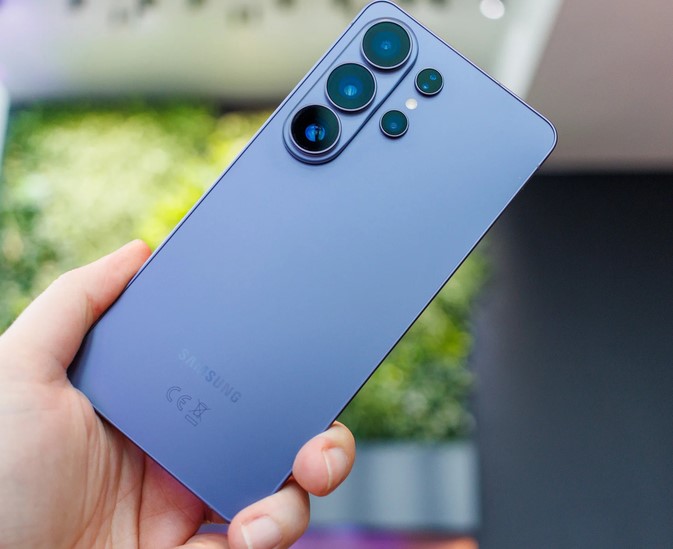
Imagine filming your child’s first steps, a breathtaking volcanic sunset, or a crucial medical lab demonstration on your phone, only to realize years later that the footage looks pixelated on modern displays. Now consider this: a single minute of 8K video footage captures a staggering 33 million pixels per frame, devouring roughly 600 megabytes of your phone’s storage in sixty seconds flat.
When I began analyzing mobile camera sensors and image processing pipelines over a decade ago, getting a stable 1080p stream without thermal throttling was considered a victory. Today, we are carrying pocket-sized cinema houses.
Having rigorously tested mobile video architectures through their evolution into 2026, I have watched 8K smartphones transition from flashy marketing gimmicks into legitimate tools for forward-thinking creators. But the real question remains: do you actually need this hyper-dense resolution today, or are you just trading your precious storage space for numbers on a retail box?
Pixels Demystified: What 8K Actually Means for Your Mobile Screen
To understand why this technology is a massive engineering leap, let’s break down the sheer volume of data your device is processing.
💡 The Mosaic Analogi
Think of a digital video file as a massive mosaic tile wall. A standard Full HD (1080p) video uses about 2 million tiles. A 4K video steps that up to roughly 8 million tiles. An 8K video uses a whopping 33 million tiles packed into the exact same physical frame size.
When you hit the record button on modern 8K smartphones, the device isn’t just capturing an image; it is processing a continuous stream of 33-megapixel photographs at 24, 30, or even 60 frames per second. This requires massive computational heavy lifting, pushing mobile Image Signal Processors (ISPs) and modern system-on-chip architectures to their absolute limits.
The Hidden Power Performance: Why 8K Matters Even on a 4K Display
One of the most common misconceptions intermediate creators have is that recording in 8K is useless unless you own an expensive 8K television to play it back. In my years deploying high-definition imaging ecosystems, the true value of ultra-high-definition capture happens during the post-production stage, long before anyone watches the final video.
1. The Magic of Lossless Re-framing
When you record a video in 8K, you have so much extra visual data that you can crop into the image by 200% during editing to get a close-up shot, without losing a single ounce of 4K clarity. It is like having a multi-camera setup running simultaneously from a single smartphone lens.
2. High-Resolution Frame Grabs
Have you ever tried to take a screenshot of a moving video, only to end up with a blurry, unusable mess? With 8K video capture, every single second of footage is made up of individual 33-megapixel still photos. You can extract a crisp, print-quality photo directly from your video timeline.
3. Advanced Downsampling Benefits
When you shrink a massive 8K video file down into a 4K output file, the software combines multiple pixels into one. This technical process reduces digital sensor noise, balances grain, and delivers a sharper, more color-accurate 4K video than a camera shooting natively in 4K could ever produce.
The Architectural Backbone: Keeping 8K Smartphones Cool
Running at these high resolutions generates an immense amount of physical heat. To prevent your device from shutting down mid-record, modern premium smartphones rely on specialized technical infrastructure:
-
High-Efficiency Video Coding (HEVC / H.265 & AV1): Advanced compression codecs that shrink files down so they don’t completely choke your write speeds.
-
Vapor Chamber Cooling: Industrial-grade internal cooling systems built inside the phone to pull heat away from the processor instantly.
-
High-Speed UFS 4.0 Storage: Ultra-fast flash memory capable of writing hundreds of megabytes of incoming sensor data per second without bottlenecking.
Pro Tips and Hidden Pitfalls to Avoid
💡 Pro Tip: Lighting is Everything
Because an 8K sensor has to pack 33 million pixels into a relatively small mobile camera sensor, individual pixels are physically tiny. This means they struggle to absorb light. Only shoot in 8K during bright daylight or well-lit studio environments. If you try to shoot 8K video in a dark room, your footage will suffer from extreme digital noise and look significantly worse than a standard low-light 4K mode.
⚠️ Check Your Storage Architecture
Before you switch your default video settings to 8K, check your internal storage capacity. A phone with 128GB of storage will fill up completely with less than three hours of total 8K footage—and that is assuming you don’t have any apps, photos, or music on it. If you plan to utilize ultra-high-definition video frequently, make 512GB or 1TB of internal storage your baseline requirement.
Quick Reference: 4K vs. 8K Mobile Workflows
| Technical Attribute | Standard 4K Recording | Ultra-HD 8K Recording |
| Frame Resolution | $3840 \times 2160$ pixels | $7680 \times 4320$ pixels |
| Total Pixel Count | ~8.3 Megapixels | ~33.2 Megapixels |
| Storage Consumption | ~200-300 MB per minute | ~600-800 MB per minute |
| Optimal Environment | Low light, fast action, everyday use | Bright studios, landscapes, heavy editing |
| Editing Flexbility | Limited cropping room | Up to 400% zoom capability for 1080p |
The Bottom Line
The era of 8K smartphones isn’t just a race for vanity numbers on a retail box; it represents a major evolutionary step in mobile content creation. While the massive file sizes and lighting limitations mean it isn’t practical for capturing casual, everyday clips, it provides intermediate creators and tech enthusiasts with an unprecedented level of creative freedom when shooting cinematic projects.
Are you currently utilizing ultra-high-definition capture in your personal content workflow, or are you keeping your camera settings locked at 4K to preserve space? Let me know your thoughts and hardware setups in the comments section below, and let’s discuss how to optimize your mobile production setup!