
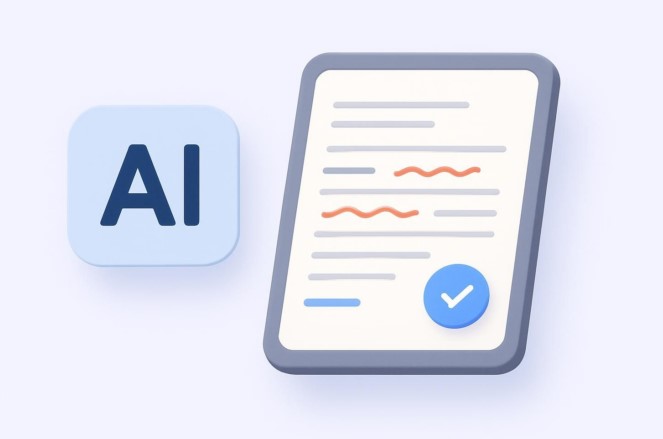
I once sat in a high-stakes boardroom, ready to present a revolutionary HealthTech software architecture to a group of international investors. I had spent weeks on the technical specs, but as the first slide hit the screen, my heart sank. A glaring typo in the main heading—”Patient Data Saftey”—stared back at me. In that split second, the technical brilliance of the project felt overshadowed by a simple linguistic slip.
That moment changed how I viewed writing. In the tech industry, precision isn’t just about code; it’s about communication. Over the last decade, I’ve watched writing tools evolve from clunky spell-checkers that couldn’t tell “there” from “their” into sophisticated AI powered grammar checkers that understand nuance better than some humans.
If you’ve ever felt the sting of a sent email you wish you could pull back, or if you struggle to make your professional English sound “natural,” this deep dive is for you.
The Evolution of the Digital Editor
In the early days of my career, grammar checkers were like a rigid school teacher with a ruler. They checked for hard-coded rules: “Do not end a sentence with a preposition.” They were binary—either right or wrong.
Today’s AI powered grammar checkers are more like a seasoned editor sitting next to you. They don’t just look at words; they look at Context, Intent, and Tone. They understand that a technical white paper requires a different “voice” than a casual Slack message to a teammate.
1. How AI Powered Grammar Checkers Actually Work
To understand why these tools are so much better now, we have to look “under the hood” at the technology. Most modern checkers utilize Natural Language Processing (NLP) and Deep Learning.
The Brain Behind the Screen
Think of the old spell-checker as a simple dictionary. If the word isn’t in the book, it’s wrong. An AI-powered checker, however, uses a Neural Network.
It has “read” billions of sentences from books, articles, and academic papers. Because of this, it understands Semantic Meaning.
-
Analogi: If a traditional checker is a map, an AI checker is a GPS with real-time traffic updates. The map tells you where the road is, but the GPS tells you if the road is currently blocked by a confusing sentence structure.
2. Beyond Spelling: The Three Pillars of Modern AI Editing
When you use AI powered grammar checkers, you aren’t just fixing typos. You are enhancing three critical areas of your writing:
A. Clarity and Conciseness
In the tech world, we tend to over-explain. AI tools are excellent at identifying “fluff.” They might suggest changing “at this point in time” to “now.” For someone writing a technical manual or a clinical summary, this brevity is vital for readability.
B. Tone and Engagement
Are you being too aggressive? Too passive? AI tools now feature Tone Detectors. They analyze your word choice and tell you if you sound professional, joyful, or urgent. This is a game-changer for non-native English speakers trying to navigate cultural nuances in business.
C. Structural Logic
Intermediate-level AI tools can now spot “dangling modifiers” or inconsistent tenses across paragraphs. They ensure that if you start a report in the past tense, you don’t accidentally slip into the present mid-way through.
3. The Tech Stack: Top AI Writing Tools for 2026
Having tested dozens of platforms during my tenure as a writer and tech consultant, I’ve narrowed down the most effective AI powered grammar checkers based on specific needs:
-
Grammarly: Still the heavyweight champion for general use. Its browser extension and desktop integration make it nearly invisible and highly efficient.
-
ProWritingAid: The “Engineer’s Choice.” It provides deep-dive reports on sentence length variance, repeated words, and “sticky” sentences.
-
Hemingway Editor: While not a “checker” in the traditional sense, its AI focuses on making your writing bold and clear. It’s perfect for breaking down complex HealthTech jargon.
-
Quillbot: Excellent for Paraphrasing. If you have the data but can’t find the right way to say it, Quillbot’s AI helps restructure your thoughts without losing the meaning.
4. Technical Integration: APIs and The Future of Writing
For my more technical readers, the real power lies in API Integration. We are seeing a shift where AI powered grammar checkers aren’t just separate apps; they are being baked into our Content Management Systems (CMS) and Integrated Development Environments (IDEs).
Using Large Language Models (LLMs) like GPT-4o or Claude 3.5, developers are building custom grammar “wrappers” that understand specific industry terminology. In HealthTech, this means a checker that knows the difference between “asymptomatic” and “non-symptomatic” and won’t flag medical Latin as a “spelling error.”
5. Expert Advice: The “Hidden Warning”
As much as I love these tools, I have a warning for you that I’ve learned the hard way.
Tips Pro: Never click “Accept All” suggestions. AI is a co-pilot, not the captain. Sometimes, the AI will suggest a “correct” word that completely changes the technical meaning of a medical or legal term.
Beware of Digital Homogenization. If you follow every single AI suggestion, your writing can end up sounding “robotic” and lose its unique human personality. Use the AI to fix the errors, but keep your “voice” intact.
6. Scannable Checklist for Flawless Content
Before you hit “Send” or “Publish,” run your text through this mental (and digital) filter:
-
Check the Goal: Did you set the AI’s “Goal” setting (e.g., Academic vs. Creative)?
-
Scan for Red/Yellow Lines: Focus on grammatical errors first, then style suggestions.
-
Read Out Loud: If the AI’s “clearer” version sounds like a robot wrote it, ignore the suggestion.
-
Verify Technical Terms: Ensure the AI hasn’t “corrected” a niche technical keyword into something generic.
Summary: Your Professional Edge
In an era where your digital presence is often your first impression, AI powered grammar checkers are no longer optional. They are the final layer of polish on your hard work. By using these tools, you ensure that your audience focuses on your brilliant ideas, not your misplaced commas.
Whether you are a developer writing documentation or a student crafting your first thesis, let the AI handle the “rules” so you can focus on the “vision.”
What’s your “Writing Nightmare”?
Have you ever had a typo ruin a big moment, or are you looking for an AI tool that fits a specific technical niche? Drop a comment below and tell me about your favorite writing tool—or the one mistake you’ll never make again!