
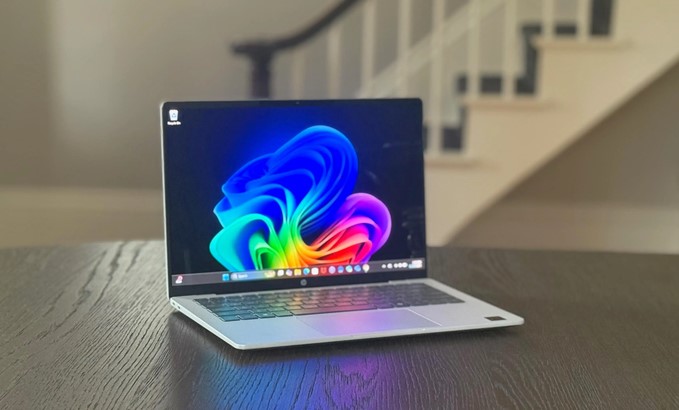
Imagine rushing through a crowded airport security line, pulling out a laptop that feels like a thick cardboard folder, opening it at a coffee shop three hours later without sweating over battery percentages, and powering through heavy 4K rendering or multi-tab multitasking all day. No brick charger in your backpack. No burning sensation on your thighs. No jet-engine fan noise disrupting your meeting.
As someone who has spent over a decade testing hardware prototypes, tearing down motherboards, and writing about tech trends, I remember when “ultraportable” was synonymous with “unusable compromises.” Back then, making a machine thin meant accepting thermal throttling, flimsy flex in the chassis, and battery life that died before your second espresso.
That era is dead.
In 2026, thin and light laptops have reached a true golden age. The convergence of ARM-based efficiency, next-generation x86 architecture, and dedicated neural processing units (NPUs) has completely redefined what portable computing means.
The 2026 Shift: Why Lightweight No Longer Means Low Power
For years, laptop design was locked in a zero-sum game: you could have ultra-portability, or you could have raw performance, but you couldn’t have both.
+-------------------------------------------------------------+
|               THE EVOLUTION OF ULTRAPORTABLES               |
+-------------------------------------------------------------+
| Traditional Ultraportables  --> Heavy Throttling & Fan Noise |
| Modern Ultraportables (2026)--> Fanless Silent Architecture |
| Combined Ecosystem          --> 24+ Hr Battery + Full Power |
+-------------------------------------------------------------+
What changed? The silicon revolution beneath the keyboard.
We’ve seen Apple’s efficiency engine jump to the M5 generation, Qualcomm refine its ARM-based Snapdragon X series, and x86 giants Intel and AMD counter with architectures like Panther Lake and Ryzen AI. The result? Modern thin and light laptops routinely squeeze 20 to 30+ hours of real-world battery life into chassis weighing under 2.5 pounds.
Anatomy of a Modern Ultraportable: What Makes It Work?
To pick the right machine, you don’t need a degree in computer engineering—just an understanding of how these three core building blocks operate under the hood.
1. Advanced Silicon Architectures (ARM vs. Refined x86)
The engine of your laptop dictates how cool and quiet it runs:
-
ARM Architecture (Apple M-Series & Qualcomm Snapdragon X): Executes instructions with extreme energy efficiency. They generate so little heat that laptops like the MacBook Air and ASUS ZenBook A14 run virtually silent without traditional bulky cooling fans.
-
Next-Gen x86 (Intel Panther Lake & AMD Ryzen AI): Ideal for users who rely on legacy Windows software or specialized enterprise apps. Modern x86 processors now feature aggressive tile-based designs, keeping power draw low without sacrifcing software compatibility.
2. Materials Engineering: Ceraluminum, Carbon Fiber, and Magnesium
Laptops aren’t just getting thinner because chips shrink; chassis materials have evolved.
-
Carbon Fiber & Magnesium Alloys: Found in productivity staples like the Lenovo ThinkPad X1 Carbon, these materials maintain structural rigidity while shaving off ounces.
-
High-Tech Ceramics (Ceraluminum): High-end ultraportables now fuse aluminum with ceramic surfaces, making the frame scratch-resistant, ultra-light, and cool to the touch.
3. On-Device AI & NPUs
Modern Copilot+ PCs and ultraportables delegate background tasks—like noise cancellation, camera framing, and local language models—to a specialized Neural Processing Unit (NPU). By offloading these tasks from the primary CPU and GPU, your laptop consumes a fraction of the power during daily video calls and productivity tasks.
Analogy: Think of a traditional laptop like a heavy V8 sports car—fast, but it burns fuel rapidly and requires a massive radiator to keep from overheating. A modern 2026 thin and light laptop is like a high-performance electric vehicle: instant power, near-silent operation, and energy recovery systems that keep you going for hundreds of miles on a single charge.
Key Benefits: Why Upgrade to a 2026 Ultraportable?
Whether you’re a remote worker, a frequent traveler, or a student moving between lectures, ultraportables deliver distinct operational advantages.
All-Day “Charger-Free” Mobility
The biggest quality-of-life upgrade in 2026 is leaving your power brick at home. With modern devices exceeding 24 hours of playback and light productivity, battery anxiety is officially a thing of the past.
Superior Display Tech in Smaller Frames
Shrinking bezels mean a 14-inch screen now fits into the footprint older 13-inch laptops used to occupy. Paired with high-refresh-rate Tandem OLED panels, ultraportables deliver vibrant colors and deep blacks without consuming extra juice.
Instant-On Productivity
Thanks to unified memory architectures and fast PCIe Gen 5 storage, waking your laptop from sleep is as fast as tapping your smartphone screen.
Pro Tips & Hidden Pitfalls: A Hardware Insider’s Guide
After reviewing hundreds of ultraportables over the decade, here are the real-world trade-offs hardware makers don’t put on the retail box.
Pro Tips for Buying Smart
-
Prioritize 16GB RAM as your Absolute Baseline: Many sleek base models still advertise 8GB to keep entry prices low. Don’t fall for it. On-device AI processing and modern browser workloads swallow memory fast. 16GB is mandatory; 32GB is the sweet spot if you plan to keep the laptop for 4+ years.
-
Look at Sustained vs. Peak Performance: Thin laptops can burst to high speeds for 10 seconds, but fanless designs throttle under prolonged heavy workloads (like 3D rendering or long video exports). Match your device to your actual workload.
-
Check the Port Selection: Thin profiles often come at the expense of full-sized HDMI ports and USB-A slots. If you travel often, look for devices with at least two Thunderbolt 4 / USB4 ports so you aren’t forced to live the “dongle life.”
Hidden Pitfalls to Watch Out For
-
ARM App Emulation Gaps: While Qualcomm’s Snapdragon X platform handles 95% of daily apps effortlessly, niche software—like custom legacy enterprise tools, specialized audio plugins, or games with anti-cheat drivers—may hit compatibility hurdles. Verify your critical apps run natively before switching to ARM.
-
Thermal Throttling on Thighs: Ultra-thin metal chassis use their aluminum shells to dissipate heat. Under heavy load, the bottom panel can get uncomfortably warm on your lap even if internal temps are safe.
-
Soldered Everything: Repairability often takes a back seat to thinness. Memory, storage, and Wi-Fi modules are frequently soldered directly to the motherboard. Buy the exact storage and RAM configuration you need today, because upgrading later may be impossible.
The Road Ahead: What’s Next for Ultraportables?
Looking toward the horizon, the boundary between laptops, tablets, and smartphones will continue to melt away. We are already seeing early implementations of foldable OLED displays maturing into rigid, daily-driver form factors, along with solid-state thermal cooling micro-chips replacing fans entirely.
+---------------------------------------------------------------+
|              THE FUTURE OF PORTABLE COMPUTING                 |
+---------------------------------------------------------------+
| Integrated ARM/x86 NPUs  -->  Zero-Latency Local AI Execution |
| Solid-State Cooling      -->  Fanless Ultra-Thin Power        |
| Flexible Display Tech    -->  Dual-Screen & Foldable Frames   |
+---------------------------------------------------------------+
The laptop in your bag will soon be thinner than a standard notepad, yet capable of running localized AI models that used to require a server rack.
Final Thoughts
The era of carrying around heavy bags, hunting for wall outlets at cafes, and listening to screaming cooling fans is officially behind us. Thin and light laptops in 2026 offer an incredible balance of endurance, display quality, and raw processing power. Choosing the right machine comes down to identifying your software needs (ARM vs. x86) and selecting a build quality that fits your lifestyle.
Over to You: Are you currently using an ARM-based laptop or sticking with traditional x86 processors? What is the single most important factor for you when choosing a portable laptop—weight, battery life, or raw speed? Share your thoughts and questions in the comments below!