Cloud Computing

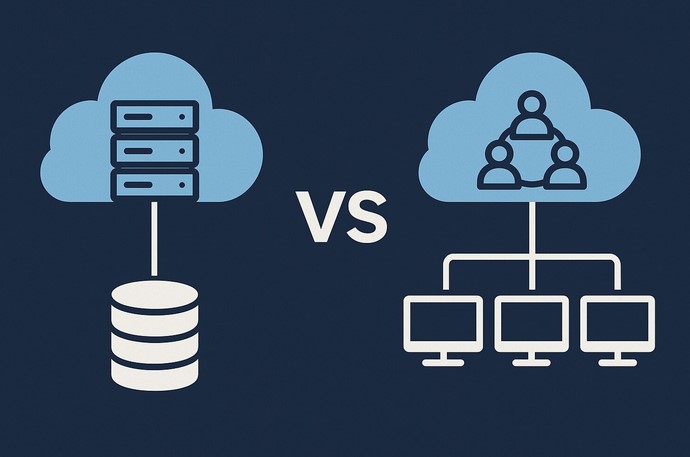
Cloud Backup Solutions: Best Practices for Data Protection

Source:https://www.cloudally.com

In today’s digital age, data has become one of the most valuable assets for businesses and individuals alike. From critical business records to personal photos and documents, safeguarding this information is essential. Cloud backup solutions have emerged as a reliable, scalable, and cost-effective way to protect data from loss due to hardware failure, cyberattacks, natural disasters, or accidental deletion. These solutions enable users to store data off-site, ensuring that even in the worst-case scenarios, their information remains secure and accessible. This article will explore the best practices for leveraging cloud backup solutions, helping businesses and individuals ensure that their data is safe and protected.

1. Understanding Cloud Backup Solutions

Cloud backup solutions refer to the process of backing up data to a remote server, often managed by a third-party cloud service provider. Unlike traditional local backups, where data is stored on physical devices such as hard drives or tapes, cloud backup solutions store data on servers maintained in secure data centers. These services are typically accessed over the internet, allowing users to upload and retrieve their data from virtually anywhere, at any time.

Cloud backup solutions offer several key benefits that make them attractive for data protection:

  1. Scalability: Cloud backup services are flexible and can scale with your data storage needs. As your business grows or your personal data increases, you can adjust the amount of storage you require without the need for expensive hardware upgrades.
  2. Remote Accessibility: Since cloud backup solutions are internet-based, users can access their data from any location, using any device that has internet connectivity.
  3. Data Redundancy: Most cloud backup services offer redundancy, meaning your data is stored in multiple locations. This minimizes the risk of data loss, even in the event of a server failure or natural disaster.
  4. Cost-Effectiveness: With cloud solutions, there is no need to invest in costly physical infrastructure like servers or hard drives. You pay for the storage you need, often on a subscription basis, which can be more affordable than traditional backup methods.

However, with the advantages come challenges, such as data security concerns and internet dependency. For organizations and individuals considering cloud backup, it’s crucial to follow best practices to maximize the protection of their data.

2. Best Practices for Cloud Backup Solutions

a) Encrypt Data Before Uploading

One of the key concerns when using cloud backup solutions is the security of the data being uploaded. While most reputable cloud providers implement strong encryption measures, it is still wise to encrypt your data before it leaves your local environment. This ensures that even if there is a breach or unauthorized access to the cloud storage, your data will be unreadable to malicious actors.

There are several encryption methods available, including AES (Advanced Encryption Standard) encryption, which is widely used for its security and speed. It is essential to use a strong encryption key and store it securely, as losing this key could make it impossible to recover your encrypted data.

b) Implement a 3-2-1 Backup Strategy

The 3-2-1 backup strategy is a widely recommended best practice for data protection, including cloud backups. The idea behind this strategy is simple:

  • 3 copies of your data: Keep at least three copies of your important data — the original file and two backups.
  • 2 different media types: Store your backups on two different types of media. For example, you can store one backup on your local hard drive and another in the cloud.
  • 1 offsite copy: Ensure that at least one backup copy is stored offsite, ideally in the cloud, to protect against local disasters such as fires, floods, or theft.

Following the 3-2-1 rule ensures that even if one backup fails, you still have additional copies stored in multiple locations, minimizing the risk of complete data loss.

c) Automate Backup Processes

Manually backing up data can be time-consuming and error-prone, which is why automating the backup process is an essential best practice. Many cloud backup solutions offer automated backup schedules, allowing users to set daily, weekly, or monthly backups without the need for manual intervention.

By automating the backup process, you ensure that your data is regularly and consistently backed up, reducing the chances of missing critical backups. Additionally, automated backups can be configured to run during off-peak hours, minimizing disruption to daily operations and user activity.

d) Test Your Backups Regularly

It’s crucial to regularly test your backups to ensure that they are functioning as expected. In many cases, users assume that their backups are working fine, only to discover during a data recovery situation that the backup was corrupted, incomplete, or inaccessible.

Schedule periodic tests to verify that the backup process is completing successfully and that the data can be restored without any issues. This helps identify potential problems before they become critical. Testing also gives you the confidence that, in case of an emergency, you will be able to retrieve your data quickly and efficiently.

e) Monitor Storage Usage and Costs

While cloud backup solutions offer scalability, it’s important to monitor your storage usage and associated costs. As your data grows, your storage requirements will also increase, and so will the cost of the service. Some cloud backup solutions have tiered pricing structures, so understanding your storage needs and regularly evaluating your plan can help prevent unexpected charges.

Many cloud providers offer reports and dashboards to track usage trends. Keep an eye on the amount of storage you’re using, and consider removing obsolete data or archiving older files to lower your storage costs. In some cases, you may be able to downgrade to a less expensive plan if you no longer need as much storage.

3. Addressing Common Challenges in Cloud Backup

While cloud backup solutions offer many benefits, there are some challenges that users need to address to maximize the effectiveness of their backup strategy.

a) Data Privacy Concerns

Data privacy is one of the biggest concerns with cloud backups. Users may worry about unauthorized access to sensitive data, especially when storing it in the cloud. To address this concern, choose a cloud provider that offers strong data security protocols, such as end-to-end encryption, two-factor authentication, and compliance with data protection regulations like GDPR or HIPAA.

b) Internet Speed and Reliability

Cloud backup solutions rely heavily on internet connectivity. Slow or unreliable internet connections can significantly affect backup performance, causing delays or incomplete backups. To mitigate this issue, ensure that you have a reliable and fast internet connection, especially if you’re backing up large volumes of data.

Additionally, consider using incremental backups, which only back up the data that has changed since the last backup, rather than uploading the entire dataset. This reduces the amount of data transferred and helps speed up the process.

Cloud backup solutions offer an effective way to safeguard your data against loss, theft, or corruption. By following best practices such as encrypting data before uploading, implementing the 3-2-1 backup strategy, automating backup processes, testing backups regularly, and monitoring storage usage, you can ensure that your data remains protected and accessible when needed. While challenges such as data privacy concerns and internet speed issues may arise, choosing a reputable provider and addressing these challenges proactively will help you make the most of cloud backup solutions. As technology continues to evolve, cloud backup will remain an integral part of any comprehensive data protection strategy, providing businesses and individuals with peace of mind knowing that their data is secure.

Cloud Computing

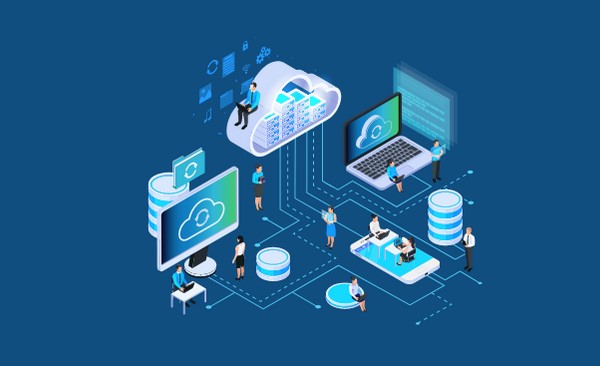
PaaS Platforms Empowering Developers and Businesses

Source:https://www.techmonitor.ai

In the ever-evolving landscape of technology, the demand for faster development cycles, improved scalability, and cost-efficiency has led to the emergence of PaaS platforms (Platform as a Service). These platforms are changing the way developers and businesses approach application development, offering powerful tools and resources that simplify the creation, deployment, and management of software applications. PaaS platforms provide a cloud-based environment that supports the entire software development lifecycle, from coding to deployment, without requiring developers to manage the underlying hardware or infrastructure. In this article, we’ll explore how PaaS platforms are empowering both developers and businesses by streamlining processes, enhancing collaboration, and accelerating innovation.

What Are PaaS Platforms?

Platform as a Service (PaaS) is a cloud computing model that provides developers with a comprehensive suite of tools and services to build, test, deploy, and maintain applications without worrying about managing the underlying infrastructure. PaaS platforms are built on top of cloud infrastructure services (IaaS), providing a layer that abstracts the complexities of servers, storage, networking, and other infrastructure elements.

For businesses, PaaS platforms offer a compelling solution by reducing the overhead of managing infrastructure, enabling teams to focus on what they do best: developing and deploying innovative applications. Developers can leverage PaaS platforms to quickly access development frameworks, databases, analytics, and other integrated services, all while maintaining full control over the application code.

Some of the most popular examples of PaaS platforms include Heroku, Google App Engine, Microsoft Azure, and IBM Cloud Foundry, all of which provide an array of tools that developers can use to create scalable and secure applications with ease.

Key Benefits of PaaS Platforms for Developers

PaaS platforms have become a cornerstone for modern software development due to the numerous advantages they offer to developers. From simplifying the development workflow to offering seamless scalability, here are the key benefits that make PaaS platforms indispensable for developers:

1. Accelerated Development and Deployment

One of the most significant benefits of using PaaS platforms is the speed at which developers can build and deploy applications. With built-in development environments, frameworks, and libraries, developers can skip the time-consuming process of setting up infrastructure and focus on writing code. These platforms often include a range of pre-built templates, ready-to-use code snippets, and API integrations that enable developers to jump-start projects and speed up the time-to-market.

For instance, PaaS platforms like Heroku allow developers to deploy applications with a simple git push command, reducing the need for manual configuration and deployment processes. This streamlined process enables businesses to bring products to market faster and respond to customer needs more efficiently.

2. Scalability and Flexibility

Scalability is another critical benefit of PaaS platforms. As applications grow, it’s important to ensure they can handle increased traffic and load. With PaaS, scaling applications is as simple as a few clicks or automated scripts, without worrying about adding additional physical servers or manually adjusting resources.

For example, platforms like Google App Engine automatically scale applications based on demand, allowing developers to maintain optimal performance even during traffic spikes. This feature is especially useful for startups and small businesses that might not have the resources to manage a large-scale infrastructure.

Furthermore, PaaS platforms allow developers to choose the specific programming languages, frameworks, and tools that best suit their projects. Whether you’re building a web application, mobile app, or microservice architecture, PaaS platforms provide the flexibility to work with the technologies you know best.

3. Cost-Efficiency and Resource Optimization

PaaS platforms help developers and businesses reduce operational costs by eliminating the need to manage and maintain physical servers and other infrastructure components. With PaaS, you only pay for the resources you use, such as storage, compute power, and data transfer, making it a more cost-effective option than maintaining an on-premise infrastructure.

Additionally, the managed services provided by PaaS platforms allow businesses to optimize their resources by offloading tasks like database management, security, and monitoring to the platform. This reduces the need for dedicated IT staff, freeing up resources to focus on core business activities.

4. Integrated Development Tools and Services

Most PaaS platforms come with a suite of integrated development tools that help developers manage their workflows more efficiently. These tools can include:

  • Continuous integration/continuous deployment (CI/CD) pipelines
  • Automated testing and debugging tools
  • Cloud databases like MongoDB, PostgreSQL, and MySQL
  • Analytics and monitoring tools to track performance and user behavior

By integrating these services, PaaS platforms allow developers to focus on the application code itself rather than managing the environment. This integration also ensures that every stage of the development lifecycle is connected and optimized, reducing the potential for errors and inefficiencies.

How PaaS Platforms Empower Businesses

While PaaS platforms primarily benefit developers by providing a robust set of tools and resources, businesses also stand to gain significantly from this cloud-based model. For organizations of all sizes, adopting PaaS can lead to faster innovation, greater flexibility, and enhanced collaboration. Here’s how:

1. Faster Time-to-Market

Businesses are constantly looking for ways to get products and services to market faster. With PaaS platforms, the time it takes to build, test, and deploy applications is drastically reduced. By removing the need for businesses to manage infrastructure, PaaS allows development teams to focus entirely on building the features and functionality that customers want, without worrying about server configurations, maintenance, or scalability concerns.

Additionally, the availability of pre-built tools, templates, and integrations helps businesses quickly prototype and test ideas, accelerating the overall product development lifecycle.

2. Lower Capital Expenditure and Operational Costs

For businesses, one of the primary advantages of adopting PaaS platforms is the reduction in capital expenditure (CapEx) and operational expenses (OpEx). Instead of investing in costly physical hardware, data centers, and IT infrastructure, businesses can pay only for the resources they use on a subscription or usage basis. This flexibility reduces the upfront investment required and allows businesses to scale their operations based on demand.

Moreover, the managed nature of PaaS means that businesses no longer need to hire dedicated infrastructure experts or maintain large IT teams. This helps reduce ongoing operational costs and allows businesses to reallocate resources to more critical areas.

3. Focus on Innovation and Core Business Goals

By offloading infrastructure management and routine maintenance tasks to PaaS platforms, businesses can focus on their core competencies. Development teams can spend more time innovating, iterating on products, and delivering new features rather than worrying about scaling, security, and managing servers. This enhanced focus on business goals allows companies to stay competitive in a fast-paced market.

For instance, a startup building an innovative SaaS product might not have the resources to hire an entire infrastructure team. By adopting a PaaS solution like Microsoft Azure or AWS Elastic Beanstalk, the company can scale its operations as needed without the need for a dedicated IT department.

4. Global Reach and Reliability

PaaS platforms are built on global cloud infrastructures that provide businesses with high availability and fault tolerance. These platforms often have multiple data centers spread across different geographic regions, ensuring that applications are always available and that users can access services with minimal latency, regardless of their location. For businesses looking to expand internationally, PaaS platforms offer an efficient way to deploy and manage applications on a global scale.

In conclusion, PaaS platforms are playing a pivotal role in empowering both developers and businesses. For developers, these platforms provide a simplified, cost-effective way to build and deploy applications without the complexity of managing underlying infrastructure. Businesses benefit from faster time-to-market, reduced operational costs, and the ability to focus on innovation rather than IT maintenance. As cloud computing continues to evolve, PaaS platforms will likely become even more integral to the development process, enabling businesses to scale and innovate at unprecedented speeds. With the right platform, companies can unlock new opportunities and drive growth, all while providing developers with the tools they need to create cutting-edge software.

Cloud Computing

Cloud Observability Tools for Enhanced Visibility and Performance

Source:https://www.motadata.com

In today’s digital-first world, where cloud infrastructure drives much of the global economy, ensuring high performance and reliability has become a top priority for businesses. Cloud services offer unmatched flexibility and scalability, but they also come with inherent complexities. This is where cloud observability tools come into play. These tools enable businesses to gain deep insights into the behavior of their cloud environments, providing a holistic view of performance, security, and system health. In this article, we’ll explore how cloud observability tools are transforming the way organizations manage their cloud infrastructure, and why they are crucial for improving visibility and optimizing performance.

1. What Are Cloud Observability Tools?

Before diving into the specifics, it’s important to understand what cloud observability tools are and why they are essential. Observability is the ability to measure the internal states of a system based on the data it generates, helping teams understand how the system behaves under various conditions. While monitoring gives you data about system health (e.g., CPU usage or response times), observability is more comprehensive—it helps to answer “why” certain behaviors occur.

Cloud observability tools go beyond traditional monitoring by offering features such as log aggregation, tracing, and metrics analysis. These tools help teams detect and resolve issues faster, optimize resource usage, and maintain high availability, all while offering a more intuitive and actionable view of cloud operations.

In cloud environments, where infrastructure is dynamic and highly distributed, observability becomes even more crucial. With services running across various regions, zones, and multiple cloud providers, cloud observability tools provide visibility into the interactions between different services, allowing teams to detect problems before they escalate into critical issues.

2. Key Features and Benefits of Cloud Observability Tools

To truly appreciate the value of cloud observability tools, it’s essential to understand the core features and benefits they provide. These tools can transform your approach to cloud performance, enhancing your ability to manage complex, multi-cloud environments.

1. Real-Time Monitoring and Metrics

Cloud observability tools give teams the ability to monitor their systems in real-time. By collecting and analyzing a wide range of metrics, these tools provide visibility into system health, resource utilization, and performance bottlenecks. This allows businesses to spot trends, identify anomalies, and quickly respond to potential issues before they impact users.

Real-time monitoring is particularly valuable in high-traffic environments, where service disruptions can cause significant revenue loss. Cloud observability tools give teams the ability to set up automated alerts, ensuring they are notified of issues such as degraded performance or system failures.

2. Distributed Tracing

In modern cloud-native architectures, services are often distributed across multiple microservices and containers. Traditional monitoring tools may struggle to provide insights into the complex interactions between these components. Cloud observability tools address this by offering distributed tracing, which allows teams to follow a request across different services, pinpointing performance bottlenecks or failures at each step.

With distributed tracing, developers can quickly identify where issues are occurring in a microservice chain, making it easier to debug and optimize application performance.

3. Log Aggregation and Analysis

Logs are one of the most valuable sources of information for diagnosing problems in cloud systems. Cloud observability tools aggregate logs from different services, applications, and infrastructure components, centralizing the data in one place. This makes it easier to correlate events, track user interactions, and troubleshoot issues.

Log aggregation helps teams identify issues such as system crashes, errors, and failed transactions. It also enables root cause analysis, as logs provide detailed context about what happened leading up to the failure.

4. Alerts and Anomaly Detection

Automated alerts and anomaly detection are crucial for maintaining high performance in cloud environments. Cloud observability tools use machine learning algorithms to detect unusual patterns in data, such as spikes in traffic or unexpected errors. These tools can then trigger alerts to notify teams about potential issues.

By setting thresholds and leveraging anomaly detection, teams can take proactive measures to prevent downtime and optimize resources more effectively. This proactive approach reduces the risk of performance degradation or system outages.

5. Scalability and Flexibility

Cloud environments are known for their ability to scale up and down based on demand. Cloud observability tools are built to handle this scale, allowing teams to monitor and analyze the performance of both small-scale and large-scale systems. Whether you’re managing a few servers or thousands of instances across multiple regions, these tools provide the flexibility to monitor and track performance at scale.

Moreover, many observability tools integrate with cloud providers like AWS, Azure, and Google Cloud, ensuring that they are adaptable to a variety of cloud platforms.

3. Top Cloud Observability Tools in 2026

As cloud infrastructure continues to grow, so does the market for cloud observability tools. In 2026, there are several standout tools that businesses can rely on for comprehensive observability across their cloud environments. Below are some of the most effective solutions available today:

1. Datadog

Datadog has become a leader in the cloud observability space, offering a suite of tools for monitoring, logging, and tracing. With support for over 400 integrations, Datadog provides visibility into infrastructure, applications, and logs in a single unified platform. It also offers advanced machine learning-based anomaly detection and real-time performance monitoring, making it a popular choice for businesses that need robust observability capabilities.

2. Prometheus and Grafana

For organizations seeking an open-source observability solution, Prometheus paired with Grafana is a powerful combination. Prometheus is a monitoring system and time series database that collects and stores metrics from various cloud services, while Grafana provides a flexible and customizable dashboard for visualizing that data. This pair is particularly useful for businesses that prefer to have more control over their observability infrastructure.

3. New Relic

New Relic offers full-stack observability, providing deep insights into application performance, infrastructure, and user interactions. New Relic’s distributed tracing and logs integration allow teams to correlate metrics with logs, ensuring they can easily pinpoint the root cause of performance issues. Its AI-driven anomaly detection further enhances its ability to detect and resolve issues before they affect users.

4. Splunk

Splunk is widely known for its powerful log aggregation and analytics capabilities. It offers a comprehensive observability solution that provides real-time insights into machine data, helping businesses monitor and optimize cloud applications. With advanced searching, filtering, and visualization options, Splunk is ideal for organizations that need detailed and actionable insights into their cloud environments.

5. Elastic Observability

Elastic’s observability stack provides unified visibility into cloud infrastructure, application performance, and user behavior. By combining APM (Application Performance Monitoring) with logs, metrics, and traces, Elastic helps organizations monitor their entire system in real-time. It’s particularly beneficial for organizations using the Elastic Stack (formerly ELK Stack) for centralized log management.

In 2026, cloud observability tools have become indispensable for businesses that rely on cloud infrastructure for their operations. These tools provide essential insights into the performance, health, and security of cloud environments, enabling organizations to quickly detect and address issues. With the rapid growth of multi-cloud and hybrid cloud environments, the need for effective observability tools is more critical than ever.

By leveraging the right cloud observability tools, businesses can ensure optimal performance, enhance user experiences, and avoid costly downtime. Whether it’s for monitoring, logging, tracing, or anomaly detection, these tools empower organizations to maintain a high level of operational efficiency and security, keeping them ahead of the competition in an increasingly complex digital world.

Cloud Computing

Private Cloud Hosting: Why Enterprises Choose Control Over Scale

Source:https://dzrge5zzbsh6q.cloudfront.net

In the ever-evolving world of cloud computing, businesses are faced with a wide variety of hosting options. Among the most popular choices for enterprises seeking both security and customization is private cloud hosting. Unlike public cloud services that share resources among various organizations, private cloud hosting offers dedicated infrastructure that is entirely controlled by the organization. This allows enterprises to maintain a higher level of control over their data, security, and IT environments, making it an attractive solution for businesses that prioritize privacy, regulatory compliance, and tailored infrastructure. In this article, we will explore why many enterprises opt for private cloud hosting and the key benefits it brings to the table.

1. What is Private Cloud Hosting?

Private cloud hosting is a cloud environment that provides exclusive access to computing resources within a private infrastructure. This can either be hosted internally within a company’s own data center or externally by a third-party service provider. The key differentiator between private cloud and public cloud hosting lies in the exclusivity and control granted to the organization using the private cloud. With private cloud hosting, all resources—such as computing power, storage, and networking—are dedicated solely to one organization, which ensures that sensitive data and applications are isolated from other users.

How It Works

In a private cloud setup, the organization either leases the hardware from a third-party provider or hosts it internally, but the underlying infrastructure is not shared with any other entity. It functions much like a traditional data center but with the added benefits of cloud capabilities such as scalability, flexibility, and advanced automation.

The private cloud environment can be further divided into different types:

  • On-Premises Private Cloud: The cloud infrastructure is deployed within the organization’s physical data center.
  • Hosted Private Cloud: The infrastructure is hosted by a third-party provider but remains dedicated to a single organization.
  • Managed Private Cloud: A private cloud solution that is fully managed by a third-party provider, including monitoring, support, and maintenance.

2. Key Advantages of Private Cloud Hosting

Enterprises choose private cloud hosting for a variety of reasons, most notably for the level of control, security, and customization it offers. Below are some of the primary benefits that make private cloud hosting a top choice for organizations with critical data and specific compliance requirements.

Enhanced Security and Privacy

The most compelling reason why enterprises opt for private cloud hosting is the robust security features it offers. In contrast to public clouds, where resources are shared among various customers, private clouds provide an isolated environment where data and applications are shielded from unauthorized access. Organizations can implement their own stringent security policies, including custom encryption, access control, and authentication protocols, to further protect sensitive data.

Moreover, private cloud hosting ensures that organizations retain full control over their data, mitigating concerns about data breaches or exposure due to the multi-tenant nature of public cloud environments. For industries that deal with highly sensitive information, such as healthcare, finance, and government sectors, the ability to maintain full control over data security is a crucial factor in adopting private cloud solutions.

Customizability and Flexibility

Unlike public cloud environments, where enterprises must often adapt to predefined configurations, private cloud hosting allows businesses to fully customize their infrastructure according to their specific needs. Whether it’s selecting the right hardware, implementing specific software configurations, or designing unique network setups, private cloud hosting offers unmatched flexibility.

This level of customization is particularly valuable for enterprises with unique operational needs, as it allows them to optimize performance, allocate resources effectively, and scale operations according to internal business goals. This flexibility also enables enterprises to better align their IT environments with their long-term strategic objectives.

Compliance and Regulatory Requirements

For many organizations, compliance with industry-specific regulations is a non-negotiable aspect of their IT operations. Private cloud hosting provides businesses with the ability to meet complex regulatory and compliance requirements, such as the General Data Protection Regulation (GDPR), Health Insurance Portability and Accountability Act (HIPAA), and other industry-specific standards.

In public cloud environments, enterprises often struggle to demonstrate that they are in full compliance with data sovereignty laws or security regulations. Private cloud hosting allows businesses to implement bespoke solutions to meet specific compliance requirements, often by maintaining control over data location, access, and storage practices.

Performance Optimization

One of the main reasons enterprises opt for private cloud hosting is the ability to optimize performance. Because resources are not shared, organizations can allocate computing power and storage based on their specific needs. This allows for higher and more consistent performance, with fewer fluctuations or bottlenecks that might occur in shared public cloud environments.

With private cloud infrastructure, enterprises can also fine-tune their applications and workloads to ensure that mission-critical services and processes are executed at optimal speed. This level of control helps organizations maximize the value of their IT investments.

3. Why Control Over Scale Matters in 2026

As businesses continue to grow, the ability to scale their IT infrastructure rapidly becomes increasingly important. However, private cloud hosting offers a different approach to scaling compared to public clouds. While public clouds allow for rapid scaling based on demand, private clouds offer a more deliberate and controlled approach to scalability.

Scalability with Control

In private cloud environments, scalability is still possible, but it is typically done in a more controlled, predictable manner. Enterprises can expand their resources when necessary, but they have the ability to plan and manage the growth of their infrastructure more strategically. This controlled scaling allows businesses to avoid the over-provisioning common in public cloud environments, which can lead to unnecessary costs and inefficiencies.

This controlled approach also means that enterprises can manage scaling in a way that aligns with their specific business needs, ensuring that they only pay for the resources they actually require. Businesses can scale vertically (adding more resources to existing systems) or horizontally (adding more systems to the infrastructure), depending on their requirements.

Managing Costs and Resources

Although private cloud hosting can be more expensive upfront than public cloud services, it allows for better long-term cost management. By owning the infrastructure or leasing dedicated resources, businesses have more predictable costs compared to public clouds, which can have fluctuating pricing based on usage.

The ability to manage resources effectively and optimize them for specific workloads ensures that companies only invest in what is necessary. In contrast, public cloud pricing can often lead to unforeseen costs as enterprises scale their usage. The control offered by private cloud hosting enables businesses to maintain financial predictability while still scaling their infrastructure as needed.

As enterprises continue to face increasing demands for both performance and security, private cloud hosting stands out as an ideal solution. Its ability to offer superior control, enhanced security, regulatory compliance, and flexibility makes it an attractive choice for organizations with complex IT needs. In 2026, as businesses strive to maintain competitiveness while ensuring their data remains secure, private cloud hosting will continue to play a vital role in delivering reliable, scalable, and cost-effective IT infrastructure.

Ultimately, the decision to choose private cloud hosting is a strategic one, with many enterprises favoring control over the scale offered by public clouds. For businesses that prioritize security, customization, and long-term growth, private cloud hosting will remain a cornerstone of IT infrastructure well into the future.

Cloud Computing

Benefits of Hybrid Cloud for Business Agility and Growth

Source:https://imageio.forbes.com

In today’s fast-paced digital landscape, businesses must constantly evolve and adapt to stay ahead of the competition. One of the most powerful tools driving this transformation is cloud computing. While many organizations are moving towards cloud-first strategies, the hybrid cloud model has emerged as a game-changer, offering a blend of on-premises infrastructure and public cloud services. The benefits of hybrid cloud are numerous, making it an attractive option for businesses that require flexibility, scalability, and enhanced security. This article explores how adopting a hybrid cloud approach can significantly boost business agility and promote long-term growth.

Understanding the Hybrid Cloud Model

Before diving into the benefits of hybrid cloud, it’s important to understand what this model entails. A hybrid cloud is an IT infrastructure that combines both private and public cloud environments. The private cloud typically houses sensitive or mission-critical applications and data that require higher levels of security, while the public cloud offers scalable and cost-efficient computing resources for less-sensitive workloads.

This hybrid approach enables businesses to take advantage of the strengths of both cloud environments, offering them greater flexibility, more control over sensitive data, and the ability to scale their infrastructure in real-time based on demand. By allowing businesses to choose the most appropriate environment for each workload, the hybrid cloud model ensures that organizations can optimize performance, security, and costs.

Key Benefits of Hybrid Cloud for Business Agility

The benefits of hybrid cloud for businesses are vast and can fundamentally change the way organizations operate. Below are some of the most significant advantages that a hybrid cloud strategy offers, specifically in terms of business agility and growth.

1. Enhanced Flexibility and Scalability

One of the most compelling benefits of hybrid cloud is its unparalleled flexibility. The hybrid model allows businesses to scale resources up or down based on their specific needs, making it ideal for dynamic workloads that fluctuate seasonally or in response to market conditions.

For example, during peak seasons, businesses can expand their IT infrastructure using the public cloud, ensuring they have enough resources to handle increased demand without investing in expensive on-premises equipment. Once the demand subsides, they can scale down their usage, thus optimizing costs.

This elasticity also allows businesses to experiment with new ideas and innovations without the risk of heavy financial investments in hardware or resources. For companies looking to grow rapidly and stay agile, hybrid cloud offers the ability to pivot quickly without being tied to a rigid infrastructure.

2. Improved Business Continuity and Disaster Recovery

In today’s digital world, downtime can be catastrophic for businesses, leading to lost revenue, productivity, and customer trust. One of the critical benefits of hybrid cloud is its ability to enhance business continuity and disaster recovery (BC/DR) strategies.

By leveraging both private and public cloud environments, organizations can ensure that their data is backed up and readily accessible in the event of a disaster. For example, a business can store critical data in the private cloud while leveraging the public cloud for redundancy and failover capabilities. In the event of an outage, the public cloud can step in to ensure uninterrupted service, minimizing downtime and enabling quick recovery.

The hybrid cloud model offers businesses the ability to design tailored disaster recovery plans that meet their specific needs, providing an extra layer of security and operational resilience.

3. Cost Efficiency and Optimized Resource Allocation

The benefits of hybrid cloud also extend to cost optimization. By combining private and public cloud resources, businesses can ensure that they are only paying for the computing power they actually need, when they need it. For workloads that require more control and privacy, the private cloud offers a secure environment, while less sensitive tasks can be offloaded to the public cloud, where organizations can benefit from lower costs and more efficient resource usage.

In addition, hybrid cloud offers businesses the opportunity to eliminate costly upfront investments in hardware and infrastructure. Instead of maintaining large data centers, companies can leverage the public cloud’s pay-as-you-go model to scale resources up or down based on demand. This flexibility helps businesses avoid over-provisioning and reduce their capital expenditures.

By carefully managing workloads across both private and public environments, businesses can ensure that they are utilizing their IT resources in the most cost-effective manner possible.

Security and Compliance in a Hybrid Cloud

While the benefits of hybrid cloud are plentiful, many organizations remain concerned about security and compliance when adopting a hybrid cloud model. However, with the right strategies and tools in place, businesses can ensure that they are meeting their security and regulatory requirements.

1. Control Over Sensitive Data

Hybrid cloud allows businesses to store sensitive or mission-critical data in a private cloud environment, where they can have greater control over access, encryption, and compliance. Public cloud services, while offering excellent scalability and cost benefits, may not always provide the same level of security for highly sensitive data. By segregating critical workloads into a private cloud, businesses can maintain tighter control while taking advantage of the public cloud’s flexible capabilities for other tasks.

2. Compliance with Industry Regulations

Many industries, such as healthcare and finance, have stringent regulatory requirements that must be met in order to protect data privacy and ensure operational transparency. The hybrid cloud model can be tailored to meet these requirements by leveraging the private cloud for storing regulated data and the public cloud for less-sensitive workloads.

Public cloud providers often offer tools and certifications to help businesses comply with a wide range of regulatory standards, such as GDPR, HIPAA, and PCI-DSS. By carefully selecting the appropriate cloud environment for each workload, businesses can ensure they are meeting the necessary compliance and security standards while still enjoying the cost and performance benefits of a hybrid cloud setup.

Overcoming Challenges in Hybrid Cloud Adoption

Despite the clear benefits of hybrid cloud, organizations must be mindful of the challenges that come with adopting a hybrid cloud strategy. These challenges include integration complexity, data management across multiple platforms, and the need for skilled personnel to manage and optimize cloud environments.

However, many cloud providers offer solutions to ease the integration and management process, such as hybrid cloud management platforms and tools that enable businesses to streamline workflows and monitor resources across both private and public clouds. In addition, working with experienced cloud consultants and experts can help organizations develop a hybrid cloud strategy tailored to their specific needs.

The benefits of hybrid cloud go far beyond simple IT infrastructure management. By enabling greater flexibility, scalability, and cost optimization, the hybrid cloud model allows businesses to adapt quickly to changing market conditions and technological advancements. With enhanced disaster recovery, better control over data security, and a more cost-effective approach to resource allocation, businesses can unlock new opportunities for growth and innovation.

As hybrid cloud technologies continue to evolve, organizations that adopt this model will be better equipped to stay competitive in an increasingly digital and interconnected world. With the ability to scale operations quickly, secure sensitive data, and meet compliance requirements, the hybrid cloud is becoming an essential tool for businesses that want to remain agile, efficient, and future-ready. By embracing hybrid cloud, companies can position themselves for long-term success, enabling them to grow and thrive in the ever-changing landscape of business and technology.