
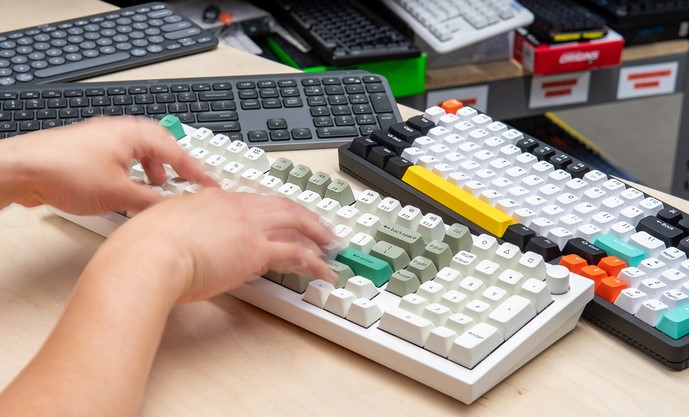
When it comes to choosing a notebook for daily workflows, one of the most critical yet sometimes overlooked features is the keyboard quality. For writers, programmers, editors, and professionals who spend hours typing every day, selecting laptops with best keyboards can significantly impact productivity and comfort. A well-designed laptop keyboard not only supports faster and more accurate typing, but also reduces fatigue, enhances ergonomics, and improves overall user experience. In 2026, advancements in keyboard design, materials, and feedback mechanisms have elevated typing comfort to new heights.
In this article, we explore what makes certain laptop keyboards stand out, highlight the top contenders for the most comfortable typing experience, and provide actionable insights on choosing the right machine based on your unique needs. Whether you are drafting long-form documents, coding for hours, or simply prefer a satisfying typing feel, this guide will help you make a more informed purchase.
What Defines a Great Laptop Keyboard?
Before diving into specific models, it’s important to understand the key elements that contribute to an excellent laptop keyboard. Not all keyboards are created equal, and several technical and ergonomic aspects influence comfort, responsiveness, and efficiency.
Key Travel and Tactile Feedback
One of the most important aspects of a keyboard’s feel is key travel — the distance a key moves when pressed. Traditional desktop mechanical keyboards often have deeper travel, which many touch typists prefer for a satisfying, responsive feel. In contrast, ultra-thin laptops may offer shallower travel, leading to a different typing experience. The ideal balance is subjective, but most professionals prefer moderate travel (around 1.5mm to 2mm) combined with well-calibrated tactile feedback.
Tactile feedback refers to how a key responds as it’s pressed. A keyboard with good feedback gives a noticeable but not obstructive response, helping typists know exactly when a keypress has registered. This reduces the likelihood of typos and enhances typing speed over time.
Layout and Key Spacing
Equally important is the overall layout and spacing of keys. A comfortable keyboard should offer well-spaced keys that reduce the chances of accidental presses, especially for longer fingers. Larger laptops often have more room for properly spaced keys, while compact models sometimes require compromises. Additionally, the inclusion of full-sized arrow keys, a dedicated number pad, and intuitive function keys increases usability for many professionals.
Ergonomics and Wrist Support
Ergonomics also play a role, especially for those who type for extended sessions. A keyboard with a slight tilt, well-placed palm rest, and consistent key resistance helps maintain a neutral wrist position, reducing strain over time. Some manufacturers also introduce soft-touch coatings or layered keycaps designed to enhance grip and comfort.
Backlighting and Customization
Backlit keyboards have become a near-essential feature for many users. Adjustable lighting not only assists in low-light environments but also adds a level of personalization. Some advanced models offer per-key lighting customization, allowing users to create optimized layouts for typing, coding, or shortcuts.
Top Laptops for Typing Comfort in 2026
Now that we’ve covered the key characteristics of a good laptop keyboard, let’s explore some of the top laptops that deliver exceptional typing comfort. These models are selected based on keyboard quality, ergonomic design, user reviews, and overall performance.
Apple MacBook Pro (M-Series)
Apple’s MacBook Pro lineup continues to be a popular choice among professionals who prioritize typing comfort. The refined scissor-switch keyboard offers a balanced key travel and precise feedback that many writers and programmers appreciate. Its spacious layout and well-calibrated spacing reduce fatigue during long typing sessions. Users also value the muted sound of keypresses, making it ideal for quiet environments like offices or libraries.
Beyond the keyboard, the MacBook Pro excels in performance and build quality, thanks to Apple’s M-series chips, bright displays, and long battery life. While the price point remains premium, many users find the typing experience alone justifies the investment.
Dell XPS 15
Dell’s XPS series has long impressed with its sleek design and powerful performance. The XPS 15, in particular, balances a compact build with a comfortable keyboard suitable for heavy typists. The keycaps offer satisfying travel and bounce-back without feeling mushy. The inclusion of a larger chassis allows for ample key spacing, while the responsive backlighting adapts to ambient light conditions.
Professionals who need a Windows-based system with strong performance — especially for creative work or multitasking — will find the XPS 15’s keyboard and overall design compelling. The chassis also incorporates a spacious palm rest and robust hinge mechanism, ensuring stability during typing.
Lenovo ThinkPad X1 Carbon
Lenovo’s ThinkPad series is renowned for its legendary keyboards, and the X1 Carbon continues the tradition. Known for its tactile, almost mechanical-like feel, the ThinkPad keyboard is a favorite among writers, developers, and business users. With deep key travel and well-defined actuation, typing on a ThinkPad feels both intuitive and gratifying.
The X1 Carbon’s rugged build quality and professional-grade features further enhance its appeal. Its TrackPoint system in the middle of the keyboard provides an alternative pointing option preferred by many long-time ThinkPad enthusiasts. For those who work in corporate environments, the ThinkPad’s robust security and manageability features add additional value.
Microsoft Surface Laptop Series
Microsoft’s Surface Laptop lineup has earned praise for its sleek design and comfortable typing experience. These laptops offer an island-style keyboard with moderate key travel and good tactile response. While not as deep as some traditional mechanical-style keyboards, the Surface series strikes a balance that suits most typists.
The Surface Laptop’s touchscreen and high-resolution display complement daily workflows, making it a strong choice for students, professionals, and hybrid workers who value both aesthetics and functionality.
Selecting the right laptops with best keyboards involves understanding your personal typing preferences, ergonomic needs, and workflow demands. Whether you prioritize deep key travel, premium build quality, or a balanced tactile experience, several standout laptops in 2026 cater to those requirements. From Apple’s refined scissor mechanisms to Lenovo’s legendary ThinkPad feel, each model brings unique strengths to the table.
Ultimately, prioritizing keyboard comfort can significantly enhance your productivity, reduce strain, and make everyday computing more enjoyable — especially for professionals who spend countless hours at the keyboard. Consider factors such as key travel, layout, backlighting, and ergonomic design to find the best fit for your needs, and enjoy a typing experience tailored to your workflow.