Laptops

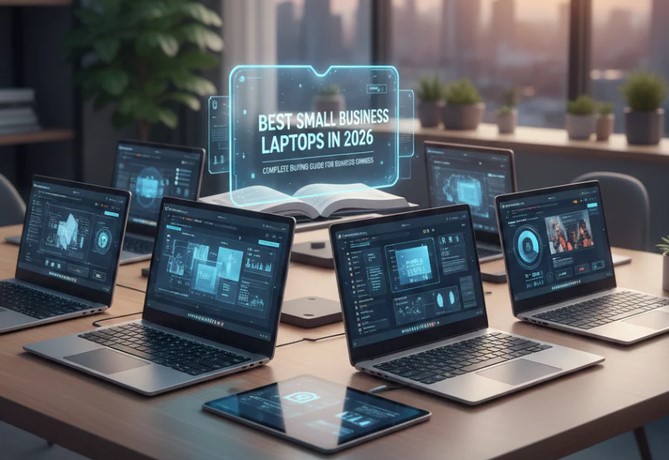
Laptops for Small Businesses in 2026

Source:https://www.toplap.ae

Imagine this scenario: It is 9:00 AM on a Monday, and you are right in the middle of pitching a game-changing proposal to your biggest potential client over a video call. Suddenly, your laptop screen freezes, the fan sounds like a jet engine taking off, and the dreaded loading wheel starts spinning. By the time your system recovers, the client has checked out.

As someone who has spent over a decade deploying healthcare and business technology solutions, I have seen variations of this horror story play out hundreds of times. In 2026, buying a machine is no longer just about picking something that turns on and runs a web browser.

The hardware landscape has fundamentally changed, shifting from basic processors to AI-driven ecosystems. Choosing the right laptops for small businesses is now the difference between seamless scaling and operational frustration. Let’s cut through the marketing noise and look at what actually works for small businesses today.

Why the Rules Changed: The Rise of AI PCs and NPUs

If you haven’t shopped for hardware recently, the spec sheets will look unfamiliar. The biggest architectural shift since the multi-core era is here: Neural Processing Units (NPUs).

Think of the CPU as the store manager who handles everyday operations, and the GPU as the creative designer managing visuals. The NPU is your dedicated automation expert. It handles complex AI calculations—like real-time video background blurring, live transcription, data sorting, and security algorithms—without draining your battery or slowing down your main processor.

In 2026, to be certified as a true “AI PC” or Copilot+ PC, a laptop must feature an NPU capable of delivering at least 40 TOPS (Trillions of Operations Per Second). Buying a laptop without a capable NPU today means investing in a legacy machine that will struggle with business software updates within 24 months.

The Essential Checklist: What Your Specs Actually Mean

Let’s break down the core specifications so you can avoid spending money on specs you don’t need, or worse, buying an underpowered machine.

1. RAM: The 16GB Baseline

Do not buy an 8GB RAM machine for business use anymore, even if the price looks tempting. In 2026, 16GB of DDR5 or LPDDR5 RAM is the absolute bare minimum required to keep your business apps, web tools, and security layers running smoothly alongside modern AI workloads. If your team works heavily with large datasets or financial modeling, upgrade to 24GB or 32GB.

2. Storage: Speed Over Raw Space

Always opt for a Solid State Drive (SSD). A 512GB SSD gives your system ample breathing room for essential OS functions, applications, and local business files. Avoid 256GB models unless your entire workflow is exclusively cloud-based.

3. Silicon Architecture: Intel, AMD, or ARM?

You now have three distinct paths to choose from:

    • Intel Core Ultra & AMD Ryzen AI: The classic heavy-hitters. Excellent for absolute software compatibility, legacy local programs, and raw multi-threaded performance.

    • Snapdragon X Series (ARM-based Windows): The battery kings. These chips run incredibly cool and offer excellent efficiency away from the charger.

    • Apple M-Series (M5/Neo): The gold standard for optimization, build quality, and extreme performance-per-watt efficiency if your business ecosystem runs on macOS.

Top Recommendations for Small Businesses

Based on real-world IT testing and long-term deployment stability, these models offer the best value, durability, and performance for small businesses right now.

1. Lenovo ThinkPad X1 Carbon Gen 13 Aura Edition

  • Best For: Executives, frequent travelers, and users prioritizing top-tier build quality.

  • Why it stands out: Weighing in at just 2.17 pounds, this carbon-fiber machine combines enterprise-grade security features with the best tactile keyboard on the market. Its integration of modern Intel processing and a highly efficient NPU makes it an absolute workhorse.

2. Apple MacBook Air (M5)

  • Best For: Creative teams, modern startups, and general business productivity.

  • Why it stands out: The M5 generation brings class-leading performance and exceptional battery life that easily clears a 15-hour workday without ever needing a wall outlet. Its fanless design means it remains completely silent even under heavy multitasking.

3. ASUS ExpertBook P5 or Ultra AI PC

  • Best For: Value-oriented operations needing strong corporate security.

  • Why it stands out: ASUS has built an incredible fleet of highly serviceable, lightweight business laptops. The P5 series balances robust multi-layered security protocols with premium internal hardware without breaking your budget.

Pro Tips and Hidden Pitfalls to Avoid

💡 Pro Tip: Prioritize Port Selection

Don’t get blinded by razor-thin designs. If your team constantly presents to clients or uses external hardware, look for laptops that retain at least one USB-A port and an HDMI port. Relying entirely on external USB-C dongles means team members will inevitably lose them right before crucial meetings.

⚠️ Soldered Components

Most modern ultrabooks solder their RAM directly to the motherboard. This means you cannot upgrade the memory later. Saving $100 today by dropping down a RAM tier could force you to replace the entire laptop a year early when your business apps require more computing power. Always buy the RAM capacity you will need two years from now.

Summary Matrix: Finding Your Perfect Fit

Business Need Recommended Spec Key Feature to Look For
General Productivity 16GB RAM / 512GB SSD Long battery life, lightweight chassis
Heavy Data & Finance 32GB RAM / 1TB SSD High CPU core count, numeric keypad
Creative & Design 32GB RAM / 1TB+ SSD High-accuracy OLED display, powerful GPU
Frequent Travel 16GB RAM / 512GB SSD Snapdragon or Apple Silicon, rugged build

The Bottom Line

Buying laptops for small businesses isn’t about chasing the cheapest price tag on the shelf—it’s an investment in your company’s daily velocity. A slow, unreliable machine acts like a continuous micro-tax on your team’s productivity and mental focus. By targeting the 16GB RAM baseline, choosing a platform with a capable 40+ TOPS NPU, and picking a form factor built for your team’s specific environment, you set your business up for a friction-free operational year.

What are the primary challenges your team faces with your current hardware setup? Let’s discuss your current workflow requirements in the comments below so we can pin down the exact configuration you need to scale effectively.
Gadgets

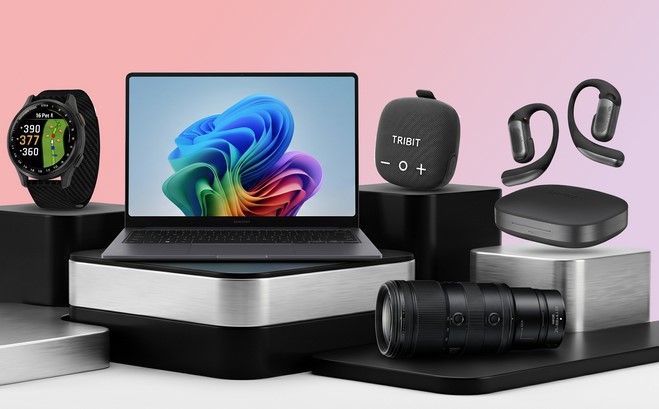
USB Gadgets Every Tech Enthusiast Needs in 2026

Source:https://cdn.mos.cms.futurecdn.net

You are sitting at your desk, deep in a flow state, when your laptop screen suddenly flickers and displays that dreaded 5% battery warning. You reach for your standard charger, only to realize your external SSD, your mechanical keyboard, and your desktop webcam are already occupying every single port. To make matters worse, your coffee has gone completely cold, and your workspace looks like a bird’s nest of tangled wires.

This isn’t just a daily minor annoyance; it’s an infrastructure crisis on a miniature scale. Over my ten years writing about emerging technologies and reviewing hardware, I have watched the humble Universal Serial Bus evolve from a slow data-transfer wire into the absolute lifeblood of our digital workspaces.

In 2026, we have finally moved past the clunky, single-purpose accessories of the early 2020s. Today, usb gadgets are smarter, faster, and more integrated than ever before, combining advanced power delivery with AI-driven efficiency.

Whether you are a casual user looking to tidy up your desk or a medium-level enthusiast building the ultimate workstation, here are the essential usb gadgets redefining productivity this year.

The Core Upgrade: Storage Meets Connectivity

For years, the tech industry forced us to make a frustrating compromise. If you bought a sleek, modern ultra-portable laptop, you gained mobility but sacrificed ports. If you added a standard USB hub, you ended up with an extra brick dangling from your device.

1. The NVMe-Equipped USB-C Docking Station

The biggest shift I’ve observed recently is the fusion of high-speed data storage and port expansion into a single form factor. Leading devices in 2026, such as the Satechi Dual Dock Stand or premium equivalents from Sonnet, function simultaneously as a multi-port hub and an external solid-state drive (SSD) enclosure.

  • The Speed: Moving data at speeds up to 10 Gbps or higher via USB 3.2 Gen 2, allowing you to transfer 50GB video projects in less than a minute.

  • The Ports: Typically expanding a single connection into dual HDMI 2.1 outputs, multiple USB-A legacy slots, Gigabit Ethernet, and SD card readers.

  • The Built-in Slot: A hidden compartment on the bottom accommodates an M.2 NVMe SSD, giving you terabytes of hyper-fast scratch storage without taking up an extra port on your machine.

Power Dynamics: Shrinking Hardware, Growing Wattage

If your charging brick still looks like a literal brick, you are living in the past. The technology keeping our gear powered up has undergone a massive molecular rewrite over the last few seasons.

2. Ultra-Compact 65W to 140W GaN Chargers

Gallium Nitride (GaN) technology has reached maturity. Think of standard silicon chargers like old incandescent light bulbs—they get hot and waste energy. GaN chargers are like modern LEDs; they transfer electrical currents with incredible efficiency, meaning components can be packed much closer together without melting.

Today’s standout usb gadgets include chargers the size of a large postage stamp that can pump out 65 watts of power. That is enough headroom to charge a MacBook Air, an iPad, and a smartphone simultaneously from an accessory that slips easily into a coin pocket.

[Diagram of a compact GaN charger illustrating multi-port power distribution and heat management]

Desktop Optimization: Comfort and Control At a Glance

Your workspace directly impacts your cognitive load. If your eyes are straining from screen glare or your fingers are tired from repetitive hotkey combinations, your gear is working against you.

3. Monitor Light Bars with Ambient Sensing

Monitor light bars went from a niche enthusiast luxury to an absolute workspace requirement. Modern iterations, like the BenQ ScreenBar Halo series, plug directly into any standard USB-C port (drawing around 15W max) and project light downward in an asymmetrical path. This means the light illuminates your desk beautifully without reflecting off your monitor screen or causing eye-straining glare.

  • Auto-Color Temperature: The built-in ambient sensors automatically adjust the light profile throughout the day, shifting from a crisp, cool 6500K during morning work blocks to a warm, relaxing 2700K as the sun sets.

  • Wireless Pucks: A dedicated desk puck lets you dial in brightness and hue without reaching for the bar itself.

4. Programmable Macropads and Shortcut Machines

The era of memorizing convoluted three-key shortcuts across different software apps is over. Programmable macropads—spearheaded by the iconic Elgato Stream Deck MK.2 and minimalist alternatives like the Work Louder Creator Micro—have evolved into mainstream productivity tools.

These USB-powered control decks feature customizable LCD keys that dynamically shift profiles depending on the app you have open. If you are in Adobe Premiere, the keys turn into video cutting tools; swap to Excel, and they immediately map to your most complex financial formulas.

The Hidden Pitfalls: What the Marketing Glossy Glosses Over

As an industry insider who has burned through hundreds of components, I must give you a direct, unvarnished warning about building out your accessory ecosystem.

The Cable Confusion Trap

Do not assume that just because a cable fits into a USB-C port, it can handle your hardware needs. USB-C is merely the physical shape of the plug; the underlying protocols vary wildly. A cheap cable bought at a gas station might only transfer data at slow USB 2.0 speeds (480 Mbps) and support a low 60W power delivery. If you try to run a high-end 4K display or a fast NVMe docking station through it, your system will either glitch or fail completely. Look explicitly for cables labeled USB4, Thunderbolt 4/5, or certified Power Delivery (PD) 3.1 rated for 240W.

Essential USB Gadget Checklist for 2026

To help you audit your setup, look at how these device types stack up against different user profiles:

Gadget Category Primary Benefit Best For
Storage Docks Eliminates cable clutter while adding terabytes of storage. Content Creators & Hybrid Workers
Micro GaN Chargers Maximizes power output while shrinking physical footprint. Digital Nomads & Commuters
Monitor Light Bars Eliminates screen glare and reduces eye fatigue. Late-night Coders & Writers
Macropads Streamlines cross-app workflows via physical keys. Power Users & Designers

Designing Your Streamlined Setup

Embracing the best usb gadgets isn’t about buying every shiny item on the market; it’s about choosing highly versatile, multi-functional tools that respect your time and desk space. By consolidating your power bricks with GaN tech, marrying your storage with your hubs, and introducing smart lighting, you transform your desk from a chaotic workspace into a highly calibrated productivity engine.

Over to you: What does your current desk look like? Are you still dealing with an army of separate charging bricks, or have you made the jump to an integrated USB-C setup? Let me know your favorite desk companion or ask any compatibility questions in the comments below!

Cloud Computing

Hybrid Cloud Computing: Balancing Flexibility and Control

Source:https://media.licdn.com

Imagine it’s 2 AM. Your healthtech application, which monitors real-time patient vitals across fifty hospitals, suddenly experiences a 400% spike in traffic due to a seasonal flu outbreak. Your on-premise servers are sweating, spinning at maximum capacity, and on the brink of crashing. If they go down, doctors lose data. But if you blindly migrate everything to a public cloud to handle the load, you risk violating strict healthcare data privacy laws, potentially facing millions of dollars in compliance fines.

This isn’t a hypothetical nightmare; it’s a situation I walked into during my fourth year as a infrastructure architect. We were trapped between the rigid walls of data security and the unpredictable demands of scalability.

That was the night I stopped looking at IT infrastructure as an “either/or” choice. In my ten years of navigating the shifts in tech, nothing has revolutionized the digital landscape quite like hybrid cloud computing. It is the ultimate bridge for companies that need the freedom to scale without losing their grip on governance.

Let’s take a deep dive into how a hybrid cloud works, why it is the sweet spot for modern businesses, and how you can strike that perfect balance between flexibility and control.

What is Hybrid Cloud Computing Anyway?

To understand hybrid cloud computing, let’s step away from the server room and walk into a kitchen.

Think of a private cloud (or your local on-premise data center) like your home kitchen. You own the appliances, you control who cooks, and you know exactly how clean the counters are. It’s highly secure and customized, but if you suddenly need to host a banquet for 500 people, your small kitchen will fail miserably.

On the flip side, a public cloud (like AWS, Google Cloud, or Microsoft Azure) is like a massive commercial catering service. You don’t own the kitchen, but you can order as much food as you want, instantly, to feed thousands. It’s incredibly flexible, but you don’t have total control over how the ingredients are handled.

A hybrid cloud computing environment is having both. You cook your secret, signature family recipes in your private kitchen (your sensitive data), but you use the catering service to handle the side dishes and extra guests when things get busy (cloud bursting).

Technically speaking, it is an IT architecture that orchestrates a mix of on-premises infrastructure, private cloud services, and public cloud platforms, bound together by standardized technology that allows data and applications to move seamlessly between them.

The Tug-of-War: Flexibility vs. Control

In my experience, tech deployments usually suffer from a cultural tug-of-war. Developers crave flexibility; they want to build, test, and scale applications using cutting-edge public cloud services without waiting for hardware procurement. On the other hand, the Compliance and Security teams demand control; they want to know exactly which physical hard drive holds their users’ sensitive information.

If you lean too far toward the public cloud, you risk vendor lock-in, unpredictable data egress fees, and potential compliance headaches with frameworks like HIPAA or GDPR. If you lock yourself in a private data center, you miss out on rapid deployment, advanced AI analytics tools, and global reach.

Hybrid cloud computing resolves this tension. It acknowledges that not all workloads are created equal:

  • For the Core Assets: Your core databases, legacy systems, and highly regulated data stay inside your private environment under your direct supervision.

  • For the Innovation Engine: Your customer-facing apps, testing environments, and heavy analytical processing leverage the raw power and elastic nature of the public cloud.

Behind the Scenes: The Technical Glue

How do these two vastly different worlds actually talk to each other without creating a chaotic mess? It comes down to a few critical LSI technologies that we use to keep things synchronized:

1. Containerization and Kubernetes

In the early days, moving an application from an on-premise server to the cloud required massive code rewrites. Today, we use containers (like Docker) to package applications with everything they need to run. Kubernetes then acts as the conductor, orchestrating these containers seamlessly across both private and public environments. If it runs on your local machine, it will run on AWS exactly the same way.

2. Robust API Integration

Application Programming Interfaces (APIs) are the digital highways connecting your environments. They allow software components in the public cloud to securely query data residing in your private database without requiring the entire dataset to move.

3. Unified Management Platforms

You cannot manage a hybrid environment using five different dashboards. Modern infrastructure relies on unified management planes (like Azure Arc, Google Anthos, or AWS Outposts) to provide a single pane of glass view, allowing your DevOps teams to monitor performance, security, and costs everywhere at once.

The Hidden Caveats: What They Don’t Tell You in the Brochure

While the benefits are massive, setting up a hybrid cloud computing architecture isn’t a walk in the park. Over the past decade, I’ve seen many brilliant teams stumble over the same hidden hurdles.

Pro Tip: Watch the Network Latency

Just because your public cloud and private cloud can talk to each other doesn’t mean they do it instantly. If your application logic lives in the public cloud but needs to make a thousand database calls per second to a private server on the other side of the country, latency will kill your user experience. Always place your interconnected workloads as geographically close as possible, and invest in dedicated, high-speed connections like AWS Direct Connect or Azure ExpressRoute.

Another major challenge is Cloud Data Fragmentation. When data lives in multiple places, maintaining a “single source of truth” becomes incredibly difficult. Without strict data governance policies, you run the risk of running analytics on outdated or duplicated information.

Is a Hybrid Strategy Right for You?

If you are a startup launching a simple, non-regulated mobile game, a 100% public cloud route is likely your best, cheapest bet.

However, you should seriously consider a hybrid model if you meet any of the following criteria:

  1. Strict Regulatory Compliance: You handle healthcare, financial, or legal records that require local residency or specialized physical security.

  2. Legacy Modernization: You have massive, older ERP systems that are too expensive or risky to migrate entirely to the cloud, but you still want to build modern web front-ends for them.

  3. Dynamic Workloads: Your business experiences massive, predictable or unpredictable swings in traffic (e.g., e-commerce sites during Black Friday, or telehealth apps during a health crisis).

Conclusion: Crafting Your Balanced Future

Achieving the perfect balance between flexibility and control is not a one-time setup; it is an ongoing journey. Hybrid cloud computing gives you the unique architectural sovereignty to write your own rules, scale on demand, and sleep peacefully at night knowing your most valuable digital assets are safely locked in your vault.

Don’t let the complexity intimidate you. Start small—perhaps by moving your disaster recovery or application testing environments to the public cloud while keeping your production core at home—and scale your hybrid footprint as your team’s confidence grows.

What about your organization? Are you currently leaning more toward total cloud freedom, or are you keeping things close to home? What is the biggest roadblock you’ve faced while trying to bridge the gap? Drop your thoughts, experiences, or questions in the comments below—let’s start a conversation!

Artificial Intelligence

AI in Supply Chain: Smarter Logistics and Forecasting

Source:https://i0.wp.com

Imagine a temperature-sensitive shipment of biological heart valves sitting on a runway tarmac halfway across the world. A sudden, unpredicted regional monsoon delays the cargo flight, while an unexpected heatwave spikes the ambient storage temperature to dangerous levels. In the old days of logistics, this critical medical cargo would simply spoil, costing a hospital thousands of dollars and, more importantly, leaving a patient stranded on an operating table.

But in 2026, a background algorithm silently flags the risk before the plane even lands. It dynamically reroutes a backup refrigerated courier vehicle, adjusts local distribution center workflows, and updates the surgical team’s scheduling application in real time.

Over my ten-plus years of working at the high-stakes intersection of enterprise software and healthcare infrastructure, I’ve learned that a supply chain is only as strong as its visibility. When things go wrong, they go wrong in a cascading chain reaction.

The integration of ai in supply chain operations has completely shifted the industry from a reactive scramble into an era of proactive, predictive intelligence. Let’s look past the corporate slide decks and explore the actual neural systems making global logistics smart.

Moving Past Excel: How Artificial Intelligence Thinks About Logistics

To truly appreciate this technological leap, we have to understand how traditional logistics planners worked for decades. They relied heavily on historical spreadsheets, looking at what a business sold last year to guess what it would need next month. It was rigid, manual, and routinely blindsided by real-world chaos.

AI approaches this chaotic dance through a completely different lens.

The Weather Forecaster Analogy: Traditional logistics is like assuming tomorrow’s weather will be identical to today’s simply because you don’t have a radar. Integrating ai in supply chain functions is like launching a network of advanced weather satellites. The system continuously processes thousands of real-time variables—like active satellite weather patterns, global shipping port bottlenecks, labor union disputes, and localized consumer trends—to accurately forecast disruptions before the first raindrop hits the ground.

Core Pillars: How AI Reshapes Modern Moving Parts

The deployment of machine learning across global distribution networks is driving immense structural efficiency. The most successful modern enterprises leverage AI across three distinct tactical domains.

1. High-Fidelity Demand Forecasting

At the root of every supply chain crisis is either having too much inventory or too little. AI models utilize predictive analytics to analyze unstructured data streams far beyond internal sales numbers.

  • The Technology: By running Time-Series Forecasting algorithms alongside Natural Language Processing (NLP) engines that scan news reports and social sentiments, AI can accurately predict a localized demand spike for a specific product weeks in advance.

  • The Benefit: This allows factories to execute Just-In-Time (JIT) manufacturing with absolute precision, dramatically lowering warehouse storage costs and preventing waste.

2. Autonomous Route Optimization and Smarter Logistics

Getting a product from a factory floor to a customer’s doorstep is a complex game of geometry and timing.

  • The Technology: Modern fleet management platforms use reinforcement learning models to solve the classic “vehicle routing problem.” The software dynamically calculates delivery sequences, altering truck routes mid-transit based on live traffic metrics, construction closures, and even fuel efficiency fluctuations.

  • The Benefit: It slashes carbon emissions, minimizes vehicle wear and tear, and ensures delivery windows are consistently met, even in highly congested metropolitan areas.

3. Intelligent Warehouse Automation

Modern distribution centers are no longer just storage rooms; they are highly dynamic sorting machines powered by computer vision.

  • The Technology: Interconnected Automated Guided Vehicles (AGVs) and picking robots use deep learning models to identify, sort, and pack products.

  • The Benefit: By analyzing order histories, the AI continuously rearranges the physical warehouse layout, placing frequently ordered items closer to the loading docks to shave valuable seconds off the picking cycle.

The Connected Data Pipeline: Architecture of Intelligence

How does a microscopic change in global market conditions instantly adjust a local delivery truck’s itinerary? The transformation relies on a seamless cloud-to-edge data pipeline.

                    THE MODERN AI SUPPLY CHAIN PIPELINE
                                     |
         [ Data Ingestion Layer ] (IoT Sensors, GPS, Market Trends, Weather APIs)
                                     |
                                     v
         [ Edge Computing Nodes ] (Filters raw noise, tracks telemetry locally)
                                     |
                     (MQTT / Kafka Stream Integration)
                                     |
                                     v
         [ Cloud AI Analytics Engine ] (Runs Neural Networks & Pattern Recognition)
                                     |
                                     v
         [ Automated Enterprise Execution ] (ERP Updates, Dynamic Fleet Rerouting)

The data flow begins at the ingestion layer, where IoT sensors on cargo containers stream real-time environmental telemetry (such as humidity and location data). These metrics are compressed and pushed via high-speed messaging streams into a centralized Cloud AI Analytics Engine. The neural network processes the data anomalies, instantly feeding actionable decisions back down to enterprise resource planning (ERP) systems and delivery fleets.

Pro Insights for Enterprise Technology Leaders

💡 Tips Pro: Prioritize Data Harmonization Over Upgrading Your Robotics

When looking to infuse ai in supply chain workflows, do not waste your capital buying flashy autonomous warehouse robots if your underlying data is messy. An AI forecasting engine is only as good as the information it digests. Invest your initial budget into building unified data layers that break down the walls between your sales, shipping, and supplier software environments, turning scattered information into clean, machine-readable datasets.

⚠️ Beware the “Black Box” Trust Dilemma

Advanced deep learning models are notoriously complex, often presenting recommendations without explaining why a specific decision was made. If an AI suddenly commands a purchasing manager to double their order of a specific raw material, an operator might override the warning out of sheer skepticism. Always design your systems with explainable AI interfaces that explicitly detail the core risk signals driving the algorithm’s logic.

Final Verdict: Proactive Resilience Wins

The volatile economic landscape of 2026 has made one thing abundantly clear: relying on historical guesswork to manage global logistics is an operational hazard. By embedding ai in supply chain frameworks, businesses transform their distribution networks from rigid, fragile pipes into highly flexible, self-healing ecosystems. Embracing automated forecasting and smart logistics isn’t about chasing a tech trend; it’s about building a bulletproof foundation that can confidently navigate whatever disruptions tomorrow brings.

How Agile is Your Current Distribution Setup?

Are you still relying on manual spreadsheets and reactive phone calls to handle shipping delays, or have you started testing automated data streams? Let’s discuss your operational hurdles. Drop a comment below with your industry niche and primary logistics bottlenecks, and let’s outline a resilient, AI-driven data strategy to streamline your operations!

Cloud Computing

Private vs Public Cloud: Which Model Fits Your Business?

Source:https://dzrge5zzbsh6q.cloudfront.net

A few years ago, I sat across from a CEO who was sweating—not because the air conditioning was out, but because his company had just received a massive compliance fine. They were storing sensitive patient biometric data on a standard, low-cost server that wasn’t properly isolated. He looked at me and asked, “I thought moving to the ‘Cloud’ meant I didn’t have to worry about this anymore?”

It was a classic misconception. In my decade-plus of building tech stacks, I’ve seen countless leaders treat the cloud like a magic box where you dump data and forget it. But the truth is, not all clouds are created equal. Choosing between private vs public cloud is arguably the most consequential infrastructure decision you will make in 2026. Get it right, and you scale effortlessly; get it wrong, and you end up with a security nightmare or a bill that could sink a mid-sized startup.


The Apartment vs. The Mansion: A Simple Cloud Analogy

If you’re new to the world of infrastructure, the technical terms can feel like a labyrinth. Let’s simplify it with an analogy I often use in the boardroom:

  • Public Cloud is like an Upscale Apartment Complex. You have your own unit (your data and apps), but you share the building’s plumbing, electricity, and lobby (the physical servers and network) with other tenants. It’s convenient, affordable, and the landlord (the provider) handles all the maintenance.

  • Private Cloud is like a Custom-Built Mansion. You own the land, the walls, and the pipes. No one else lives there. You have total control over security and design, but you’re responsible for the upkeep—and it definitely isn’t cheap.

In the tech world, this shared vs. dedicated environment is known as Multi-tenancy vs. Single-tenancy.


Deep-Diving into the Public Cloud: Speed and Agility

When we talk about the Public Cloud, we’re talking about the “Big Three”: AWS, Microsoft Azure, and Google Cloud. In 2026, these platforms have become so sophisticated that they can deploy global infrastructure in seconds.

Why Businesses Love Public Cloud

  • Elasticity: This is the “killer app” of the public model. If your app goes viral tomorrow, you can scale from 100 users to 1 million without buying a single piece of hardware.

  • Pay-as-you-go: You only pay for the Compute Power and Cloud Storage you actually use.

  • Innovation at Scale: You get instant access to cutting-edge tools like Machine Learning (ML) and Serverless Computing that would be impossible to build on your own.

The Trade-off

The biggest risk here isn’t necessarily security—public cloud providers spend billions on it—it’s Variable Costs. I’ve seen companies face “Bill Shock” because they left an unoptimized database running over the weekend, racking up thousands in unnecessary fees.


The Power of the Private Cloud: Control and Compliance

In my HealthTech experience, the Private Cloud is often the go-to for hospitals or fintech firms. When you are dealing with HIPAA or GDPR regulations, knowing exactly where your data “lives” physically is a massive advantage.

Why the Private Cloud Wins in 2026

  • Ironclad Privacy: Because the hardware isn’t shared (Single-tenant), the risk of “noisy neighbor” syndrome—where another company’s high traffic slows down your site—is zero.

  • Legacy Integration: Many older medical systems simply won’t run on the public cloud. A private setup allows you to bridge the gap between 20-year-old software and modern web apps.

  • Predictable Performance: You have a dedicated Bandwidth and Low Latency environment tailored specifically to your workloads.

The Trade-off

The Total Cost of Ownership (TCO) is high. You need a dedicated IT team to manage the Virtualization layer and the physical hardware. It’s a capital-heavy investment (CapEx) rather than an operational one (OpEx).


Technical Foundations: The Jargon You Need to Know

To navigate the private vs public cloud debate like a pro, you need to understand these LSI (Latent Semantic Indexing) terms:

  1. Hypervisor: The software that creates and runs virtual machines (VMs). It’s the “brain” that allows one physical server to act like fifty digital ones.

  2. Shared Responsibility Model: In the public cloud, the provider secures the cloud, but you are responsible for securing your data within the cloud. Many breaches happen because users forget this distinction.

  3. Data Sovereignty: The legal requirement that data must be stored within the borders of a specific country. Private clouds make this much easier to manage.

  4. Orchestration: The automated management of complex cloud tasks, often handled by tools like Kubernetes.


The Middle Ground: Hybrid and Multi-Cloud Strategies

Most people think it’s a binary choice: one or the other. But my most successful projects usually involve a Hybrid Cloud model.

Imagine a HealthTech app that stores sensitive patient records in a Private Cloud (for maximum security) but uses the Public Cloud to run its heavy AI-driven analytics. This gives you the “security of the mansion” with the “scalability of the apartment.”

Tips Pro: If you are a startup, start with Public Cloud to find your “Product-Market Fit” without heavy upfront costs. Only consider moving to Private or Hybrid when your compliance requirements or data egress fees (the cost of moving data out of the cloud) start to hurt your margins.


The “Egress Fee” Trap

One thing the big providers don’t advertise in their glossy brochures is the Egress Fee. It’s often free to put data into the public cloud, but it can be incredibly expensive to take it out.

I have seen companies essentially become “hostages” to a public cloud provider because the cost to migrate their 500 Terabytes of data to a different provider was more than their annual profit. Always have an Exit Strategy or a multi-cloud backup plan.


Comparison Table: At a Glance

Feature Public Cloud Private Cloud
Setup Speed Minutes Weeks/Months
Scalability Near-Infinite Limited by Hardware
Security Shared / Managed Dedicated / Controlled
Cost Model Monthly (OpEx) High Upfront (CapEx)
Best For Startups, Dev Labs, E-commerce Healthcare, Government, Large Banks

Summary: Which One Fits Your Business?

Choosing between private vs public cloud isn’t about finding the “best” technology; it’s about finding the best fit for your specific risk tolerance and budget.

  • Choose Public Cloud if you value speed, innovation, and have unpredictable traffic.

  • Choose Private Cloud if you handle highly regulated data and need absolute control over your hardware environment.

  • Choose Hybrid if you want the best of both worlds and have the technical staff to manage the complexity.

As we move deeper into 2026, the cloud is no longer just a “place” to store files—it is the engine of your business. Treat it with the respect it deserves.


Is your business currently struggling with high cloud bills or compliance anxiety? Are you considering a move from public to private (or vice versa)? Let’s discuss your specific use case in the comments below!